
 Need help?
Do you have a question about the HIKVISION DS-KIS702Y and is the answer not in the manual?
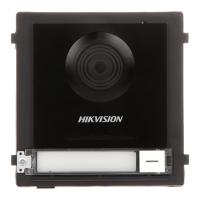
Details the physical components and terminal connections of the door station.
Guides for flush and surface mounting, including preparation and fixing steps.
Specifies recommended installation height and camera field of view for optimal use.
Describes the indoor station's physical parts and provides wiring instructions.
Covers wall mounting, device activation, and initial configuration steps.
Details the distributor's components, interfaces, and connection methods.
Explains DIN rail installation and power requirements for the distributor.
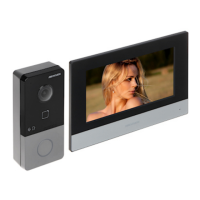
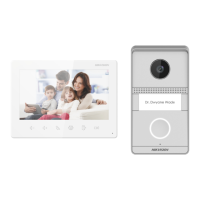
This document provides comprehensive instructions for the installation, wiring, and initial setup of Hikvision video intercom systems, specifically focusing on the DS-KH6320Y-WTE2 Two-Wire Indoor Station and the DS-KAD704Y Two-Wire Video/Audio Distributor. It also includes information relevant to the DS-KIS702Y-P kit, which bundles these components.
The DS-KH6320Y-WTE2 is a two-wire indoor station designed for video intercom functionality. Its primary function is to serve as an interface for communication within a building, allowing users to interact with door stations and other linked devices. The device features a display screen for visual interaction, a microphone for audio input, and a loudspeaker for audio output, facilitating two-way communication. It also includes a TF card slot, likely for local storage of images or video clips, and a two-wire interface for simplified wiring within a building's existing infrastructure. A dedicated debugging port is present for diagnostic purposes, and alarm terminals are provided for integration with security systems, allowing for both relay output and alarm input functionalities.
For usage, the indoor station requires activation upon initial power-on. This involves setting a strong password to secure the device. Following activation, a quick configuration wizard guides the user through essential settings such as language, network parameters, and linking to other devices. This streamlined setup process ensures the device is ready for use efficiently. The manual emphasizes the importance of powering off all related equipment during installation and wiring to prevent damage. It also highlights the need to prepare specific tools and ensure the power supply matches the device's requirements.
Installation of the indoor station involves wall mounting, utilizing a wall mounting plate and a junction box. The process requires chiseling a hole in the wall of specific dimensions, inserting the junction box, and then fixing the wall mounting plate to the junction box with screws. Finally, the indoor station is hooked onto the wall mounting plate, with a lock catch mechanism securing it in place. The wiring process involves connecting various terminals on the rear panel, including RS-485 pins, reserved pins, relay output pins, alarm input pins, and a GND pin. The manual provides a detailed diagram of these terminals to guide proper connections.
Maintenance features are implicitly covered through the debugging port, which allows for troubleshooting and diagnostics. The quick configuration wizard also provides an avenue to revisit settings if adjustments are needed after initial setup. For more detailed operational and configuration guidance, users are directed to scan QR codes for the Video Intercom Indoor Station Configuration Guide and Operation Guide, indicating that comprehensive support documentation is available for ongoing maintenance and advanced usage.
The DS-KAD704Y is a two-wire video/audio distributor, an essential component for expanding the video intercom system. Its function is to distribute video and audio signals to multiple indoor stations and connect to door stations. The distributor features a power indicator, a cascade interface for connecting multiple distributors, terminals for connecting indoor and door stations, a LAN port for network connectivity, and a power input. It also includes a reset button for system restarts or troubleshooting.
For usage, the distributor acts as a central hub, enabling communication between door stations and multiple indoor stations. It supports various power outputs for different channels, ensuring compatibility with connected devices. The wiring instructions specify that door stations should be connected to a particular channel (CH4) using two-wire cables, while indoor stations can be connected to other channels (CH1 to CH3), also with two-wire cables. This structured wiring ensures proper signal distribution and system functionality.
Installation of the distributor is designed for DIN rail mounting. Users are instructed to fix a matched DIN rail onto the wall and then press a red clip upward to lock the distributor onto the rail. This method provides a secure and organized installation within an electrical cabinet or similar enclosure. As with the indoor station, the manual stresses the importance of powering off all related equipment during installation and ensuring the device package is in good condition.
Maintenance for the distributor primarily involves ensuring correct wiring and power supply. The power indicator and network indicator provide visual feedback on the device's operational status, aiding in quick diagnostics. The reset button can be used to resolve minor issues or restart the device. The cascade interface allows for system expansion, implying that additional distributors can be added to accommodate larger installations, offering flexibility in system design and maintenance.
The DS-KIS702Y-P kit combines these components, providing a complete solution for a two-wire video intercom system. It includes the indoor station and the video/audio distributor, along with a power adapter. The power adapter, specified as KPL-060M-II from Channel Well Technology Co., Ltd, is crucial for powering the system. The kit's integrated nature simplifies procurement and ensures compatibility between the main components. The overall system is designed for ease of installation and configuration, with clear instructions and visual aids provided throughout the manual. The emphasis on safety during installation, detailed wiring diagrams, and guided setup processes contribute to a user-friendly experience for both initial deployment and ongoing operation.
 General
| Model | DS-KIS702Y |
|---|---|
| Category | Intercom System |
| Operation System | Embedded Linux |
| Display Resolution | 1024 x 600 |
| Video Standard | H.264 |
| Frame Rate | 30 fps |
| Video Compression Standard | H.264 |
| Audio Input | Built-in Omnidirectional Microphone |
| Audio Output | Built-in Loudspeaker |
| Audio Compression Standard | G.711 |
| Audio Compression Rate | 64 kbps |
| Ethernet | 10/100 Mbps |
| Alarm Input | 1 channel |
| Alarm Output | 1 channel |
| I/O Input | 1 channel |
| I/O Output | 1 channel |
| Power Supply | 12V DC |
| Protection Level | IP65 |
| Installation | Wall-mounted |
| Display Screen | 7-inch color touch screen |
| Operation Method | Touch |
| Camera | 2MP CMOS |
| Audio Quality | High-definition |
| Network Protocol | TCP/IP |
| RS-485 | 1 channel |
| Power Consumption | ≤ 6 W |
| Working Temperature | -10°C to 55°C |
| Working Humidity | 10% to 90% |
| Network | Wired |
| Resolution | 1920 × 1080 |





 To Next Page