After having connected the battery of the control unit and of the siren, you can proceed to
switch on the disconnecting-switch which connects the network voltage to the terminals of the
feeder.
For safety reasons and in respect to the current regulations we advise to carry out and
verify the link to an efficient ground system of all the systems that will need it(included the
metallic box of the TM control units)
The NET LED on the panel of the control unit signals the presence of the real network
tension.
(only TM500P, TM900P, PROTEC9).
13Vcc output tension on system enabled for the telephone dialer enabling.
13Vcc output tension in alarm condition for supplementary indoor sirens and
telephone dialer activation.
13Vcc regular output tension for volumetric detectors, telephone dialer, etc.
ATTENTION! Maximun current supplied: see pag.4
13Vcc output tension on system enabled for the telephone dialer enabling.
13Vcc output tension PX, SK or KB command
systems.
(13) = Green LED
(14) = Red LED
15 - 16 Common clip for the zones
NC* line (immediated).
NC* line (immediated).
NC* line (delayed).
* If the alarm zones are not used, the clamps must be arched.
2.3 Connections
1 - 2 - 3 Additional output contact relay
4 - 5
5 - 6
7 - 8
9 - 10
11 - 12 Out-put in series to the key switch of the panel. Interrupting to connect
eventual command systems PX, SK, KB.
13 - 14 to command the LED on
.
17 24h anti-sabotage protection zone
18 Zone
19 - 25 Zone
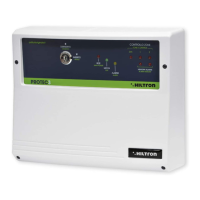
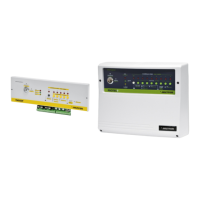
The terminals of the TM400P, TM500P, TM900P, PROTEC4, POTEC9 control unit are
described in the following table.
22
ATTENTION!
The 12V7Ah battery must always be connected. Ensure of its efficient charge state,
measuring the tension by a volt-meter, after disconnecting the main power supply from
the power supplier/battery charger by the sectioning switch. Also in case of changing of
the lead battery it’s necessary to disconnect the main power supply from the power
supplier/battery charger, to avoid that the entire system burden on it.
Don’t connect on 13Vcc services power supply output of the central unit (clamps [4] and
[5] "+12V") a load beyond 400mA (see pag.4).
1 2
3
4
5 6
7
8 9
10
11 12
13
14
15 2016 17 18 19 21 22 23 24 25
+
Sir
+
S.A.
-
12Vcc
int12V Chiave led key
V
Com
zone
24H Z1 Z3 Z4 Z5 Z6 Z7 Z8
NA
NCC
Alarm
+
-
R
+
-
Z2
Serie TM / Serie PROTEC burglary central unit - User’s manual
2.3.1 Electronic key and antitearing protection tamper
* This connection will activate the 24h anti-sabotage protection alarm when a false key is
inserted in the SKI connector.
NOTE: It a telephone diallers with escape exits relay to see out line pag.9
23
Installation
A
B
C
D
SKI/NL
+
Sir
+
S.A.
-
12Vcc
int12V Chiave led key
V
Com
zone
24H Z1 Z3 Z4 Z5 Z6 Z7 Z8
NA
NCC
Alarm
+
-
R
+
-
Z2
SK100
NC NA C V R A B C D
+
12VINSERITORELEDUscita
Chiave Falsa
NC NA C
Remove
the arch
In series to the 24h line
ATTENTION! Optional connection*
ANTITEARING PROTECTION TAMPER (Protec Series only)
screw +
anchor
ANTITEARING
TAMPER
2 screw
for fixing
on base
PROTEC series
Plastic
support
6mm hole for antitearing tamper
! Perform a 6mm hole and insert the plug supplied. .
! Tighten the screw until the boss useful. It will
activate the tamper on the back of the central series
PROTEC
Installation tamper on PROTEC base
! Insert into the hole in the plastic support provided.
! Plug the cable to the card.
! Secure with 2 screws the tamper base of
the plant, making sure that the tamper spring going
to fit into the plastic base.
Connecting to tamper central
! The tamper should be connected to the terminal on
the 24H of the plant, using the supplied cable.
security security



 To Next Page