6.4.4 Alarm memory
The opening of the zones with central unit connected and the opening of the line 24h and of the
tamper with central unit connected or disconnected, more than to create a round of alarm, activate also
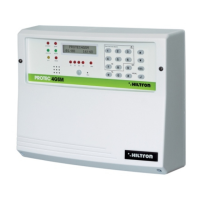
the alarm memory, signaled from the flashing of the mem. LED placed on the panel of the central unit,
more than from flashing of the red LED on the connectors of the elctronic keys.
On the display is activated the visualization cyclical of the ZONES MEMORY, with the indication of the
number of the zones memorized.
In the case of zone 24H radio is activated, the signalisation of MEM 24H ZONES RF> con indicazione del
number of the radio zone on which the memory is activated .
The alarm memory is canceled to every connection of the central unit not generating some alarm.
NOTE : The escluded zones excluded that opens to the central unit connected, activate the alarm
memory, while don’t activate the zones not connected as a consequence of partialisation.
6.4.5 Exclusion zones
It’s possible to exclude one o more zones from the monitoring of the central unit PROTEC4GSM.
With central unit connected to need access to Commands Menu
(Dialing the USER code followed by ) and to dial the correspondent button to the zone to
exclude/include again.
To modificate the status of the zone 24h to utilise the button .
The same operation it’s possible to effectuated from the panel of the central without dial some code,with
installation disconnected, hold for two about two seconds the corrispondent button to the zone to exclude.
In this modality isn’t possible to esclude the zone 24h.
The exclution of a zone that is operated in the voice menu both from the panel of the central unit and from
the connection and from connection remote phone.
To access to Voice Menu dialing the COMMANDS code and to select the otpion 4 following the istructions
of the voice guide.
3
9
PROTEC4GSM - PROTEC8GSM - Installation guide and use
security
54
6.5 Operating of the comunication GSM.
On the first line of display of the central unit are visualized the indications on the status of the GSM dial
If the display visualize:
It’s necessary introduce a SIM card phone.
To disconnect always the supply of the central unit before connect a SIM card, or off the GSM
module with option "MODULE GSM=OFF from SETUP menu" to prevent to damage it and to
cancel from the SIM any lock codes (PIN or PUK) by using a common mobile phone.
When the central unit is connected to the network GSM the display visualize :
With the indication of service provider and the power of the signale received (max 31).
The red LED “GSM” signale the operativity of GSM module with a short flashing every about 3 seconds,
to indicate that the module GSM is registered on the network GSM and ready to receive or execute calls.
When dial receives a call on the display appear,the central alerts and, the module GSM send an SMS to
first number of the phone book of type:
Installation on alert
Network OK
Alarm 24H
Alarm memory zone 2,4
On display of the central is indicated for a moment :
Finished sending SMS, the central starts the voice call and on the display appear the indication:
When the user replies , the central unit reproduce the initial message registered before ,followe by the
indication :
<Installation on alert> , or <Alarm 24 hours> or <Installation total connected > or < Installation
disconnected>
Network OK (or Absence network).
followed by <Insert Code>
Imp Disinserito
Voda IT
Imp Disinserito
Inserire SIM
Ins Conencted TOT
28
Sending SMS
31
Calling...
security
Use of the central unit
55


 To Next Page
 Loading...