4) The blue light will flash when receiving incoming calls.
Long-press the button 5 seconds enters into Bluetooth paring mode.
Play/pause when listening to music.
Answer function when receiving an incoming call
Initiate Siri when press the button for 1 to 2 senconds.
Apply to iPhone4 /iPhone4S /iPhone5 /iPhone5C /iPhone5S /
The new iPad(iPad3)/iPad mini/iPad Mini 2 /iPad Air/iPod touch
Double-press the button dials the last call.
Short-press; previous track
IV. Initial setup
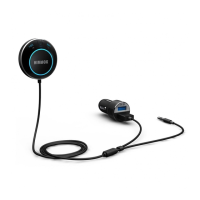
Connect to Power and AUX
1. Insert the adapter plug into your car’s 12V/24 power
outlet(a.k.a the cigarette lighter)
2. Plug the audio cable into your car’s 3.5mm AUX input port.
3. Switch on your stereo and toggle the input source to AUX.
NB: Either the 1A or 2A output port can be used to power the


 To Next Page