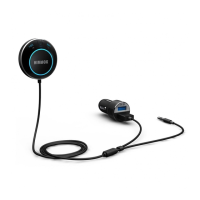
1. Select a convenient location with a level surface on the
2. Remove the protective backing from the adhesive on the
back of the mounting disc and stick it to the dashboard.
3. The controller will magnetically adhere to the mounting disc.
The controller can be easily removed and stored when not in
use.
Pair your cell phone
1. Press and hold the button for about 5 seconds until the light
ring stars flashing rapidly, indicating the Bluetooth car kit has
entered into pairing mode.
2. Turn on your phone’s Bluetooth and search for the Bluetooth
car kit “HB01” and select it.
3. If asked for a pass code, type in”0000”.
4. When paring is finished, the light ring will turn solid blue.
1. If no device is paired within 3minutes when HB01 is in
paring mode, it will enter sleep mode automatically with the
light ring flashing blue once every 5seconds, At this time, if you
want to pair your device with HB01, simply repeat the above


 To Next Page
 Loading...