SCADA INSTRUCTIONS MANUAL
www.Hiperbaric.com
3.3. Cycles
This menu option displays the pressure cycles and information about alarms, warnings and
events that take place during the time interval displayed.
This screen is divided into four areas:
- Filtering area
- Cycle graphic area
- Alarms, warnings and events graphic area
- Pressure cycle detailed data display area.
The two graphics shown will be synchronised, with the specific aspect that if the zoom is
increased or reduced in one of them, the other will automatically execute the same action.
3.3.1. Filter
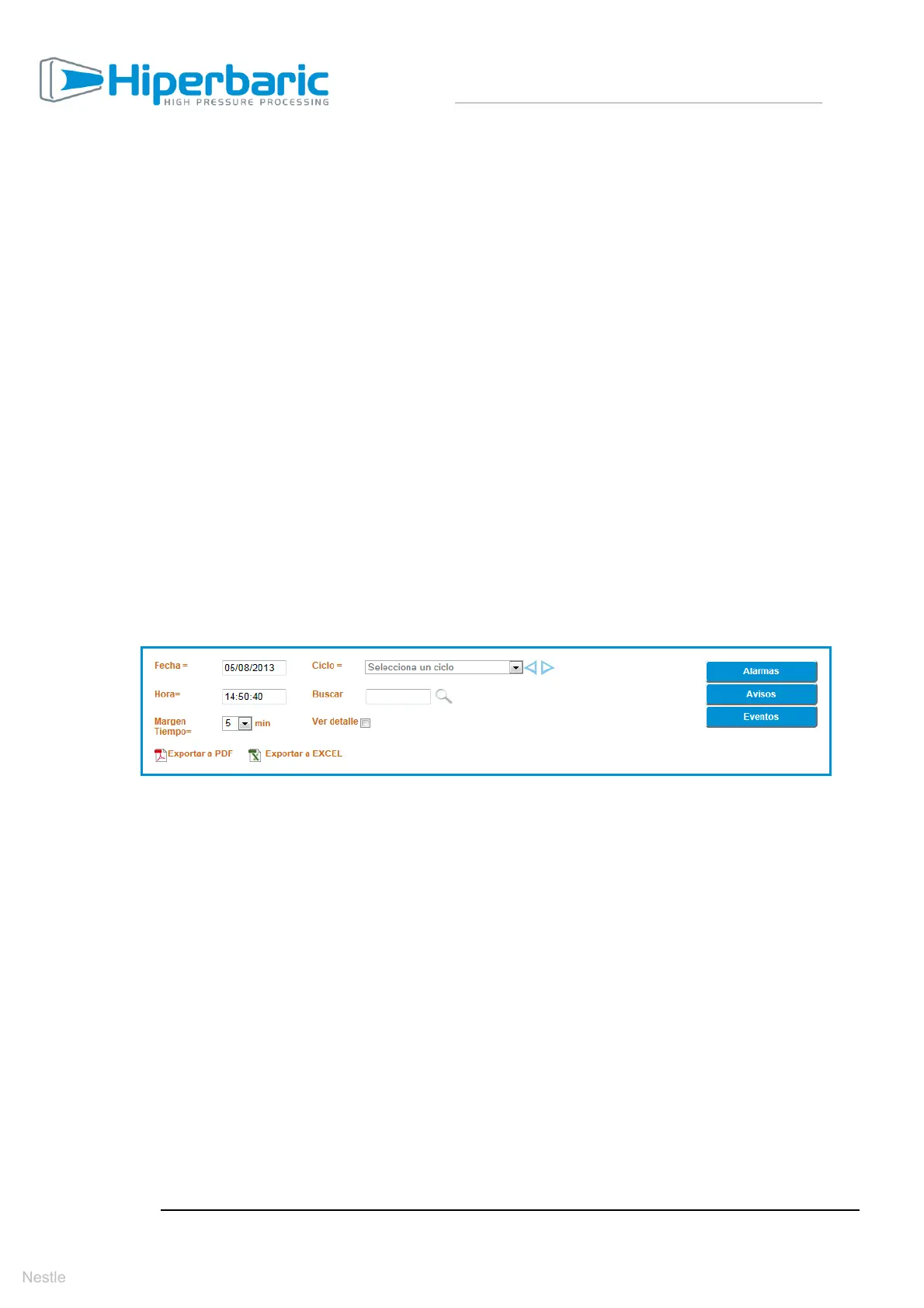
As can be seen in the image below, the filter has very wide-ranging filtering and export
options. It should be stressed that as the filtering options are modified, the graphic is
regenerated.
- Date and Time. Using these two values we will determine the reference
time and date for generating the graphics.
o Date. By default, when accessing the screen the current system
date will be selected.
o Time. By default, when accessing the screen the current system
time will be selected.
- Time Margin. Determines the time margin to be shown around the
reference date/time selected previously. By default, 5 minutes will be
selected and its maximum value will be 60 minutes.
For example:
o If the reference date/time is 05/08/2013 14:50:40 (date/time
selected in the filter) and the time margin is 6 minutes, the viewing
range will be from 05/08/2013 14:47:40 to 05/08/2013 14:53:40


 To Next Page