EasyManua.ls Logo

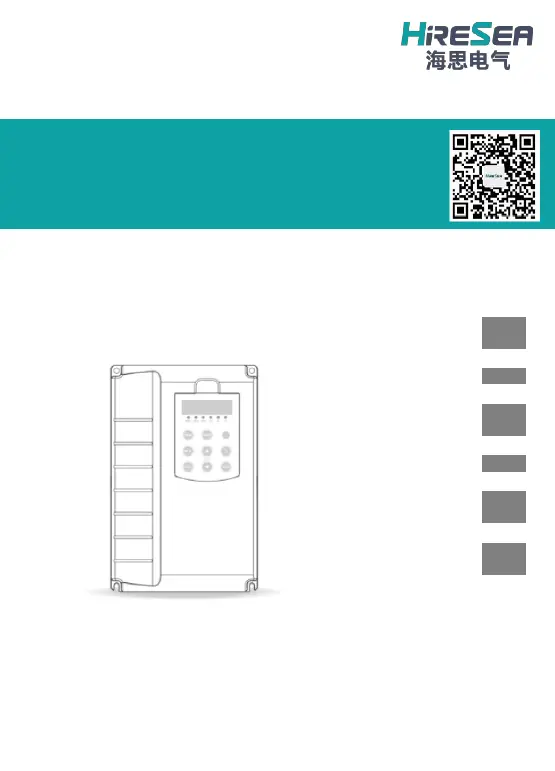
HIRESEA TD200 - User Manual

Default Icon
63 pages
Print Icon
To Next Page IconTo Next Page
Loading...
TD200 General-purpose High-performance
Inverter
Safety Information and
Precautions
1
Product Information
2
Mechanical & Electrical
Installation
8
Operation and Display
14
Function Parameters
Table
17
Troubleshooting and
Solutions
44
Guangzhou HIRESEA Electric CO., LTD.
Product Manual

Questions and Answers

  • C
    Christopher DawsonAug 17, 2025
    What to do if HIRESEA TD200 Inverter reports overcurrent fault (Err02, Err03, Err04)?
    • E
      Elizabeth HammondAug 17, 2025
      If your HIRESEA Inverter displays overcurrent fault errors like “Err02”, “Err03”, or “Err04”, it could be due to a few reasons. First, the motor parameter settings might be incorrect, so try resetting group F2 parameters or performing motor tuning. Second, the acceleration and deceleration time might be too short; in that case, set a more appropriate acceleration and deceleration time. Finally, load fluctuations could also trigger this error, so increase the overcurrent stall gain (FA-05).
  • M
    Mary DeckerAug 20, 2025
    Why HIRESEA TD200 shows no display upon power-on?
    • C
      Christopher WatkinsAug 20, 2025
      If your HIRESEA Inverter's display doesn't turn on when you power it on, there are a few potential causes. First, ensure the inverter has input power supply access. If it does, check the cables between the operating panel and the control board to ensure they are properly connected by re-plugging them.
  • J
    Jonathan JacobsAug 23, 2025
    What to do if HIRESEA TD200 shows Err14, indicating module overheats?
    • R
      Robert JohnstonAug 23, 2025
      If your HIRESEA Inverter displays the error “Err14,” indicating the module is overheating, consider these possible solutions. First, the carrier frequency setting might be too high, so try reducing it. Second, the cooling fan might be damaged, or the air filter could be blocked. In this case, replace the fan and clean the air filter.
  • E
    eramirezAug 26, 2025
    What to do if HIRESEA Inverter shows Err23, indicating motor short circuit to ground?
    • P
      Philip HicksAug 26, 2025
      If your HIRESEA Inverter displays error “Err23”, indicating the motor is short-circuited to the ground, the motor or the motor output cable may be short-circuited to the ground. Check the insulation of the motor and the output cable with a megger.
  • J
    jeremyallenAug 28, 2025
    What to do if HIRESEA TD200 Inverter is overload (ERR10) or motor is overload (ERR11)?
    • D
      Deanna GuzmanAug 28, 2025
      If your HIRESEA Inverter reports an overload (ERR10) or the motor reports an overload (ERR11), the load might be too large, or the mains voltage could be too low. Check the motor load and the mains voltage. Also, the F2 motor parameters might be set incorrectly, so reset Group F2 parameters.
  • F
    Francisco BerryAug 30, 2025
    What to do if HIRESEA Inverter reports input phase loss “Err12” or output phase loss “Err13”?
    • P
      powellscottAug 31, 2025
      If your HIRESEA Inverter displays “Err12” for input phase loss or “Err13” for output phase loss, check the I/O wiring, as poor wiring may be the cause. Also, the circuit may be broken, or the motor may be damaged. Check the motors.
  • W
    Wendy EllisSep 2, 2025
    What to do if DI/AI terminal of HIRESEA TD200 Inverter is failed?
    • L
      Laurie MitchellSep 2, 2025
      If the DI/AI terminal of your HIRESEA Inverter fails, it might be due to a parameter setting error or loosened OP and +24V shorting cap. Check the wiring and short-circuit cap, and then reset Group F5 parameters.
  • J
    Jordan MckeeSep 5, 2025
    What to do if HIRESEA TD200 reports "Err09" Input undervoltage or “Err08” Buffer resistor overload fault?
    • K
      kmyersSep 5, 2025
      If your HIRESEA Inverter displays “Err09” for input undervoltage or “Err08” for buffer resistor overload fault, the mains voltage may be too low. Check the mains voltage.
  • J
    jeffreyboydSep 8, 2025
    What to do if HIRESEA Inverter reports fast current limit fault during operation: “Err40”?
    • B
      bonnie09Sep 8, 2025
      If your HIRESEA Inverter reports a fast current limit fault “Err40” during operation, the motor parameter settings might be incorrect. Try resetting group F2 parameters or perform motor tuning. Also, the acceleration and deceleration time might be too short, so set the appropriate acceleration and deceleration time.
  • A
    Amanda BoydSep 12, 2025
    What to do if HIRESEA Inverter shows communication fault of "E098/E099" external operating panel of telegraph?
    • M
      Matthew ReeseSep 12, 2025
      If your HIRESEA Inverter displays a communication fault “E098/E099” on the external operating panel, the cable of the operating panel might be damaged or in poor contact. Try re-plugging the cables.

Summary

Safety Information and Precautions

Safety Concern

Details safety precautions for installation and operation, including DANGER/WARNING types.

Product Information

Naming Rule

Explains the model naming convention, including series code, voltage, power, and type.

Overall Dimensions

Provides physical dimensions for different inverter models and casing types.

Technical Specification

Lists key technical specs like input voltage, frequency, control methods, and performance features.

Inverter Selection Table

Aids in selecting the correct inverter model based on power, current, and adaptable motor ratings.

Braking Resistor Selection

Guides on selecting appropriate braking resistors based on inverter model power ratings.

Mechanical & Electrical Installation

Wiring Diagram

Illustrates the main circuit and control circuit connections for the inverter.

Wiring Cover Removal

Describes methods for removing wiring covers on plastic and steel casing models.

Main Circuit Terminal and Wiring

Details main circuit terminals, their functions, and essential wiring precautions.

Control Terminal and Wiring

Explains control circuit terminals, their functions, and wiring configurations.

Peripheral Device Selection

Recommends suitable peripheral devices like MCCBs and contactors for inverter installation.

Peripheral Component Specifications

Lists functional specifications for essential peripheral electronic components like reactors and filters.

Operation and Display

Operating Panel Interface

Introduces the operating panel layout, LED indicators, digital display, and keys.

Function Code View and Modification

Explains the three-level menu structure for parameter setting and modification.

Viewing Status Parameters

Describes how to view various operational status parameters like frequency and voltage.

Password Setting

Details the user password protection function and how to set or disable it.

Auto-tuning of Motor Parameters

Outlines the procedure for automatic motor parameter tuning for optimal control performance.

Functional Parameters Table

Basic Functions (Group F0)

Covers fundamental inverter settings, including control mode and frequency source selection.

Start;Stop Control (Group F1)

Details parameters for starting, stopping, speed tracking, and braking modes.

Motor Parameters (Group F2)

Includes settings related to motor type, power, voltage, current, and tuning.

Vector Control Parameters (Group F3)

Parameters for advanced vector control, including current, speed loops, and torque limits.

V;F Control Parameters (Group F4)

Parameters specific to V/F control, including curves, voltage, and frequency settings.

Input Terminals Configuration (Group F5)

Configuration of digital, analog, and pulse input terminals and their functions.

Output Terminals Configuration (Group F6)

Settings for digital and analog output terminals, relays, and pulse outputs.

Operating Panel and Display Settings (Group F7)

Parameters for the control panel, user password, and display customization.

Auxiliary Functions (Group F8)

Parameters for jog control, frequency jumps, fan control, and protection settings.

PID Control Functions (Group F9)

Configuration of PID control loops, including reference, feedback, gains, and limits.

Faults and Protection Settings (Group FA)

Parameters for various protection mechanisms, fault handling, and reset options.

Communication Parameters (Group FC)

Settings for communication protocols, baud rate, data format, and timeouts.

Fault Record Parameters (Group FE)

Details for recording and displaying fault types, conditions, and timing.

Troubleshooting & Solutions

Common Faults and Solutions

Provides a guide to identify and resolve common operational issues and error codes.

HIRESEA TD200 Specifications

General IconGeneral
Rated Power200W
Input Voltage12V DC
Continuous Power200W
Peak Power400W
WaveformModified Sine Wave
USB Output5V/2.1A
Output Voltage110V AC
CoolingFan Cooling
ProtectionOverload, Over Voltage, Under Voltage, Over Temperature, Short Circuit