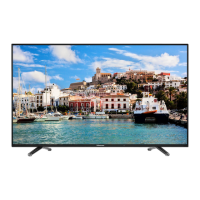
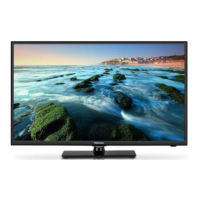
This document is a Quick Setup Guide for Hisense 32N4 and 39N4 series televisions, providing essential information for initial setup, safe operation, and basic maintenance. For more detailed instructions, users are advised to consult the full User Manual.
Declaration
The content and services accessed through this device are intended for individual non-commercial use and are protected by copyright, patent, trademark, and other intellectual property rights. Users are prohibited from modifying, duplicating, publishing, uploading, distributing, translating, marketing, or using any part of such content or service to create derived products without prior permission from the content owner or service provider.
Users acknowledge and agree to bear all risks associated with the use of this device, including risks related to satisfactory quality, performance, and accuracy of any content or service. The manufacturer explicitly states that, to the maximum extent permitted by applicable law, the device and any third-party content and service are provided "as is" without any express or implied guarantees, including but not limited to marketability, satisfactory quality, fitness for a particular purpose, accuracy, quiet use, and non-violation of third-party rights.
The manufacturer provides no guarantee regarding the accuracy, validity, timeliness, legitimacy, and completeness of any content or service, or the device's fitness for specific requirements, or protection from interruption and error during operation. The manufacturer is not liable for legal actions or indemnity obligations arising from any consequences related to information loaded on the device or its use by the user or any third party.
All content and services provided with this device remain the property of the applicable third party. The manufacturer offers no declaration or warranty on modification, suspension, cancellation, termination, or abortion thereof, and is not liable for related legal actions or indemnity obligations. The manufacturer reserves the right to restrict the use or access of certain content or services. As content and services are transmitted via third-party networks, the manufacturer does not provide customer service for these.
Important Safety Precautions
This section outlines critical safety information to ensure the safe operation and longevity of the television.
Risk of Electric Shock: A lightning flash symbol with an arrowhead within an equilateral triangle warns users of uninsulated dangerous voltage inside the product, which could pose a risk of electric shock. An exclamation mark within an equilateral triangle alerts users to important operating and maintenance instructions in the enclosed documentation. The "ATTENTION RISK OF SHOCK ELECTRIC" warning advises against opening the back cover and emphasizes that only qualified technicians should service the TV.
Disposal of Used Electrical & Electronic Equipment: Packaging and electrical goods should be recycled appropriately and not treated as household waste. Users are instructed to dispose of this equipment at an applicable collection point for electrical and electronic waste recycling. Proper disposal helps prevent potential environmental and health hazards caused by unsuitable waste handling and conserves natural resources. Users should not dispose of old electrical and electronic equipment with household waste. For detailed recycling information, contact the local city office, household waste disposal service, or the place of purchase.
Warning (Stability): If the television is not positioned stably, it can fall, causing injuries, especially to children. Simple precautions include using manufacturer-recommended cabinets or stands, ensuring furniture can safely support the TV, preventing the TV from overhanging supporting furniture, avoiding placing the TV on tall furniture without anchoring both the furniture and TV to a suitable support, not placing the TV on cloth or other materials between the TV and supporting furniture, and educating children about the dangers of climbing on furniture to reach the TV or its controls.
Safeguards:
- Safety and Operating Instructions: Read and follow all safety and operating instructions, retaining them for future reference.
- Heed Warnings: Adhere to all warnings on the appliance and in the operating instructions.
- Cleaning: Unplug the TV from the wall outlet before cleaning. Do not use liquid, abrasive, or aerosol cleaners, as they can damage the cabinet and screen. Use a lightly dampened cloth for cleaning.
- Wall Bracket: The availability of wall brackets depends on the local retailer; aftermarket brackets may be purchased locally. Refer to the specification page for dimensions.
- Water and Moisture: Avoid dripping or splashing liquids onto the product. Do not place liquid-filled objects, such as vases, on the product.
- Setting: Do not place the TV on an unstable cart, stand, or table, as it can fall and cause personal injury or damage. Use only manufacturer-recommended carts, stands, brackets, or tables.
- Ventilation: The cabinet's slots and openings are for ventilation to ensure reliable operation and prevent overheating. Do not cover these openings or place the TV in a confined space (e.g., built-in cabinet) without proper ventilation. Maintain a minimum 10cm gap around the unit, with the TV's rear 6cm from the wall.
- Power Source: Operate the TV only from the power source indicated on the marking label. Consult an appliance dealer or local power company if unsure about the home's power supply type.
- Power-Cord Protection: Route power supply cords to prevent them from being walked on or pinched. Pay attention to cords at the plug, wall outlets, and where they exit the TV. The MAIN plug serves as the disconnect device and must remain readily operable.
- Lightning: For added protection during lightning storms or when unused for long periods, unplug the TV from the wall outlet and disconnect the antenna or cable system to prevent damage from lightning or power-line surges.
- Power Lines: Do not locate an outside antenna system near overhead power lines or other electric light/power circuits, or where it could fall into them, as contact can be fatal. Exercise extreme care when installing an outside antenna system.
- Overloading: Do not overload wall outlets and extension cords to avoid fire and electric shock risks.
- Object and Liquid Entry: Never push objects into TV openings, as they may touch dangerous voltage points or short-out parts, leading to fire or electric shock. Never spill liquid into or onto the TV.
- Outdoor Antenna Grounding: If an outside antenna or cable system is connected, ensure it is grounded to protect against voltage surges and static charges.
- Servicing: Do not attempt to service the TV yourself, as opening covers exposes dangerous voltage and other hazards. Refer all servicing to qualified service personnel.
- Damage Requiring Service: Unplug the TV and refer to qualified service personnel under these conditions:
- Damaged power supply cord or plug.
- Liquid spilled or objects fallen into the TV.
- TV exposed to rain or water.
- TV not operating normally despite following instructions (adjust only covered controls; improper adjustment can cause damage and require extensive technician work).
- TV dropped or cabinet damaged.
- TV exhibiting a distinct change in performance.
- Replacement Parts: When replacement parts are needed, ensure the service technician uses manufacturer-specified parts or parts with the same characteristics as the original to avoid fire, electric shock, or other hazards.
- Safety Check: After any service or repair, ask the service technician to perform safety checks to confirm the TV is in safe operating condition.
- Heat: Position the product away from heat sources like radiators, heat registers, stoves, or other heat-producing products (e.g., amplifiers).
Battery Warnings:
- Do not mix new and old batteries, or batteries of different types.
- Do not expose batteries to heat, direct sunlight, or fire.
- Ensure positive and negative ends of batteries face the correct direction.
- The device should not be exposed to dripping or spraying liquids, and no liquid-filled objects should be placed on it.
- To fully disconnect the TV, remove the power plug from the wall socket. Ensure the wall socket and power plug are readily accessible.
Accessories List
The TV package includes:
- TV unit
- Base Stand
- Quick Setup Guide
- Remote Control
- AAA Battery × 2
- Screw × 4
Installing the Stand
CAUTION:
- Disconnect the A/C power cord before installing the stand or wall-mount brackets.
- The LCD display is fragile; protect it from hard/sharp objects or anything that could scratch or damage it. Do not exert pressure on the front of the TV screen.
Installation Steps:
- Place the TV face-down on a soft, flat surface to prevent damage or scratching.
- Remove the two stands from the accessory bag and insert them into the bottom slots of the TV.
- Secure the BASE STAND to the TV with the four screws provided.
NOTE: Pictures are for reference; actual product may vary.
WALL-MOUNT BRACKET SPECIFICATIONS:
- Wall-Mount hole pattern (mm): 200 × 200
- Wall-Mount screw size: M6
- Includes Wall-Mount Bracket, Screw, and Spacer.
TV Front
Item Description:
- Remote sensor: Receives remote signals. Keep the area clear to avoid affecting its function.
- Power indicator: Red light in standby mode.
- STANDBY/SOURCE button: Press to turn on the TV; press for a few seconds to enter standby mode. Touch to select different signal sources.
NOTES:
- The picture is for reference only.
- It takes several seconds for the TV to power on and load programs. Avoid rapidly turning the TV off, as it may cause abnormal operation.
TV Rear
Connections:
- SERVICE
- HEADPHONE
- OPTICAL
- LAN
- HDMI 3
- COMPONENT IN (Y, PB, PR)
- AV IN (L-AUDIO-R, VIDEO)
- ANT
- HDMI 2 (ARC)
- HDMI 1 (MHL)
- COMMON INTERFACE (CARD FACE FRONT)
- USB 2
- USB 1
NOTES:
- Check jack positions and types before connecting. Loose connections can cause image or color problems. Ensure all connections are tight and secure.
- The TV may not be compatible with all external devices. Refer to the external device's user manual for compatibility.
- Do not connect external equipment while the TV's power cord is plugged in, as this may cause electric shock.
- Pictures are for reference; actual product may vary.
Making Connections
ANT (Antenna): Connect an outdoor VHF/UHF antenna or cable using an antenna cable (75Ω).
COMMON INTERFACE: Insert the CI+ module for watching scrambled services (e.g., pay-TV, HD channels).
NOTES:
- Ensure the TV is switched off before inserting/removing the CI+ module. Insert the CI card into the CI+ module according to the Service Provider's instructions.
- Do not repeatedly insert/remove the Common Access Module to avoid damage or malfunction.
- Obtain the CI+ module and card from the service provider of the desired channels.
- Insert the CI+ module with the SmartCard in the marked direction.
- CI+ support varies by country/region; check with an authorized dealer.
HDMI / COMP / AV: Connect an HDMI / Component / AV cable from external A/V equipment. No sound connection is needed for HDMI-to-HDMI. If the signal resolution doesn't match the specification table, adjust the device's settings. Consult the device's user manual.
- To select the HDMI / Component / AV input, press [INPUT], navigate to the desired source (HDMI / COMPONENT / AV) using [< / >], and press [OK].
ARC (Audio Return Channel): Connect an HDMI cable from an external digital audio system. ARC allows the TV to output digital sound directly through an HDMI cable, provided the audio receiver supports ARC. When used for ARC, this jack cannot simultaneously function as a signal input.
MHL (Mobile High-Definition Link): Connect an MHL cable (not provided) from an MHL-enabled device, such as a cell phone.
NOTE: MHL is only available through HDMI 1 (MHL) and requires compatible MHL devices. Not all MHL devices are supported.
HEADPHONE: Connect headphones for audio output. The built-in speakers will be disabled when headphones are connected.
ATTENTION: Excessive sound levels from earphones and headphones can cause hearing loss.
NOTE: Ensure the headphones do not have a microphone function, as it may not be supported.
OPTICAL: Connect an optical cable from an external digital audio system. Optical SPDIF is a digital audio interconnect cable for transmitting audio over short distances via a fiber optical cable.
- Before connecting a digital audio system to the Optical jack, decrease the volume of both the TV and the system to avoid sudden volume increases.
USB: Connect USB 1.1 or USB 2.0 devices (hard drives, USB sticks, digital cameras) to browse photos, listen to music, and watch recorded movies. Users can record live TV programs (PVR function, see User Manual). Updates can also be performed by plugging a USB with update files into the USB interface.
NOTES:
- When connecting a hard disk or USB hub, always connect the connected device's mains adapter to the power supply.
- If a USB 1.1 or USB 2.0 device requires more than 500mA or 5V, it may not be supported. Exceeding the maximum supported current can result in damage or data loss.
- For storing DTV program video streaming, the USB storage device's transfer rate must be at least 5MB/s.
LAN (Wired setup): Connect the TV to a network by connecting the LAN port on the TV's back to an external modem or router using a LAN (Ethernet/Cat 5) cable.
- It is recommended to use a modem or router that supports Dynamic Host Configuration Protocol (DHCP). DHCP-enabled modems/routers automatically provide IP address, subnet mask, gateway, and DNS, eliminating manual entry. Most home networks already have DHCP.
Wireless setup: Connect the TV to a wireless network using a wireless router or modem.
- The TV's built-in Wireless LAN Adapter supports IEEE 802.11 b/g/n communication protocols.
NOTES:
- Use the built-in Wireless LAN Adapter for wireless networks; external USB network adapters are not supported.
- If the wireless router supports DHCP, the TV can connect more easily.
- If a security system other than WPA, WEP, or WPA2 is used, it will not work with the TV.
- For smooth network performance, keep the distance between the router and TV less than 10 meters.
freeviewPlus
What is FreeviewPlus? FreeviewPlus is a new television service delivered via broadband, offering an advanced Electronic Program Guide (EPG) and seamless access to catch-up TV across free-to-air networks with a simple button press.
How does it work? Ensure the TV is connected to the internet and an antenna system. When watching TV, a prompt will briefly appear at the top left of the screen. Press the 'Green' button on the remote to launch FreeviewPlus. More information is available at http://www.freeview.com.au/.
NOTE: FreeviewPlus service is only available in Australia territories.
Remote Control
Function Description:
- Power Standby button: Power on / Standby
- INPUT: Source selecting button
- Number buttons (0-9): Select a channel or input numbers
- T.shift (Timeshift): Start Timeshift
- Subtitle: Display subtitles in Live TV
- Special function buttons
- Quick Setup
- All applications button: Fast access to all applications
- Navigation buttons (Up/Down/Left/Right): Navigate menus
- OK: Confirm button / Display on-screen keyboard
- BACK: Returns to the previous menu
- EXIT: Exit the menu or application
- Live TV: Enter the Live TV screen
- Home: Display the Home screen
- VOL (+/-): Volume up/down
- CH (+/-): Channel up/down
- Mute: Mute and restore sound
- Media content control function buttons
- Info: Display current program information
- CH.List: Display the channel list on the screen
- EPG: Display the Electronic Program Guide (DTV mode)
- APP buttons: Quick access buttons to apps
Installing Batteries in the Remote Control:
- Slide the back cover to open the battery compartment.
- Insert two AAA size batteries, matching the (+) and (-) ends with the indications in the compartment.
- Close the battery compartment cover.
NOTES:
- Product image is for reference; actual product may vary.
- Dispose of batteries in a designated disposal area; do not throw them into fire.
- Do not mix battery types or combine used batteries with new ones.
- Remove depleted batteries immediately to prevent battery acid leakage.
- Remove batteries if the remote control will not be used for a long time.
- Do not expose batteries to excessive heat (sunshine, heat registers, fire).
- Battery chemicals can cause a rash. If batteries leak, clean the compartment with a cloth and wash skin immediately if chemicals touch it.
Remote Control Operation Range:
- The remote control works up to 8 meters from the TV.
- The remote control angle: from the remote sensor as an apex, at 6 meters away, the horizontal control angle is within ±30°, and the vertical angle is within ±15°.
- Operating distance may vary depending on room brightness.
Turning the TV on for the First Time
- Connect the mains cable to the mains socket after all other connections are complete.
- The first time the TV is turned on, it will enter the Installation Guide, which assists in setting Language, Location, Time Zone, Mode, EULA, Network, and Input.
- Use the [ ^ / v / < / >] buttons to navigate and change settings, and press [OK] to confirm.
Setup Options:
- Language: Select desired menu language.
- Location: Select the TV's operating location.
- Time Zone: Select the local time zone. Navigate to the Forward arrow and press [OK].
- Mode: Select Home Mode. Navigate to the Forward arrow and press [OK].
- NOTE: 'Store mode' is for retailers demonstrating the TV.
- EULA: Accept the End User License Agreement to promote the TV user experience.
- Network: If no Ethernet connection is detected, Wireless will be automatically selected. Choose your network from the list and proceed.
- Input: Select how TV channels are received: TV, AV, COMPONENT, or HDMI.
- NOTE: If using an antenna, complete the first-time setup to run a channel scan.
- Complete: Press [OK] if selections are satisfactory. Otherwise, navigate back to change selections.

 Need help?
 General

 To Next Page