23
Press " " button, the oven door will open.
Note:
If there is a fault when pressing "
" button directly ,
screen will display "E-3", re-close the furnace door and
access to electricty again , until the normal state is restored.
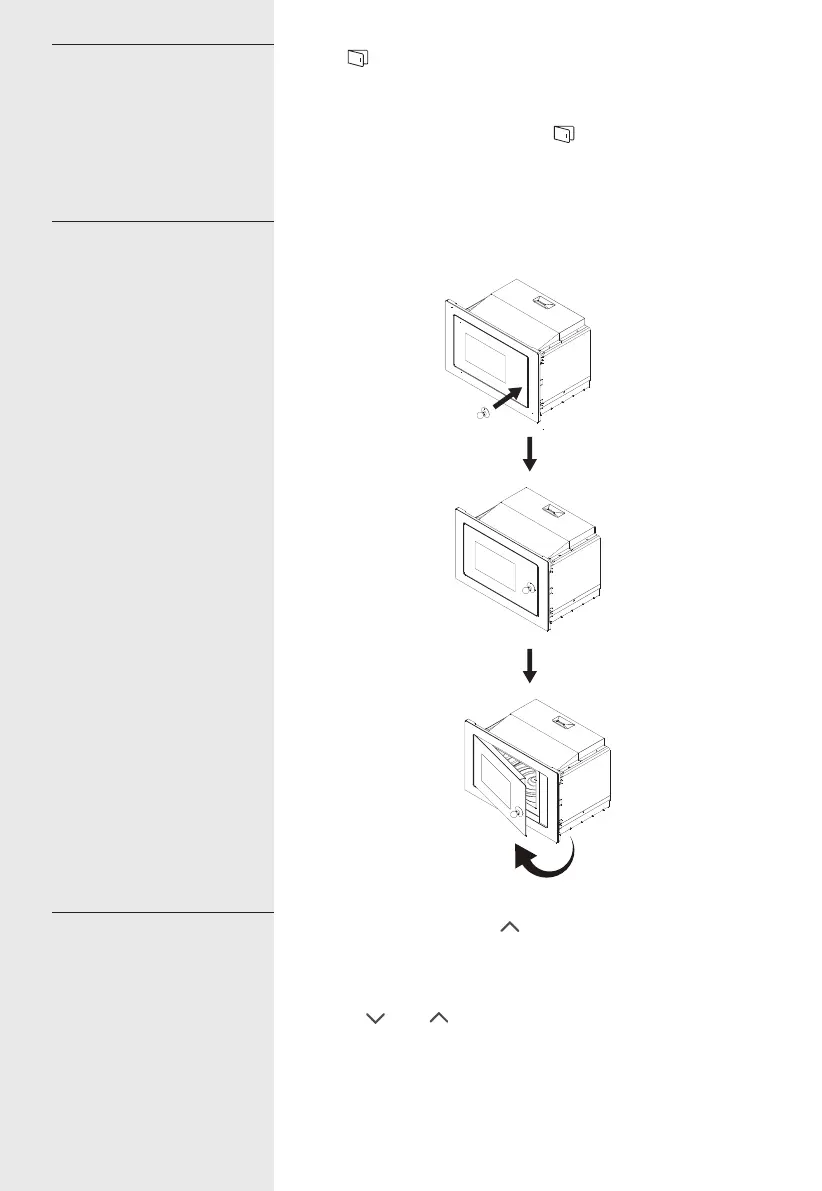
If the electric door is broken, opening the oven door by the
sucker as is shown above.
1). In waiting state, press " " repeatedly to choose the
menu.
2). Press " Start/+30Sec./Confirm " to confirm the menu you
choose.
3). Press " " or " " to choose the food weight.
4). Press " Start/+30Sec./Confirm " to start cooking.
15.Open the oven door
16.Sucker
17.Auto Menu
23


 To Next Page
 Loading...