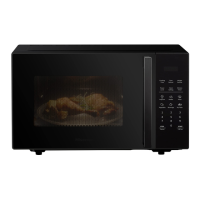
The oven also allows speed defrosting.
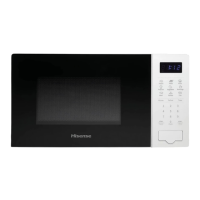
1.
Press the Time Defrost and the display will show
“dEF2”.
2.
Press the numeric (0-9) keys to enter the defrosting
time. For example, enter the defrosting time by pressing
“5”, “3”, “0” for 5minutes and 30 seconds.
3.
Press the START key to confirm and start cooking.
NOTE:
Large items may be f
rozen in the center. Therefore, to
ensure even thawing, turn them over from time to time and
break them into smaller pieces during defrosting.
Drain liquids during defrosting as the juices from food can
get hot and cook the food.
Tips for using the oven
Use this function to rapidly heat (100% microwave power)
or cook your food. In the standby mode, press the START
key and the oven will operate for 30 seconds. With each
consecutive press of the START key, the operating time will
be extended by 30 seconds.
NOTE:
Pressing the START key again will prolong the cooking
time by 30 seconds in all programs except in automatic
mode, multi-step cooking, and in the auto defrost mode.
Use this feature to lock the control panel when you are
cleaning or so that children can not use the oven
unsupervised. All the buttons are rendered inoperable in
this mode.
1) Set lock: Hold STOP button about 3 seconds.
2) Cancel lock: Hold STOP button about 3 seconds.


 To Next Page
 Loading...