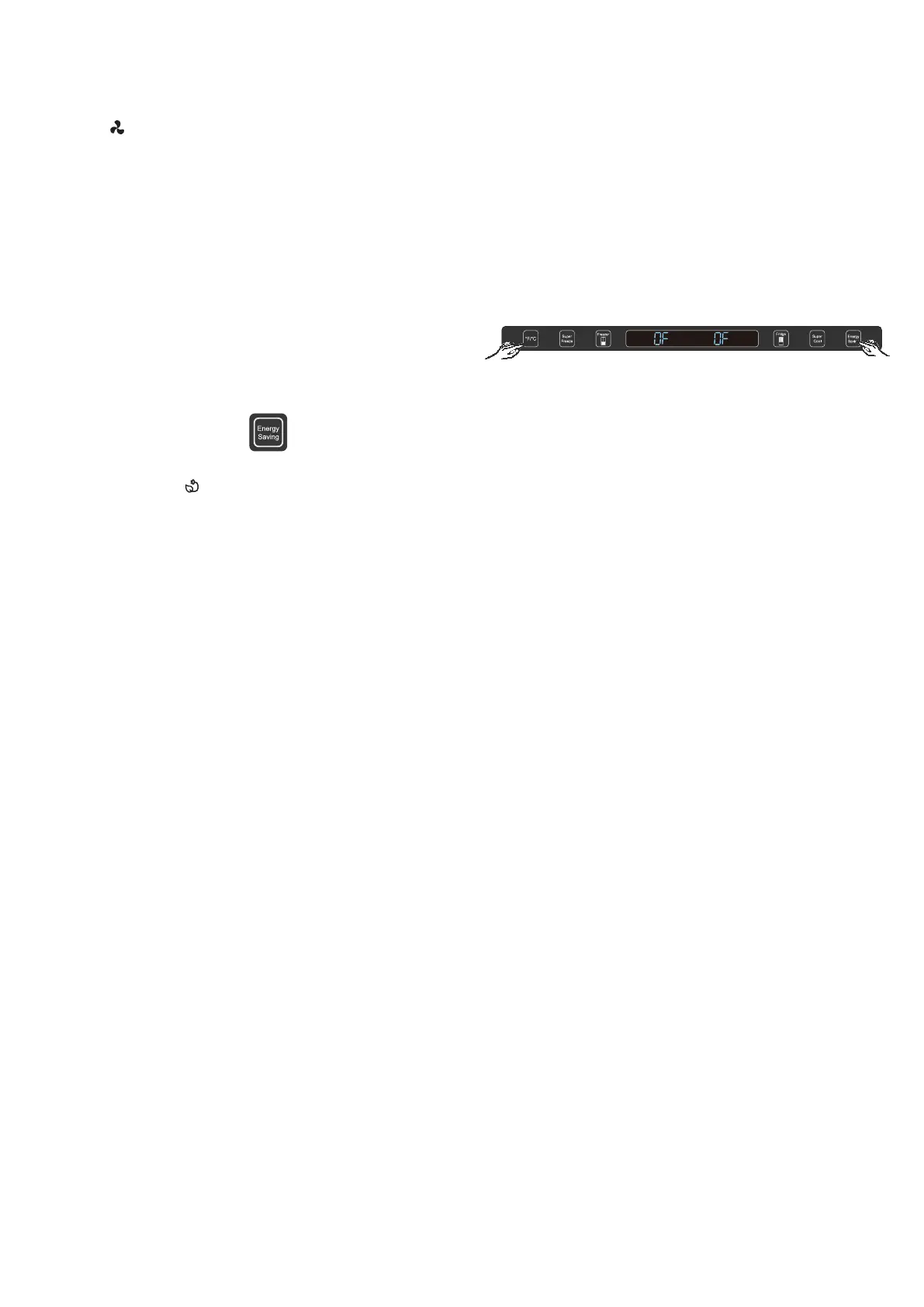
Demo mode is for store display, and it makes the refrigerator
not to generate cool air.
In case of Cooling off Mode, refrigerator may seem like
working but it does not make cool air. The indicators on
control panel is showing double “OF”. To cancel this mode,
press the “°F/°C” and “Energy Saving ” at same time for 3
seconds until “Ding” sounds.
11
Demo mode (Freezer/ Fridge
Temperature Indicator moving)
NOTE: When the refrigerator is in Energy
Saving mode, is illuminated.
NOTES:
•
When the refrigerator is in Super Cool mode,
appears in the display.
•
If not manually turned off, the Super Cool
feature will automatically turn off after 150
miniutes.
Energy Saving
The Energy Saving feature reduces energy use by raising the
Refrigerator Compartment temperature to 46°F (8°C) and the
Freezer Compartment temperature to 5°F (-15°C).
IMPORTANT: The compartment temperatures in
Energy Saving mode are not suitable for the storage
of certain food items.
•
Press Energy Saving once to turn On/Off this
feature.




 To Next Page