EasyManua.ls Logo

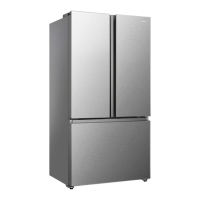
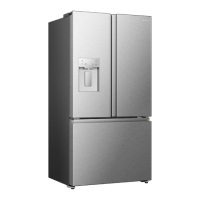
Hisense RF225C3CSEI - User Manual

Hisense RF225C3CSEI
76 pages
Print Icon
To Next Page IconTo Next Page
Loading...
For questions about features, operation/performance, parts or service,call:1-855-344-7367
USER’S OPERATION MANUAL
Before operating this unit, please read this manual
thoroughly, and retain for future reference.
RF225C3CSEI
English

Questions and Answers

  • M
    Michelle CarterAug 15, 2025
    What to do if my Hisense RF225C3CSEI Refrigerator is not working correctly?
    • D
      dominique93Aug 15, 2025
      First, ensure the power cord is properly plugged into the outlet. Then, check the fuse or circuit of your power supply and replace it if needed. The room temperature could also be too low; try setting the refrigerator or freezer to a colder temperature. Also, remember that it's normal for the freezer not to operate during the defrost cycle, or shortly after being switched on, to protect the compressor.
  • P
    Philip MahoneyAug 19, 2025
    Why is my Hisense Refrigerator ice maker not making ice?
    • K
      Karen BurgessAug 19, 2025
      The ice maker may not be making ice for several reasons. Ensure you waited 24 hours after water supply line installation. It might take longer if it's not sufficiently cool, especially after the initial installation. Check if the water line is connected and the valve is open. Verify that you didn't manually stop the ice-making function. Also, check for ice blockage within the ice maker bucket. If the water pressure is below 30psi, install a booster pump. Ensure the freezer temperature isn't too warm by setting it lower. Wait at least 90 minutes for the ice maker to produce ice. Finally, remove the bucket and break up any ice clumps using a plastic utensil.
  • J
    Joshua WoodAug 21, 2025
    What to do if the temperature inside my Hisense Refrigerator is too warm?
    • R
      Richard PattersonAug 21, 2025
      The temperature inside your refrigerator might be too warm if you've left the doors open too long or too often, if the doors are obstructed, or if the appliance doesn't have enough clearance on the sides, back, and top.
  • K
    knappjasonAug 25, 2025
    What to do if my Hisense RF225C3CSEI water dispenser is not functioning?
    • A
      Amy TannerAug 25, 2025
      If the water dispenser isn't working, check if the water storage box is correctly installed and has enough water. Ensure the water line isn't broken, bent, or blocked. If the water storage box is frozen due to a low refrigerator temperature, select a warmer setting. Finally, verify if the water pump is functioning.
  • K
    Kevin HernandezAug 27, 2025
    Why is there noise coming from my Hisense Refrigerator?
    • A
      Alison FarmerAug 28, 2025
      Some noises are normal, such as compressor running noises, air movement from the fan motor, gurgling sounds similar to boiling water, popping during defrosting, or clicking before the compressor starts and when you get water or ice.
  • R
    Richard FosterAug 30, 2025
    How to stop noise from my Hisense Refrigerator?
    • C
      Catherine DavisAug 30, 2025
      To reduce noise from your refrigerator, make sure the cabinet is level, the back of the appliance isn't touching the wall, and bottles or containers aren't rolling around inside.
  • F
    Francis VelezSep 2, 2025
    Why is there frost in my Hisense RF225C3CSEI Refrigerator compartment?
    • P
      Phillip MaldonadoSep 3, 2025
      Frost may occur if the air outlets are blocked by food, preventing sufficient ventilation, or if the door cannot be fully closed. To remove the frost, please refer to the cleaning and care chapter.
  • Z
    Zachary DavisSep 5, 2025
    Why is my Hisense Refrigerator motor running continuously?
    • J
      jamessimmonsSep 5, 2025
      The motor might be running continuously because the temperature setting is colder than necessary, a large quantity of warm food has recently been stored inside, the outside temperature is too high, the doors are opened too frequently or for too long, or because you have recently installed the appliance or it has been switched off for an extended period.
  • T
    Timothy RodriguezSep 8, 2025
    How to fix odors coming from my Hisense Refrigerator compartments?
    • H
      hernandezstevenSep 8, 2025
      Odors in your refrigerator compartments might be due to the interior needing a cleaning, or specific foods, containers, or wrapping causing the odors.
  • K
    Kaylee SmithSep 12, 2025
    Why can't I easily close the doors of my Hisense Refrigerator?
    • A
      Alan SpearsSep 12, 2025
      Check if the top of the refrigerator is tilted back by 0.1"-0.2" (2.5-5mm) to allow self-closing. Also, check for any obstructions inside preventing the doors from closing properly.

Summary

Safety and Warning Information

Vulnerable People Safety

Appliance use by children and vulnerable persons per EN/IEC standards.

General Safety Precautions

Key warnings for appliance operation, including electrical and refrigerant safety.

Refrigerant Safety

Information and warnings regarding the flammable refrigerant used in the appliance.

Electrical Safety

Safety precautions for power cord, plug, voltage, and grounding.

Daily Use Safety

Safety tips for daily operation, avoiding hazards like flammable liquids and electrical appliances.

Care and Cleaning Cautions

Cautions for cleaning, advising against sharp objects and specific cleaning agents.

Installation Safety Notes

Important safety considerations before and during appliance installation.

Service Guidelines

Information on who should service the appliance and the use of genuine spare parts.

Installing Your New Appliance

Installation Requirements and Ventilation

Proper placement on a level surface and adequate ventilation for cooling.

Climate Class and Leveling

Appliance performance by climate class and instructions for leveling.

Door and Drawer Removal

Step-by-step guide to remove refrigerator doors and drawers if access is narrow.

Freezer Door Disassembly

Detailed steps for disassembling the freezer door and its components.

Water Line Installation

Instructions for connecting the water line for the dispenser and ice maker.

Connecting to Water Supply Line

Detailed steps for connecting the appliance to the main water supply line.

Connecting Water Line to Refrigerator

Step-by-step guide to connect the water line to the refrigerator's water inlet.

Description of the Appliance

Appliance Parts Identification

Identifies various components of the refrigerator with numbered labels for clarity.

Display Controls

Control Panel Overview

Introduces the main control panel and its layout with icons.

Child Lock and Door Alarm

Explains the functions and operation of the child lock and door alarm features.

Fridge Temperature Control

Details how to adjust fridge temperature and use Super Cool mode.

Wi-Fi Connectivity Introduction

Explains remote control via smartphone and network requirements.

Freezer Temperature Control

Details how to adjust freezer temperature and use Super Freeze mode.

Dispense Control

Explains options for dispensing water by volume or continuously.

Energy Save & Water Filter Status

Describes Energy Save mode and water filter status indicators.

Demo Mode Operation

Details the demo mode for store display and how to cancel it.

Connecting Appliance to Wi-Fi

Step-by-step guide to connect the appliance to your home Wi-Fi network.

Multi-User Pairing

Instructions for pairing additional users to the appliance via the app.

Unbinding Appliance Users

Explains how to delete user information and unbind the appliance from app accounts.

Installing and Adding Refrigerator to App

Guide on downloading the app and adding the refrigerator to your account.

Wi-Fi Operation Notes

Notes on control panel behavior, initial power-on, and app compatibility.

Using Your Appliance

Water Clouding and Filter Change

Explains water clouding and provides steps for changing the water filter.

Residual Matter in Water Line

Steps to flush the dispenser and remove residual matter after filter installation.

Reverse Osmosis Water Supply

Guidelines for water pressure when using reverse osmosis systems.

Fridge Compartment Storage

Tips for storing vegetables, fruit, door baskets, and glass shelves.

Vegetable Crispers and Ice Maker

Instructions for using crispers and operating the freezer ice maker.

Cleaning and Care

Exterior and Interior Cleaning

Guidelines for cleaning the appliance's outer surfaces and inner compartments.

Door Seals Maintenance

Instructions for cleaning door seals to maintain proper function.

Helpful Hints and Tips

Energy Saving Tips

Recommendations for conserving energy while using the appliance.

Fresh Food Refrigeration Tips

Tips for proper storage of fresh food to maintain quality and efficiency.

Freezing and Frozen Food Storage

Advice on initial freezing setup, portioning, and storing frozen foods.

Appliance Shutdown Procedure

Steps for safely switching off the appliance for extended periods.

Troubleshooting

Appliance Operation Issues

Troubleshooting for appliance not working, odors, and unusual noises.

Temperature and Frost Problems

Resolving issues related to temperature, frost buildup, and door closure.

Water Dispenser and Ice Maker Issues

Diagnosing and fixing problems with the water dispenser and ice maker.

Disposal of the Appliance

Packaging and Pre-Disposal Steps

Guidelines for recycling packaging and preparing the appliance for disposal.

Correct Disposal and FCC Caution

Information on environmentally responsible disposal and FCC compliance.

Copyright Statement

Intellectual Property and Contact Information

Details Hisense's copyright, trademarks, and contact addresses for permissions.

Disclaimer and FCC Statement

Note on illustrative images and FCC compliance details.

Hisense RF225C3CSEI Specifications

General IconGeneral
BrandHisense
ModelRF225C3CSEI
CategoryRefrigerator
LanguageEnglish

Related product manuals