13
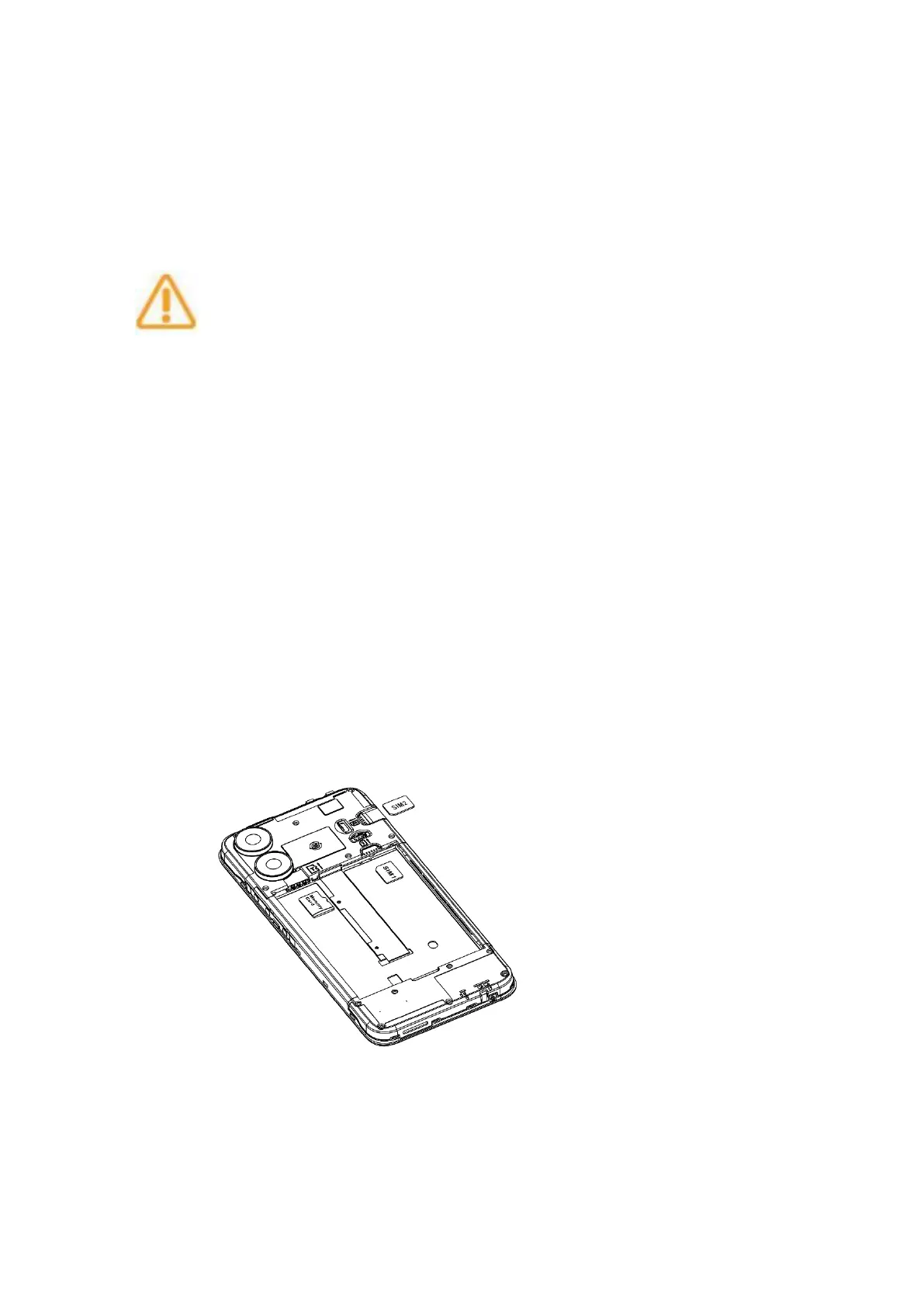
Insert the SIM card, please make sure that the direction of the SIM
card is consistent with the direction on the card slot.
Do not use cut or modified SIM or MicroSD cards with your
phone, as these may not be recognized and could damage
the card tray.
Plug the SIM card and SD cards
Does not support hot swap, please turn off the SIM card.
The following figure shows the exact positions of the SIM card slot
and SD card slot, please standardize the insertion and removal
operations.



 To Next Page