
 Need help?
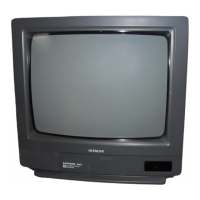
Do you have a question about the Hitachi 13GA1B and is the answer not in the manual?
Essential warnings regarding electrical shock, fire hazards, and moisture exposure.
Details on voltage, plug type, and cord safety to prevent shock and fire.
Identifies key physical buttons like Power, Channel, Volume, and the remote sensor.
Instructions for inserting batteries and important warnings for remote care.
Overview of the remote control buttons and their functions.
Identifies causes for Ignition Noise, Ghosts, Snow, and Radio Frequency Interference.
A guide to check common items and adjustments before calling for service.
This document describes the HITACHI SOLID STATE COLOR TV models 13 GA1B and 13 GA1BA, covering its operating instructions, features, and troubleshooting.
The Hitachi Solid State Color TV is a television receiver designed to display television closed captions (CC) in accordance with FCC rules (paragraph 15.119). It offers a range of features for viewing and customization, including channel selection, volume control, and various picture adjustments. The TV can receive both air (VHF/UHF) and cable (CATV) channels.
Basic Operation (Front Panel Controls):
Remote Control Features:
MENU System On-Screen Display: The TV's functions are set and adjusted via an on-screen menu system using the remote control.
CATV Operation:
Autoprogram: Automatically scans and stores active channels available in the area into memory. Initiated via "INITIAL SETTING" -> "AUTOPROGRAM" in the MENU system.
Channel Memory: Allows users to add or erase undesired channels from memory, useful for weak signals or interference. Accessed via "INITIAL SETTING" -> "CHANNEL MEMORY".
Closed Caption: Enables display of closed captions or text information. Configured under "SET UP" -> "CLOSED CAPTION" to set display ON/OFF, mode (Caption/Text), and channel (1/2).
Child Lock: Prevents children from viewing or listening to locked channels. Features include setting a child lock, changing the key number, and canceling the lock. Accessed via "SET UP" -> "CHILD LOCK". The default key number is 000.
Off Timer: Automatically turns off the TV after a predetermined time (0:01 to 2:59). Set via "SET UP" -> "OFF TIMER".
Alarm Timer: Sounds an alarm after a predetermined time (0:01 to 2:59). Set via "SET UP" -> "ALARM TIMER".
Picture Functions: Adjusts various picture settings:
Installation:
Safety Warnings:
Troubleshooting: A comprehensive troubleshooting guide is provided for common reception problems and general symptoms, including:
Caution for TV Games/Computers: When using TV games, computers, and similar products, keep "CONTRAST" and "BRIGHTNESS" functions at low settings. Leaving a fixed (non-moving) pattern on the screen for a long period at high "CONTRAST" and "BRIGHTNESS" settings can permanently imprint the image, which is not covered by warranty.

 To Next Page
 General