This document is an instruction manual for the Hitachi 50" Colour TV, model 50HXT16U (108/7675).
Function Description
The Hitachi 50HXT16U is a remote-controlled color television designed for receiving and displaying TV programs. It features fully integrated digital TV (DVB-T-C) and supports various external devices through multiple connection options, including HDMI, USB, and Scart. The TV is intended for private domestic use in moderate climates and dry interior environments. It also offers internet connectivity for portal access and DLNA network services, as well as Skype functionality with an optional webcam.
Important Technical Specifications
TV Broadcasting:
- System: PAL/SECAM B/G D/K K' I/I' L/L'
- Digital Reception: DVB-T MPEG2, DVB-T MPEG4 HD, DVB-T MHEG-5 Engine (for UK only), DVB-T2 MPEG2, DVB-T2 MPEG4 HD, DVB-C MPEG2, DVB-C MPEG4 HD
- Receiving Channels: VHF (BAND I/III), UHF (BAND U), HYPERBAND
- Number of Preset Channels: 10000
- Channel Indicator: On Screen Display
- RF Aerial Input: 75 Ohm (unbalanced)
- Operating Voltage: 220-240V AC, 50 Hz.
- Power Consumption (W): 75 W (max)
- Energy Efficiency Class: A
- Annual Energy Consumption: 91 kWh
- Standby Power Consumption: 0.5W
- Off Mode Power Consumption: 0W
Panel:
- Aspect Ratio: 16:9
- Visible Screen Size (diagonal): 40 inches / 102 cm
- Display Resolution: 1920 x 1080 (Full HD)
Audio:
- System: German + Nicam Stereo
- Audio Output Power (WRMS.): 2 x 8 (10% THD)
TV Dimensions:
- DxLxH (with foot): 134 x 516 x 353
- DxLxH (without foot): 56 x 516 x 317
Weight:
- With foot: 3 kg
- Without foot: 2.80 kg
Vesa: M6 200 x 200
Supported File Formats for USB Media Browser:
- Video: MPEG1,2 (.dat, .mpg, .mpeg), MPEG2, H.264, VC1, AVS, MVC (.dat, .mpg, .mpeg), MPEG2 (.vob), MPEG1,2,4, XviD, H.264, VC1, WMV3, Motion JPEG (.mkv), MPEG1,2,4, Xvid, H.264, VC1, WMV3, Sorenson H.263, Motion JPEG (.avi), H.264, Sorenson H.263 (.flv), MPEG4, H.264 (.3gp, .3g2), MPEG2,4, XviD, H.264, VC1, WMV3 (.asf, .wmv)
- Audio: MPEG1/2 Layer 1/2/3, AAC/HEAAC, AC3/EAC3, LPCM/ADPCM, WMA
- Music: MPEG1 Layer 1/2/3 (MP3) (.mp3), LPCM (.wav), WMA, WMA Pro (WMA/ASF), AAC, HEAAC (.m4a/.aac)
- Photo: Baseline JPEG (.jpg, .jpeg), Progressive JPEG (.png), non-interlace (.bmp), interlace (.png)
- Subtitle: .sub, .srt
Supported DVI Resolutions:
The TV supports various DVI resolutions from 640x400 to 1920x1200 at different refresh rates (56Hz, 60Hz, 66Hz, 70Hz, 72Hz, 75Hz).
Usage Features
Initial Setup:
- First Time Installation: Guides the user through language selection, country, search type (Digital and Analog, Digital only, Analog only), Teletext language, and scan encrypted channels. Default PIN codes are provided (4725, 0000, 1234).
- Channel Scan: Automatic search for digital terrestrial TV broadcasts (Aerial) or cable DVB stations (Cable).
- Channel List: Displays and allows sorting of stored channels, including Logical Channel Number (LCN) system.
Picture and Sound:
- Picture Modes: Cinema, Game, Dynamic, Sport, Natural.
- Picture Settings: Contrast, Brightness, Sharpness, Colour, Backlight (Auto, Maximum, Minimum, Eco Mode), Noise Reduction (Low, Medium, High, Off), Dynamic Contrast (Low, Medium, High, Off), Colour Temp, Picture Zoom (Auto, 16:9, Subtitle, 14:9, 14:9 Zoom, 4:3, Cinema), HDMI True Black, Film Mode, Skin Tone, Colour Shift, RGB Gain, Reset.
- Sound Modes: Mono, Stereo, Dual I, Dual II.
- Audio Settings: Volume, Equalizer (Music, Movie, Speech, Flat, Classic, User), Balance, Headphone/Lineout, AVL (Automatic Volume Limiting), Dynamic Bass, Surround Sound (On, Off), Digital Out audio type.
Connectivity:
- Inputs: HDMI, USB, Scart, VGA, PC/YPbPr Audio, Side AV, SPDIFF, Antenna/Cable.
- Outputs: Headphone.
- CI Slot: For Conditional Access Modules (CAM) to watch pay channels.
- Wired Network: Ethernet (LAN) for Internet connectivity and DLNA service.
- Wireless Network (Optional): Requires a dedicated wireless USB dongle (802.11n WIFI Support). Supports DLNA for sharing files from compatible smartphones and PCs.
- Internet Portal: Access to online applications (e.g., Skype, YouTube, Dailymotion) with an active internet connection. Supports PIP (Picture-in-Picture) for TV channels or HDMI content while in portal mode.
- Skype: Voice and video calls with an optional webcam (compatible with Vesca100). Allows signing in, signing up, adding contacts, viewing recent history, and adjusting settings.
Convenience Features:
- Electronic Programme Guide (EPG): Displays current and next program information, allows navigation, filtering by genre, and searching.
- Quick Menu: Provides quick access to Power Save Mode, Picture Mode, Equalizer Settings, Favourites, and Sleep Timer.
- Timers: Sets timers for selected programs.
- Child Lock: Restricts access to certain channels or menu options.
- Automatic Power Down: After up to six hours of inactivity.
- Sleep Timer: User-configurable.
- Picture Off Function: Turns off the screen while audio continues.
- Automatic Sound Mute: When no transmission.
- NTSC Playback: Supports NTSC signals.
- Plug&Play: For Windows 98, ME, 2000, XP, Vista, Windows 7, Windows 8.
- Game Mode (optional): Optimized settings for gaming.
- Hard of Hearing: Receives special audio signals if enabled by broadcaster.
- Audio Description: Provides additional narration for blind and visually impaired viewers if supported by broadcaster.
- Virtual Remote: Enables or disables the virtual remote feature.
Troubleshooting & Tips:
- Image Persistence - Ghosting: Advises turning off the TV for a while to clear persistent images and avoiding extended periods in still picture mode.
- No Power/Poor Picture/No Picture/No Sound/Remote Control Not Operating: Provides common troubleshooting steps for these issues, including checking connections, aerial, settings, and batteries.
- Internet Connection Not Available / DLNA Mode Not Operating: Suggests checking firewalls, modem SSID, MAC address authentication, and ensuring proper software installation (Nero MediaHome).
- Input Sources - Cannot Be Selected: Recommends checking device connections and AV cables.
Maintenance Features
Cleaning:
- Unplug the TV from the wall socket before cleaning.
- Use a soft, dry cloth.
- Do not use liquid or aerosol cleaners.
- Avoid scratching the screen with fingernails or other hard objects.
Software Upgrade:
- The TV can find and update new software over broadcast channels.
- Manual search for upgrades via the Settings menu.
- Automatic scanning at 03:00 AM if enabled, with the TV restarting with the new software version.
- Instructions for rebooting after an upgrade.
Storage:
- Unplug the TV from the mains.
- Pack the TV in an appropriate cardboard box.
- Remove batteries from the remote control.
- Store in a dry and dust-free room.
Safety Information:
- Placement: Place on a solid, even surface with at least 10 cm free space for ventilation. Avoid sloping/unstable surfaces.
- Environment: Use in moderate climates (5°C to 45°C, 85% rel. humidity max.). Do not expose to direct sunlight, heat sources, open flames, rain, or water.
- Ventilation: Do not block ventilation openings.
- Power Cord: Handle by the plug, do not pull from the cord, avoid wet hands, do not pinch or walk on the cord. Ensure proper extension lead use with 5 Amp fuse (ASTA or BSI approved).
- Batteries: Install with correct polarity, do not mix old/new or different types. Do not dispose in fire or normal household waste; use a local recycling center. Remove batteries if not used for a long time.
- LCD Screen: Notes that a few non-active pixels (fixed blue, green, or red points) may appear, which does not affect product performance.
- Wall Mounting: Must be securely attached according to instructions.
- Children Safety: Supervise children, keep batteries out of reach (risk of swallowing), keep packaging films away (risk of suffocation).
- Servicing: Refer all servicing to qualified personnel. Do not remove fixed covers.
- Cable Distribution System: Connection to a cable distribution system must be through a device providing electrical isolation (galvanic isolator, EN 60728-11).
Customer Helpline: 0845 604 0105 (Lines open: 9am-8pm Monday to Saturday, 10am-4pm Sunday).

 Need help?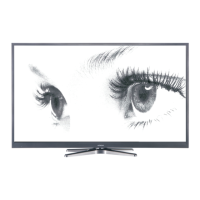

 To Next Page
 General