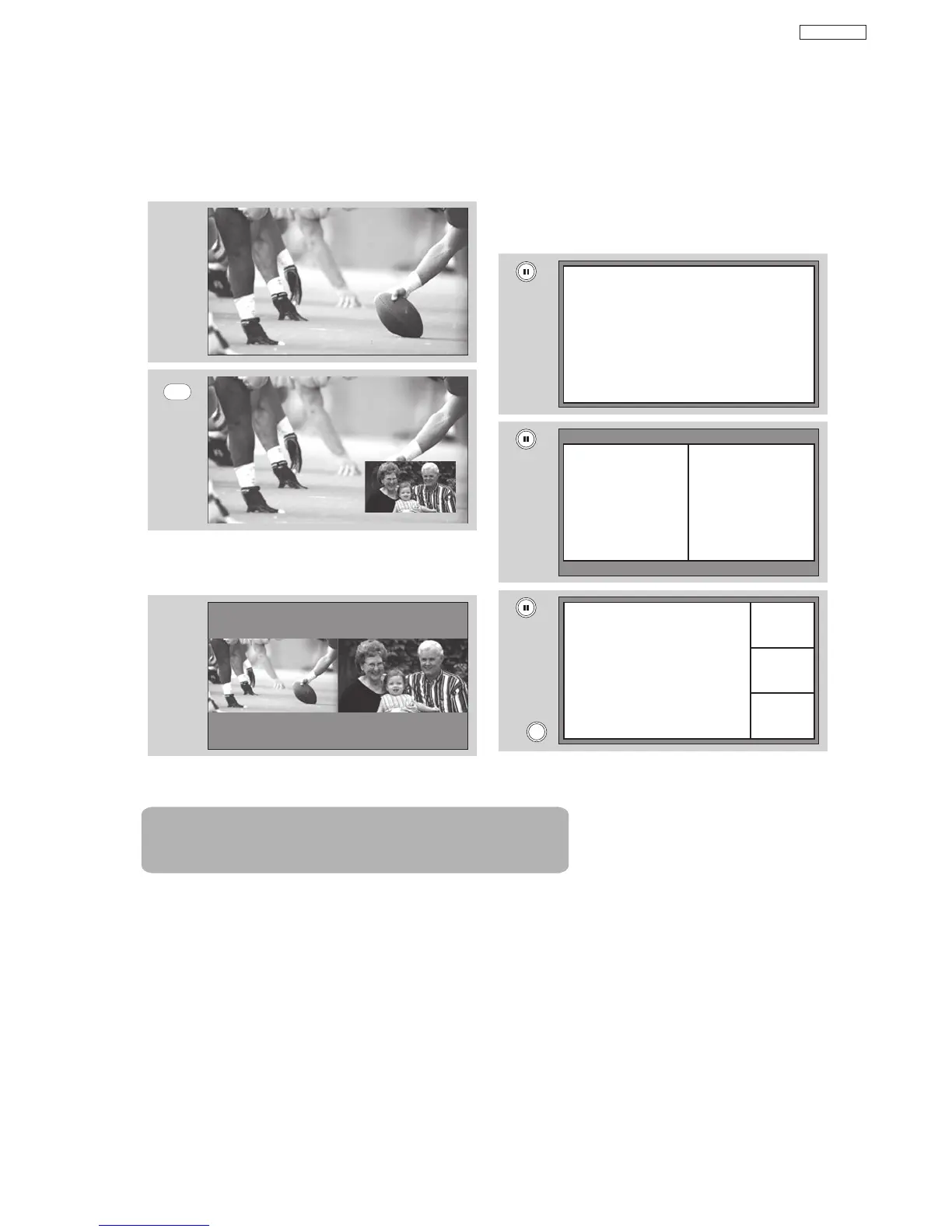
PIP Mode Picture-in-Picture
This feature is only available with a 1080i
signal. To prevent a pattern burn, occasionally
move the sub-picture using the CURSOR
buttons.
SPLIT Mode Picture-in-Picture
Split Mode PIP displays the main picture and sub-
picture evenly on the screen.
PAUSE button
If you wish to freeze the sub-picture, press the
PAUSE button. This is convenient when trying to
write down the address for a mail order company,
recording statistics for a sporting event, etc. To return
the picture to motion, press the EXIT button. Press
the PAUSE button repeatedly to toggle between
FREEZE modes (Main Freeze, SPLIT and STROBE).
EXIT
Freeze
Freeze
Freeze
Freeze
Freeze
MAIN PICTURE
SUB PICTURE
PIP
MAIN PICTURE
SUB PICTURE
Note : PIP Specifications in the following pages 26 & 27.
24
DP65


 To Next Page