Need help?
Do you have a question about the Hitachi 58HK6200U and is the answer not in the manual?
Setting up language, country, and home/store mode during initial setup.
Configuring network settings and agreeing to Freeview Play terms.
Performing an automatic channel scan and selecting the correct region.
Steps to connect the TV to a wireless network using Wi-Fi or WPS.
Instructions for connecting the TV to a modem/router using an LAN cable.
Precautions regarding safe handling and storage of batteries.
Recommendations for safe TV operation, stand mounting, and general usage.
Guidelines for connecting the TV to power and proper placement for ventilation.
Precautions for handling the power cord and plug to prevent hazards.
Advice on avoiding moisture, heat, flames, and safe headphone use.
Specific warnings and instructions for securely mounting the TV on a wall.
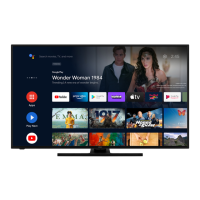
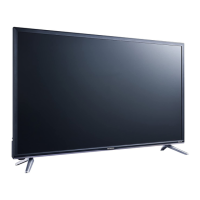
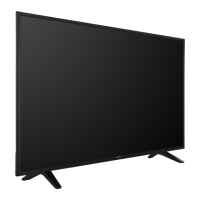
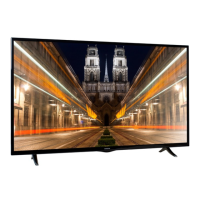
This document serves as an instruction manual for a 58-inch Hitachi Colour TV, model 58HK6200U (951/7453). It provides comprehensive guidance on installation, operation, and maintenance, ensuring users can maximize their television experience safely and correctly.
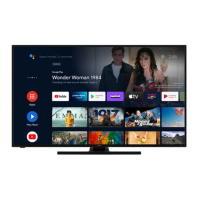
The Hitachi 58HK6200U is a modern 58-inch colour television designed for receiving and displaying TV programmes. It supports various broadcast standards, including DVB-T2, ensuring compatibility with digital terrestrial television. The TV is equipped with HDMI™ (High-Definition Multimedia Interface) for connecting high-definition devices like DVD-RW players and satellite receivers, allowing for a superior visual and audio experience. It also features 4K Ultra HD resolution, Freeview Play for catch-up TV services, and dts-HD audio technology for immersive sound. The television is designed to be connected to an aerial, either directly or through a VCR or satellite decoder, to access broadcast channels. Its connectivity extends to the internet, supporting both wired (LAN) and wireless (Wi-Fi) connections, enabling access to online content and smart TV features like Netflix, Amazon Prime Video, and YouTube.
Initial Setup: Upon first power-on, the TV guides the user through a First Time Installation process. This includes selecting the desired language, configuring accessibility settings, and setting country preferences. Users can choose between "Home Mode" for typical domestic use or "Store Mode" for retail display. The setup also involves configuring privacy settings, network/internet settings (wired or wireless), and agreeing to Freeview Play terms and conditions to access related services. A channel scan is initiated to find and store all available local stations, which are then automatically assigned programme numbers and names. The TV supports Logical Channel Number (LCN) sorting, which organizes broadcasts into a recognizable sequence.
Control and Navigation: The television can be controlled using a single physical control button located on the TV itself, which manages Standby-On, Source selection, Programme changes, and Volume adjustments. For more comprehensive control, a remote control is provided, featuring numeric buttons for channel selection, a language button for audio/subtitle options, mute, volume controls, and a "Home" button to access the main TV menu. Directional buttons facilitate navigation through menus and content, while an "OK" button confirms selections. Dedicated buttons for Netflix, Freeview Play, Amazon Prime Video, and YouTube offer quick access to these streaming services. Additional remote functions include coloured buttons for on-screen prompts, media playback controls (rewind, record, play, pause, stop, fast forward), an "Exit" button to close menus, an "Info" button for content details, and "Text" for teletext services.
Connectivity: The TV offers flexible connectivity options. For traditional broadcasts, it connects to an aerial. For enhanced viewing, HDMI ports allow connection to high-definition devices. Internet connectivity is available via an Ethernet cable for a wired connection or through its internal Wi-Fi for wireless access. The wireless setup involves scanning for available networks, selecting one, and entering a password if required. The TV also supports WPS (Wi-Fi Protected Setup) for easy connection to compatible routers. Once connected to the internet, users can access various online services and stream media.
E-Manual: An integrated E-Manual provides detailed instructions on the TV's features. It can be accessed through the Settings menu or by pressing the "Menu" and then "Info" buttons on the remote. The E-Manual is categorized by topic, allowing users to easily find information on specific functions.
Safety Precautions: The manual emphasizes several critical safety precautions. Users are advised to ensure adequate ventilation by maintaining a minimum 10 cm (4 inches) gap around the TV when placed in a cabinet or alcove. The TV should be placed on a solid, even surface, and no objects should be placed on top of it to prevent faults or unsafe situations. It is designed for use in moderate climates and dry interior environments, with specific temperature and humidity ranges. The power cord should be routed carefully to avoid damage, and the TV should never be operated with a damaged cord. Users are warned against exposing the TV to direct sunlight, open flames, or excessive heat.
Battery Handling: Special attention is given to battery safety for the remote control. Users are instructed to insert batteries with correct polarity, not to mix old and new batteries or different types, and never to attempt recharging non-rechargeable batteries. Batteries should be kept out of reach of small children due to the risk of ingestion, which can be fatal. Leaking batteries should be handled with gloves, and the remote control cleaned with a dry cloth. Batteries should not be disposed of in fire or normal household waste but taken to a local recycling centre.
Cleaning: Before cleaning, the TV must be unplugged from the wall socket. Only a soft, dry cloth should be used; liquid or aerosol cleaners are not recommended.
Wall Mounting: For optional wall mounting, users are instructed to follow the provided instructions carefully, use specified screws and accessories, and tighten them firmly to prevent the TV from falling. The TV is only suitable for mounting at heights of 2 meters or less.
Disposal Information: The manual provides guidelines for the correct disposal of the TV and batteries, adhering to European Union directives (2012/19/EU and 2013/56/EU). Electrical and electronic equipment and batteries should not be disposed of as general household waste but handed over to applicable collection points for recycling. This helps conserve natural resources and prevent negative environmental and health impacts. Business users are advised to contact their supplier for disposal terms.
Customer Support: For any help concerning setup, use, or technical issues, a customer helpline (0345 604 0105) is available. The helpline operates Monday to Saturday (8 am - 7 pm) and Sunday (10 am - 4 pm). Online detailed guides and further assistance are also available via the Argos support website.
 General
| Screen Size | 58 inches |
|---|---|
| Display Type | LED |
| Smart TV | Yes |
| HDR | Yes |
| HDR Support | HDR10, HLG |
| HDMI Ports | 3 |
| USB Ports | 2 |
| Wi-Fi | Yes |
| Refresh Rate | 60 Hz |
| Bluetooth | No |
| Resolution | 3840 x 2160 (4K UHD) |
| Weight | 14.3 kg (without stand), 14.5 kg (with stand) |

 To Next Page