EasyManua.ls Logo

Hitachi ATW-IOT-01 - User Manual

Hitachi ATW-IOT-01
11 pages
Print Icon
To Next Page IconTo Next Page
Loading...
PMML0635 rev.1 - 03/2023
INSTRUCTION
MANUAL
ATW-IOT-01
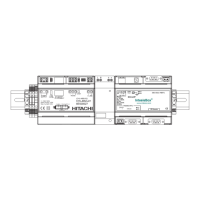
GATEWAY DEVICE
SCAN QR
Installation and
Operation
manual
https://docs.hitachiaircon.com
/ATW-IOT-01
EN
ES
DE
FR
IT
PT
DA
NL
SV
EL
BG
CS
HU
LT
PL
RO
SK
UK
ΕΓΧΕΙΡΙ∆ΙΟ ΕΓΚΑΤΑΣΤΑΣΗΣ
РЪКОВОДСТВО С УКАЗАНИЯ
NÁVOD K POUŽITÍ
HASZNÁLATI ÚTMUTA
NAUDOJIMO VADOVAS
INSTRUKCJA OBSŁUGI
MANUAL DE INSTRUCȚIUNI
NÁVOD NA POUŽITIE
ПОСІБНИК З ЕКСПЛУАТАЦІЇ
INSTRUCTION MANUAL
MANUAL DE INSTRUCCIONES
BEDIENUNGSANLEITUNG
MANUEL D'INSTRUCTIONS
MANUALE DI ISTRUZIONI
MANUAL DE INSTRUÇÕES
BRUGSANVISNING
HANDLEIDING
INSTRUKTIONSHANDBOK
Question and Answer IconNeed help?

Do you have a question about the Hitachi ATW-IOT-01 and is the answer not in the manual?

Summary

Safety Summary

Safety Precautions

Crucial safety instructions, including DANGER and CAUTION points for proper handling.

Factory Supplied Accessories

Installation

Installation Notes

Important notes and considerations for product installation, including placement and wiring.

Dimensional Data

Description of Parts

Technical Data

Specifications including supply voltage, wattage, dimensions, weight, and operating conditions.

Communication

Details on Wi-Fi, Bluetooth, and YUTAKI H-LINK communication interfaces.

Operation Instructions

Button Functionality

Overview of button actions and their corresponding functions like resets.

Wi-Fi and Password Reset

Procedure for resetting Wi-Fi connection and password to default settings.

Factory Reset

Steps for performing a factory reset of the device's IOT and Cloud data.

LEDs Description

Explanation of Green and Yellow LED statuses for cloud connection and remote updates.

Fail-Safe Mode Setup

Defines system behavior during loss of cloud or heating unit communication.

Troubleshooting

Summary

Safety Summary

Safety Precautions

Crucial safety instructions, including DANGER and CAUTION points for proper handling.

Factory Supplied Accessories

Installation

Installation Notes

Important notes and considerations for product installation, including placement and wiring.

Dimensional Data

Description of Parts

Technical Data

Specifications including supply voltage, wattage, dimensions, weight, and operating conditions.

Communication

Details on Wi-Fi, Bluetooth, and YUTAKI H-LINK communication interfaces.

Operation Instructions

Button Functionality

Overview of button actions and their corresponding functions like resets.

Wi-Fi and Password Reset

Procedure for resetting Wi-Fi connection and password to default settings.

Factory Reset

Steps for performing a factory reset of the device's IOT and Cloud data.

LEDs Description

Explanation of Green and Yellow LED statuses for cloud connection and remote updates.

Fail-Safe Mode Setup

Defines system behavior during loss of cloud or heating unit communication.

Troubleshooting

Hitachi ATW-IOT-01 Specifications

General IconGeneral
ManufacturerHitachi
ModelATW-IOT-01
CategoryGateway
Weight200g
ConnectivityWi-Fi, Ethernet
Communication protocolMQTT

Related product manuals