EasyManua.ls Logo

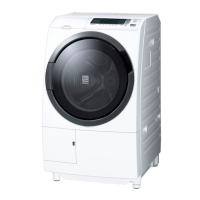
Hitachi BD-D120GV - User Manual

Hitachi BD-D120GV
72 pages
Print Icon
To Next Page IconTo Next Page
Loading...
Instruction Manual
Washer Dryer
Front Loading
Model
BD-D120XGV
BD-D100XGV
BD-D120GV
BD-D100GV
Thank you for purchasing a Hitachi front loading Washer
Dryer.
Please read this Instruction Manual carefully for proper
operation of the machine.
Please keep this Instruction Manual for future reference.
For household use only
Contents
Preparation for use
Environmentally Friendly Waste Disposal ...
2
Hints and Tips for Eco-friendly Washing .....
2
Parts and Accessories ...................................
3
Safety Instructions .........................................
4
Precautions for using the wireless
LAN function ...................................................
7
How to Install the Washer Dryer ...................
10
Control Panel and Display .............................
16
Use with smartphones ...................................
19
Before You Start Washing .............................
26
Operation
How to Use the Washer Dryer .......................
27
Control your Washer Dryer with
your Smartphone ............................................
29
How to View the App ......................................
30
When the "NEW" symbol appears in the
App version information ................................
31
Checking the MAC address ...........................
32
How to put the detergent and softener .........
33
Program Overview ..........................................
36
How to Use the Washer Dryer .......................
40
Maintenance
Convenient Usage ..........................................
45
In Case of Emergency ....................................
48
Care and Maintenance ...................................
49
Troubleshooting .............................................
60
Error Codes .....................................................
69
Specications .................................................
70
EN
3CS, ASIA
ONLY

Questions and Answers

  • J
    John SandersAug 19, 2025
    Why Hitachi BD-D120GV Washer/Dryer cannot be paired with smartphone?
    • R
      Ryan WaltersAug 19, 2025
      There might be several reasons why your Hitachi Washer/Dryer isn't pairing with your smartphone. First, ensure you have a stable wireless LAN connection. Next, confirm the washer/dryer's wireless LAN function is set to “On (The wireless LAN function).” Check that the communication lamp is lit. Also, verify that your wireless LAN router is powered on, and its SSID and password are correct. If your router has stealth mode enabled, disable it temporarily for pairing. Finally, disable MAC address filtering on your router during pairing; you can re-enable it afterward by registering the washer dryer's MAC address.
  • C
    Cynthia RamosAug 21, 2025
    What to do if unable to pair Hitachi BD-D120GV Washer/Dryer with smartphone?
    • D
      Dennis LopezAug 21, 2025
      If you're having trouble pairing your Hitachi Washer/Dryer with your smartphone, here are a few things to try: If the signal is weak, move your wireless LAN router closer to the washer/dryer, or use a repeater. Ensure you are only pairing with one device at a time. Note that you can only pair up to 5 smartphones; delete unwanted registrations in the app under Menu > Connection Settings > Name settings > Check/delete registered users. If you see a 'Your smartphone is not connected with the router' message, select the router you want to connect to in your smartphone's Wi-Fi settings. As a last resort, turn off your washer/dryer, smartphone, and router, wait a moment, and then turn them back on.
  • M
    Margaret BurgessAug 26, 2025
    What to do if Hitachi BD-D120GV Washer/Dryer manual connection fails?
    • M
      Melissa TaylorAug 26, 2025
      If manual connection fails on your Hitachi Washer/Dryer, try pairing again, paying attention to the following: If you do not get a " " mark in Step 1, your smartphone may not have been able to connect to the washer dryer's SSID. If you do not get a " " mark in Step 2, your smartphone may not have been able to reconnect to your wireless LAN router. If you do not get a " " mark in Step 3, depending on your wireless LAN router's settings and environment, the connection may be unstable and fail to connect. If I do not get a " " mark in Step 4, the washer dryer may not be connected to the wireless LAN router.
  • M
    Mercedes PaulAug 28, 2025
    How to change wireless LAN router on Hitachi BD-D120GV Washer/Dryer?
    • M
      mccarthyjenniferAug 28, 2025
      To change the wireless LAN router to which your Hitachi Washer/Dryer is connected, tap the "Menu" button in the application, select "Connection Settings", and then "Network Settings." Follow the on-screen instructions. If you're having trouble, refer to the troubleshooting steps for "Unable to pair the washer dryer with a smartphone."
  • A
    Alexander Rubio DVMAug 30, 2025
    How to find SSID or password for Hitachi Washer/Dryer wireless LAN router?
    • S
      schultzjasmineAug 30, 2025
      Check the instruction manual of your wireless LAN router. The password may be referred to as "encryption key" or "security key" depending on your wireless LAN router's make and model.
  • V
    vloweSep 1, 2025
    Why Hitachi Washer/Dryer remote control cannot be put in standby state?
    • K
      Kimberly GloverSep 1, 2025
      You may not be able to put your Hitachi Washer/Dryer in remote control standby mode if your wireless LAN router is switched off. Please refer to your wireless LAN router's instruction manual and turn it on. Also, ensure that you have completed the pairing settings.
  • H
    Heather MartinSep 3, 2025
    Why operating status of Hitachi Washer/Dryer is different from push notification?
    • N
      Nathan HuntSep 3, 2025
      The operating status of your Hitachi Washer/Dryer may be notified later than the actual event. This depends on the server's state and the communication mode between the washer/dryer and your smartphone.
  • C
    Claudia PorterSep 5, 2025
    Why I do not receive push notifications from Hitachi BD-D120GV Washer/Dryer?
    • S
      Steven OlsonSep 5, 2025
      You might not be receiving push notifications from your Hitachi Washer/Dryer for a few reasons. When the communication lamp is blinking, the machine is preparing for communication, and notifications are temporarily disabled. Also, ensure that you have enabled notifications for the app in your smartphone's settings and within the app's 'Notification settings.'
  • J
    Joanne FrazierSep 7, 2025
    Why status displayed in Hitachi BD-D120GV Washer/Dryer App is different from behavior of the washer dryer?
    • M
      Michael WashingtonSep 7, 2025
      The display on the application for your Hitachi Washer/Dryer may differ from the actual operating status of the washer/dryer. This depends on the server's state and the mode of communication between the washer/dryer and your smartphone.
  • T
    Thomas CruzSep 9, 2025
    Why time remaining displayed in Hitachi Washer/Dryer App is different from time remaining displayed on device?
    • W
      William McdonaldSep 9, 2025
      The time remaining display on the application for your Hitachi Washer/Dryer may differ from the display on the washer/dryer itself. This depends on the state of the server and the communication between the washer/dryer and your smartphone.

Summary

Safety Precautions

General Safety

Covers essential safety rules for operating the appliance and preventing injuries.

Installation Safety

Details critical safety measures and guidelines for correctly installing the washer dryer.

Power and Cord Safety

Addresses electrical safety, plug usage, and cord handling to prevent shocks or fires.

Child Safety

Highlights specific precautions to protect children from potential hazards.

Installation Guide

Removing Transport Bolts

Instructions for safely removing shipping bolts before first use.

Connecting Water Supply

Step-by-step guide for attaching the water inlet hose securely.

Drain Hose Setup

Guidance on correct positioning and connection of the drain hose.

Control Panel and Display

Using the Washer Dryer

Washing and Drying Procedures

Maintenance and Cleaning

Troubleshooting

Operational Problems

Troubleshooting steps for common issues like door lock, buttons, water supply, and time display.

Drying and Odor Issues

Addressing problems with drying performance, uneven drying, and lingering odors.

Error Codes

Interpretation of error codes and their corresponding solutions.

Hitachi BD-D120GV Specifications

General IconGeneral
BrandHitachi
ModelBD-D120GV
CategoryWasher/Dryer
LanguageEnglish

Related product manuals