ENGLISH
1.11.8 Virtual PC-ARF
6HQGLQJRUGHUVWRWKHXQLWVFDQEHGRQHE\HQDEOLQJWKH9LUWXDO3&$5)RQORFDOFRPSXWHUFRQ¿JXUDWLRQ$IWHUVHOHFWLQJDXQLWWKH
remote controller will appear on the screen.
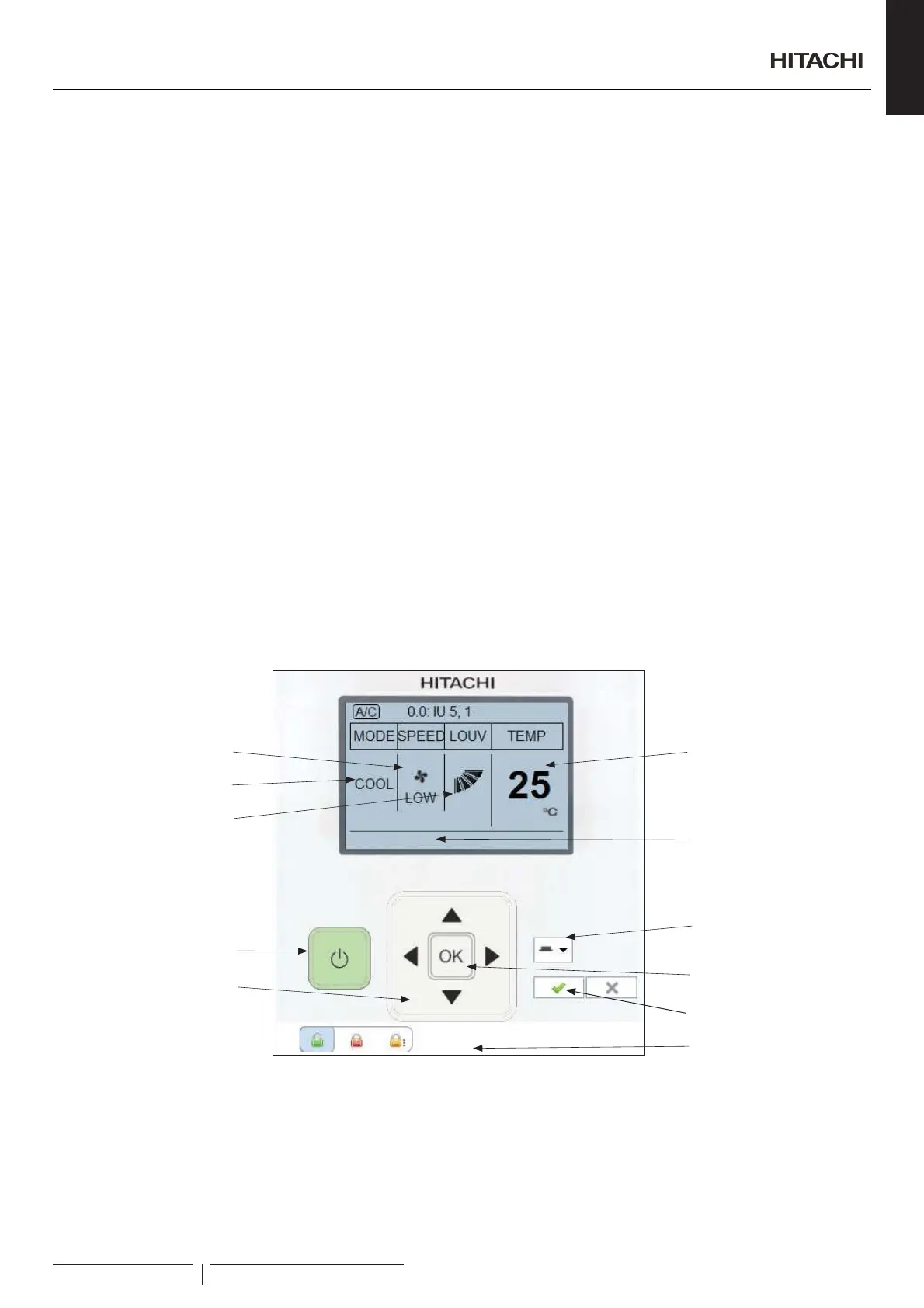
7KHUHPRWHFRQWUROOHULVGLYLGHGLQWZRSDUWVWKH¿UVWRQLVWKHGLVSOD\]RQHWKDWVKRZVFXUUHQWYDOXHVRIWKHXQLWDQGWKHEXWWRQV
zones that let move through the menus.
Display zone describes next:
1 Shows the unit operation mode.
2 Shows the fan speed.
3 ,QGLFDWHVWKHSRVLWLRQRIWKHEDIÀHSODWH
4 Display central is enabled if some central value is activated.
5 Display the unit temperature.
Buttons describes the next:
6 Indicates and change the Run / Stop situation and if the unit has an alarm.
7 Arrows let select the item on the screen and adjust its value.
8 2.EXWWRQOHWVVHOHFWDSDUDPHWHUWREHPRGL¿HG
9 Parameter lock. These parameters will be locked on the remote controller.
10 Update will send the current state of the remote controller to the unit. Cancel will restore previously setting.
11 ³6HWE\´RSWLRQVFRQ¿JXUHWKHFXUUHQWUHPRWHFRQWUROOHURUGHUWREHVHQWWRDVLQJOHXQLWDQRXWGRRUXQLWD]RQHD]RQHDQGLWV
sub zones or to all units.
O
V
W
Y
P
Q
R
S
T
U
X
General characteristics
PMML0409A rev.1 - 10/201619


 To Next Page
 Loading...