ENGLISH
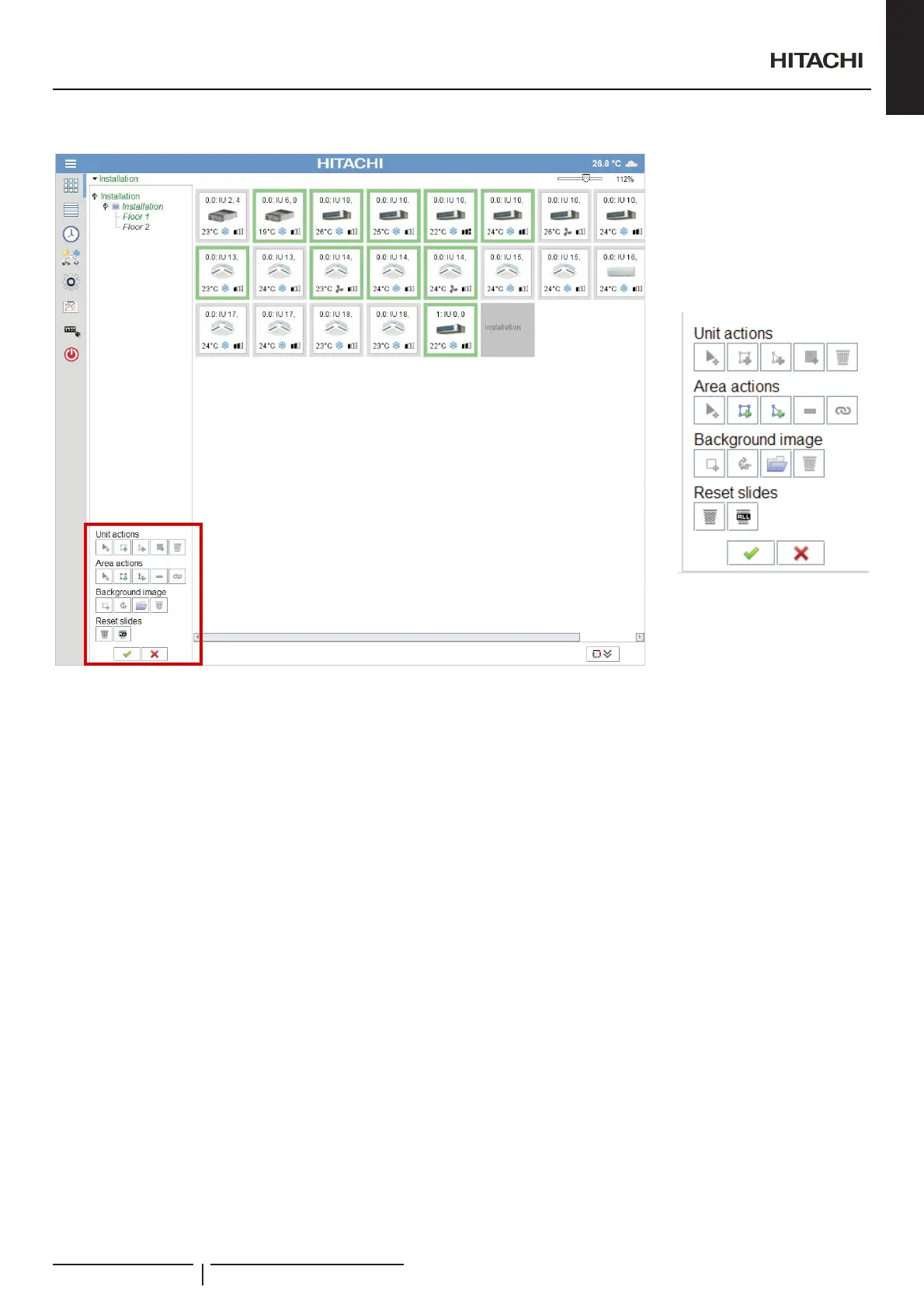
Available actions
Unit:
- Move selected unit: drag the unit to the desired position
- Add Square unit area: create a square shape in the desired position that is linked to selected unit
- Add Polygon unit area: create a polygon shape in the desired position that is linked to selected unit
- Move icon: Allows to move unit icon to desired position
- 'HOHWHXQLW5HVHWVXQLWWRLWVGHIDXOWSRVLWLRQLQ³PDWUL[PRGH´
Area:
- $GG6TXDUHDUHDOLQNFUHDWHDVTXDUHVKDSHWKDWOLQNVWRDQRWKHUDUHD,IDQDXWRPDWLFOLQNZDVFUHDWHGE\³PDWUL[PRGH´
the old one disappears).
- Add Polygon area link: create a polygon shape by clicking on the positions that links to another area. (If an automatic link was
FUHDWHGE\³PDWUL[PRGH´WKHROGRQHGLVDSSHDUV
- Move Selected Area
- Remove Selected area
- Change link of a Selected area
Background Image:
- Move image (Available if image exists)
- Rotate +90º the image (Available if image exists)
- 2SHQLPDJHVHWVDVHOHFWHG¿OHDVEDFNJURXQGLPDJH
- Delete image (Available if image exists)
Resets slides:
- 5HVHWFXUUHQWVOLGHUHPRYHVEDFNJURXQGLPDJHDQGPDNHDOOXQLWVZRUNLQ³PDWUL[PRGH´
- Reset all slides: apply reset to all the slides.
N O T E
/D\RXWHGLWLRQLVDYDLODEOHRQO\IRUXVHUVZLWK³6\VWHP&RQ¿JXUDWLRQ´RU³8QLW&RQ¿JXUDWLRQ´SULYLOHJHV
'HOHWLQJDQDUHDRQXQLWVWDEOHVFUHHQGHOHWHVLWIURP/D\RXWWUHHDQGDOOLWVXQLWVZRXOGEHPRYHGWR³,QVWDOODWLRQ´DUHD
&KDQJLQJWKHDUHDRIDXQLWIURPXQLWFRQ¿JXUDWLRQVFUHHQLWDSSOLHVWKHFKDQJHRQWKHOD\RXWEXWZLWKRXWNHHSLQJDVSHFL¿FXQLWSRVLWLRQRQWKH
Slide.
2SHUDWLRQDQGFRQ¿JXUDWLRQRISDFNDJHGXQLWV
PMML0409A rev.1 - 10/201637


 To Next Page
 Loading...