4.4 OPERATION PANEL
Operation panel is the interface available in table of indoor units and building layout view, that is shown by default and it is used to
send orders to the units. In case of using a virtual remote controller, the panel is hidden.
7KH2SHUDWLRQ3DQHOKDVWKHIROORZLQJDFFHVV¿HOGVRIIHULQJFRPSOHWHFRQWURORIWKHXQLWV
Setting
System Status
(DFKRIWKHVH¿HOGVLVH[SODLQHGEHORZ
N O T E
9LVLELOLW\RIWKHVH¿HOGVGHSHQGVRQSULYLOHJHOHYHORIWKHXVHU
4.4.1 Setting
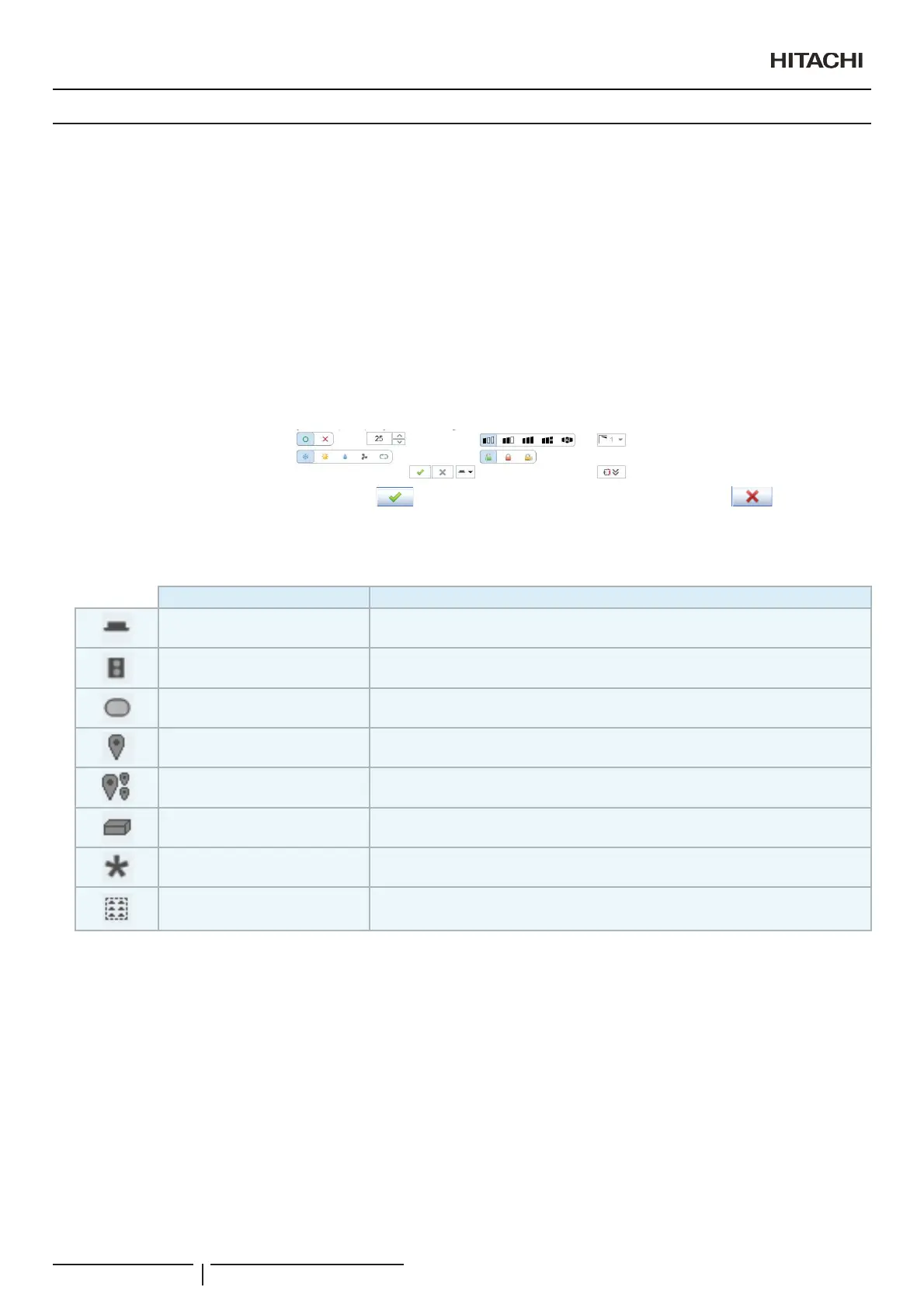
This option shows the parameters which can be selected for each indoor unit.
After selecting the parameters to be adjusted, press (Update) to send the order to the units selected or (Cancel) to
cancel the operation.
1 6HOHFWWKHXQLW7KHXQLWVHOHFWHGLQWKHWDEOHRILQGRRUXQLWVLVLGHQWL¿HGE\WKHLocation¿HOG8VLQJWKH Set by¿HOGVHOHFWWKH
group of units whose parameters you want to adjust:
Name Send the order to
Indoor unit The selected indoor unit
Outdoor unit All the indoor units belonging to the same outdoor unit than the selected one.
Area All the indoor units belonging to the same tree area unit than the selected one.
Zone All the indoor units on the same building layout zone than the selected unit.
Zone and subzones
All the indoor units on the same building layout zone and zones below the same zone
where the selected unit belong.
CS Port All the units connected to the device on the same CS Port than the selected units
All All the units
Selection The selected units on the table or layout.
2 Adjust parameters. Click with the mouse on the parameter you want to select. Select the temperature with the buttons “´RU
““. The temperature margin is:
- From 19ºC to 30ºC for cooling.
- From 17ºC to 30ºC for heating.
6HOHFWWKHIDQVSHHGDQGWKHSRVLWLRQRIWKHEDIÀHSODWHE\SXVKLQJWKHFan speed and Louver buttons.
N O T E
Automatic mode cannot be set for units with the RAC adapter PSC-6RAD so that the option will not appear on screen when this type of units is
selected.
3 Parameter lock. The parameters selected in RCS Lock will remain locked in the previous position when the option was activated.
7KLVPHDQVWKDWWKH\FDQQRWEHPRGL¿HGIURPWKHUHPRWHFRQWURO
N O T E
ON/Off lock only locks in OFF. Unit always can be stopped from the remote control.
2SHUDWLRQDQGFRQ¿JXUDWLRQRISDFNDJHGXQLWV
PMML0409A rev.1 - 10/201638


 To Next Page
 Loading...