6.3 CREATE BUILDING LAYOUT FILE USING WIZARD OPTION
In order to make easy your layout creation you can import the current units of the CSNET Manager. To do this, you have to open the
RSWLRQ¿OHSURSHUWLHVDQGVHOHFWWKH,PSRUWXQLWVWDE
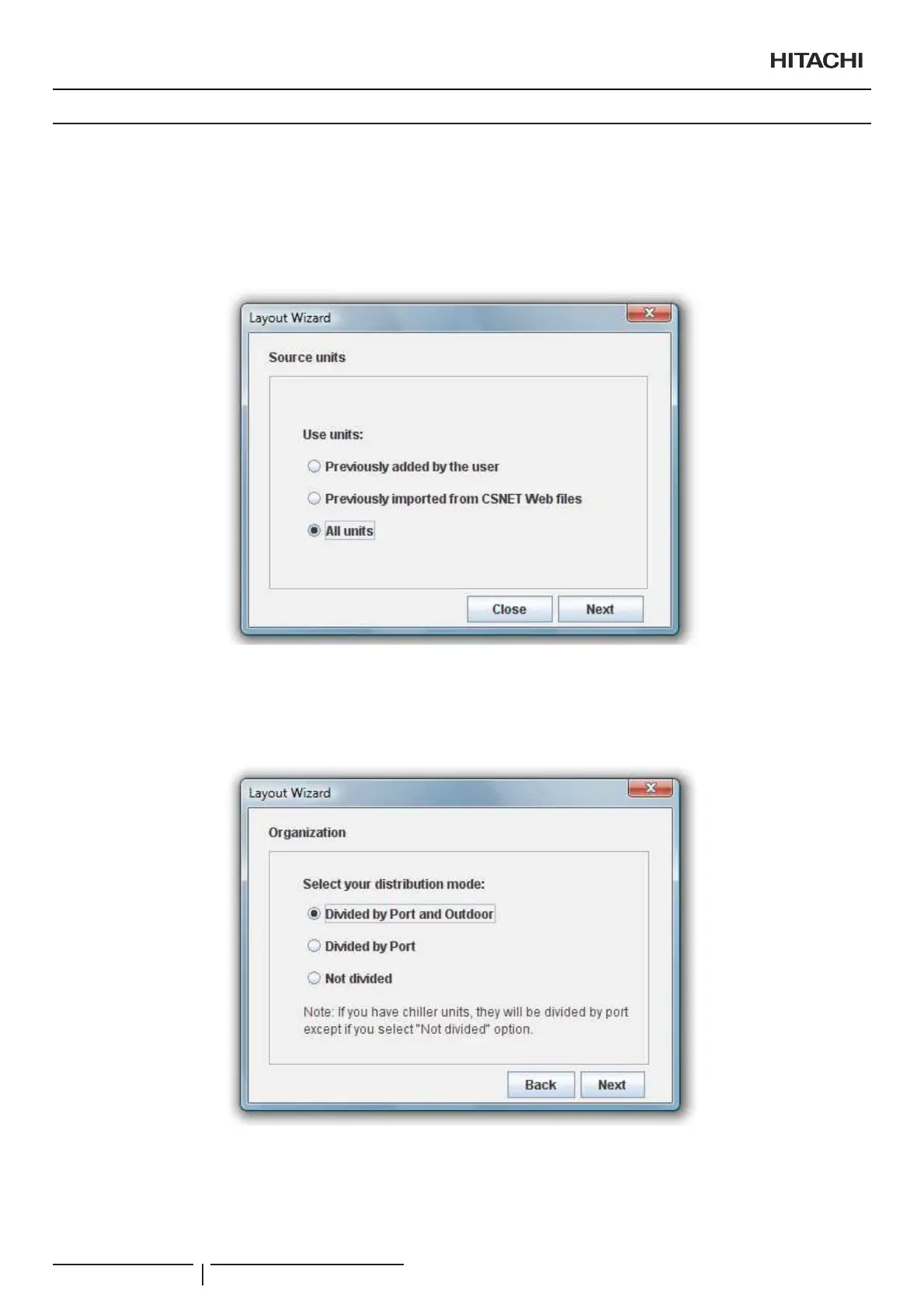
Before creating your layout you must select the units used by the wizard function.
³3UHYLRXVO\DGGHGE\WKHXVHU´PHDQVDOOXQLWVWKDWXVHUDGGHQWHULQJYDOXHVLQVKDSHHGLWLRQ
Imported units are units that you can automatically import from CSNET Manager explained on the last point.
Next, you must to select how the wizard application will distribute your units.
It will create a zone for each port or port and outdoor that exists, entering inside a shape for each unit.
³1RWGLYLGHG´RSWLRQZLOOHQWHUDOOWKHXQLWVLQWKHURRW]RQH
On next step you can specify the organisation of the units inside the zone.
You can group the units by port, by outdoor units or all in a same group.
N O T E
,I\RXGLVWULEXWHDQGJURXSXQLWVE\VDPHRSWLRQRQHDFK]RQHZLOOEHRQO\DXQLW
Creation of Building Layout
PMML0409A rev.1 - 10/201686


 To Next Page
 Loading...