ENGLISH
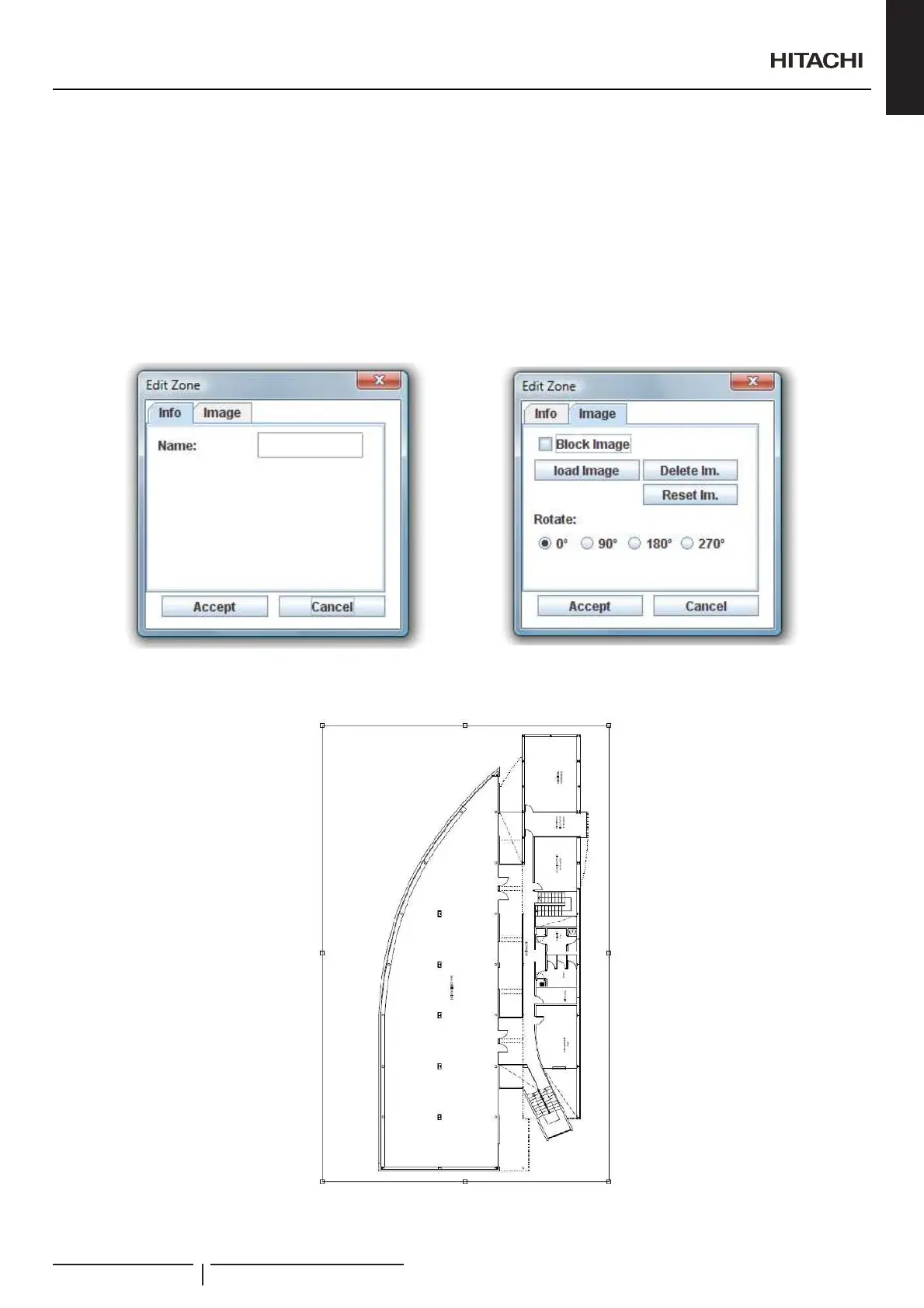
Creating new zone or editing an existing one will appear the zone dialogue to set the information of the zone. Each zone must to
KDYHDVSHFL¿FLQIRUPDWLRQWRLGHQWLI\WKH]RQH7KHQDPHRIWKH]RQHPXVWWREHXQLTXH
In each zone you can insert one background image. In the image tab are different buttons that allows you to modify the background
image:
Block image: block transformations to your image to ban the possibility of transform without want it.
Load imageRSHQ¿OHGLDORJXHWRFKRRVHDQLPDJH
Delete image: delete current background image.
Reset image: restart all the transformations of the image.
Rotate: rotate the current image.
:KHQWUDQVIRUPLQJDQLPDJH\RXZLOOVHHWUDQVIRUPDWLRQVTXDUHVDURXQGWKHLPDJH(DFKVTXDUHWUDQVIRUPVWKHLPDJH¿[LQJWKH
opposite one. Central square will shift the image.
Creation of Building Layout
PMML0409A rev.1 - 10/201691


 To Next Page
 Loading...