EasyManua.ls Logo

Hitachi D-E99 - Page 3

Hitachi D-E99
28 pages
Print Icon
To Next Page IconTo Next Page
To Previous Page IconTo Previous Page
Loading...
0
(
(
®
BT3X12
@
F3X10(BT)
~
1.___·
-/
@
BT3X10
@
BT3X12
W
BT3X12
©
BT3X10
2.
Upper
cover
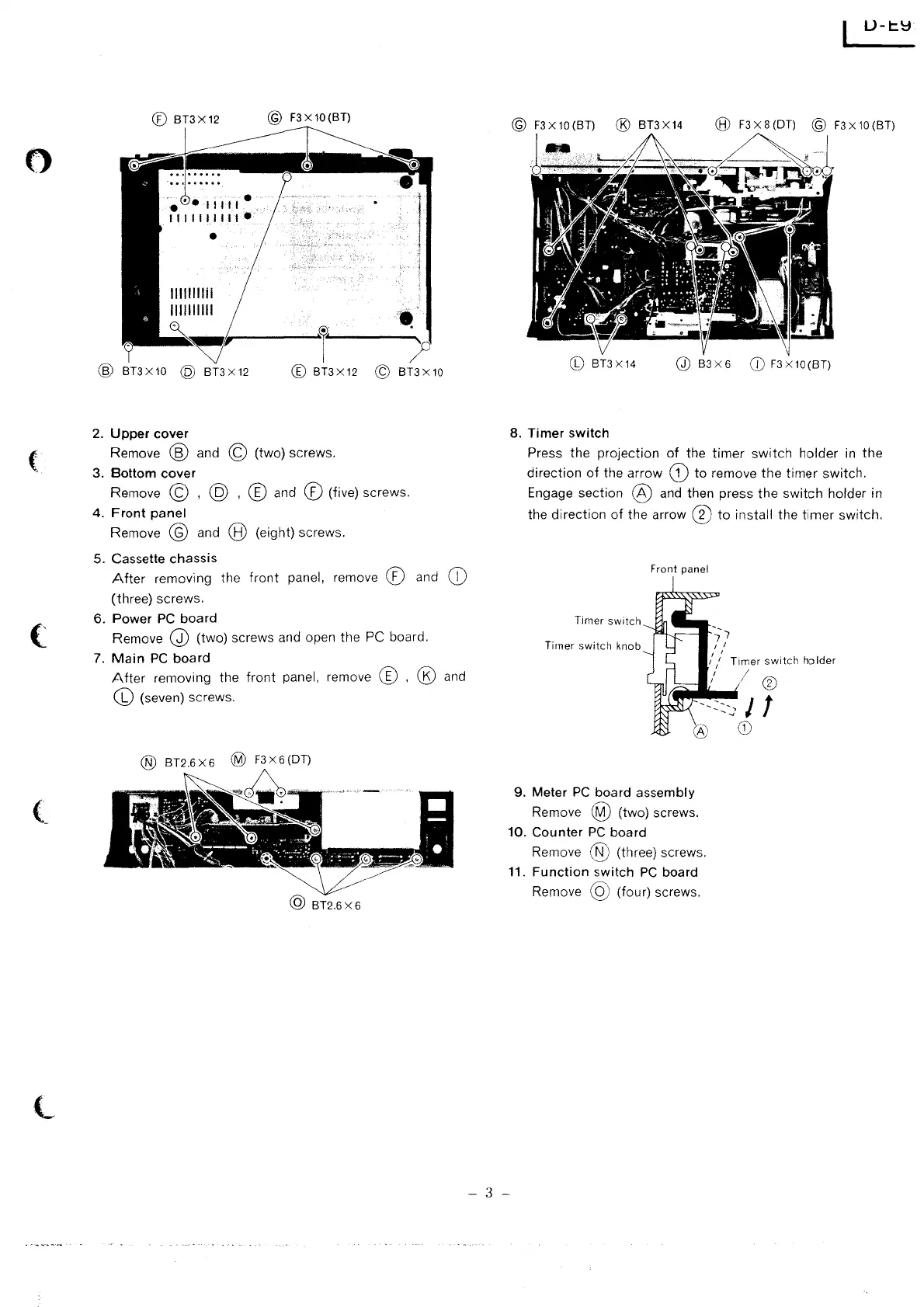
Remove @ and © (two) screws.
3.
Bottom
cover
Remove © , @ , ® and ® (five) screws.
4.
Front
panel
Remove @ and @ (eight) screws.
5. Cassette
chassis
After
removing the
front
panel, remove ® and
CD
(three) screws.
6.
Power
PC
board
Remove Q) (two) screws and open
the
PC board.
7.
Main
PC
board
After
removing the
front
panel, remove ® , ® and
CD
(seven) screws.
@
BT2.6X6
U-t.~
GD
83
X6
CD
F3
x
10
(BT)
8.
Timer
switch
Press
the
projection
of
the
timer
switch
holder
in
the
direction
of
the
arrow
G)
to
remove
the
timer
switch.
Engage section @ and then press
the
switch
holder in
the
direction
of
the
arrow ®
to
install the
timer
switch.
Front panel
Timer
switch
Timer
switch
knob
9. Meter
PC
board
assembly
Remove @ (two) screws.
10.
Counter
PC
board
Remove @ (three) screws.
11.
Function
switch
PC
board
Remove
@ (four) screws.
- 3 -