EasyManua.ls Logo

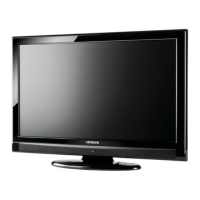
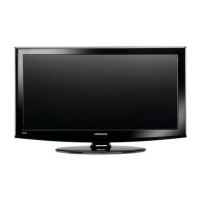
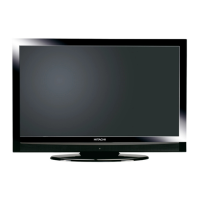
Hitachi L19D103 - 19" LCD TV - User Manual

Hitachi L19D103 - 19" LCD TV
40 pages
Print Icon
To Next Page IconTo Next Page
Loading...
READ THE ENCLOSED INSTRUCTIONS CAREFULLY. KEEP THIS OPERATING GUIDE FOR FUTURE REFERENCE.
Record the model name and serial number of your LCD Television for future reference.
IMPORTANT SAFETY INSTRUCTIONS ..............................................................................2-6
FIRST TIME USE ...............................................................................................................9-15
TV OPERATION ...............................................................................................................16-23
DVD OPERATION ............................................................................................................23-31
CONNECTIONS TO OTHER EQUIPMENT .....................................................................32-34
TROUBLE SHOOTING ....................................................................................................35-37
TV STAND .............................................................................................................................39
LIMITED WARRANTY ...........................................................................................................40
LCD HDTV with Built-in DVD Player
Operating Guide for L19D103
ESPAÑOL ENGLISH
NEED MORE INFO ON THE DTV TRANSITION?
See page 14 in this Operating Guide and
please visit www.dtvtransition.org
SERIAL NO.
This information is located on the back of the television.
SERIES A
52C1221B_eng.indd 152C1221B_eng.indd 1 6/26/09 5:24:44 PM6/26/09 5:24:44 PM

Questions and Answers

  • A
    adrianrodriguezJul 30, 2025
    What to do if my Hitachi L19D103 - 19" LCD TV TV DVD Combo has poor or no picture?
    • B
      Brandon LeeJul 30, 2025
      First, ensure the power cord is properly plugged in. If that doesn't work, try unplugging the unit and then plugging it back in. If you are watching a specific channel, try tuning to another station in case the station or cable TV is experiencing problems. Also, check the antenna or cable TV connections and try reorienting the antenna. If the station signal is weak, reorient the antenna to receive a stronger signal.
  • D
    David SandersAug 5, 2025
    Why is my Hitachi L19D103 - 19" LCD TV TV DVD Combo unit or remote operation key not functioning?
    • A
      Andrew HoganAug 5, 2025
      Try turning off the unit and unplugging the AC power cord for a few minutes, then plug it back in. Make sure you are aiming the remote control directly at the remote sensor within approximately 15 feet and reduce the amount of light in the room. If the batteries are weak, replace them. Also, check that the batteries are inserted correctly.
  • D
    danielponceAug 12, 2025
    What to do if Closed-Caption is not available on Hitachi TV DVD Combo?
    • J
      Joseph SmithAug 12, 2025
      The TV station might be experiencing problems, or the program you're watching might not be closed-captioned. Try tuning to another program.
  • P
    Patrick RuizAug 18, 2025
    Why is the picture distorted during CUE or REVIEW on my Hitachi TV DVD Combo?
    • B
      Brian EvansAug 18, 2025
      The picture will be distorted occasionally.
  • E
    Elizabeth SummersAug 25, 2025
    Why is the audio soundtrack and/or subtitle not working when I play back a DVD on my Hitachi L19D103 - 19" LCD TV TV DVD Combo?
    • G
      Gabrielle BarberAug 25, 2025
      Multilingual language may not be recorded on the DVD disc. Some discs may not have subtitles. If subtitles are cleared, press the SUBTITLE button.

Summary

Safety and Handling

Important Safety Instructions

Crucial guidelines to prevent injury and product damage during operation.

Child Safety Notice

Guidelines for safe use of flat panel displays around children.

Safety Precautions

General precautions for operating the device safely.

Getting Started and Operation

First Time Use

Step-by-step guide for initial setup and basic operation.

TV Operation

Instructions for standard television viewing functions and controls.

Starting Setup

Process for initial TV setup, including language and channel programming.

DVD Player Features

DVD Operation

Comprehensive guide to operating the built-in DVD player.

MP3;WMA;JPEG and Audio CD Playback

Playing music and photo discs, including file browser usage.

Special Playback

Features like fast forward, slow motion, and still playback.

Connectivity, Support, and Details

Connections to Other Equipment

Detailed instructions for connecting various external video and audio devices.

Reception Disturbances

Explains common signal issues like noise, ghosts, and snow.

Trouble Shooting

A guide to identifying and resolving common operational problems.

Specifications

Technical details, dimensions, power, and component information.

Limited Warranty

Information on product warranty coverage and terms.

Hitachi L19D103 - 19" LCD TV Specifications

General IconGeneral
Screen Size19 inches
Display TypeLCD
Resolution1366 x 768
Aspect Ratio16:9
Contrast Ratio1000:1
Brightness250 cd/m²
Response Time5 ms
HDMI Ports1
USB Ports1
Built-in DVD PlayerYes
VGA PortYes
Power Consumption36W
Audio Output3W x 2
Viewing Angle170° (H) / 160° (V)

Related product manuals