EasyManua.ls Logo

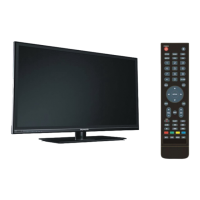
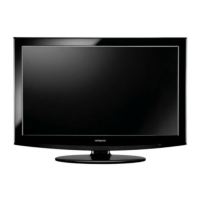
Hitachi LE42H508 - User Manual

Hitachi LE42H508
33 pages
Print Icon
To Next Page IconTo Next Page
Loading...
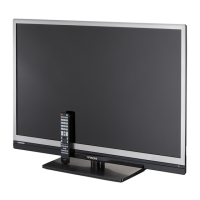
LE
42H508 LE42H508A
42” Class (42.02” Diag.)
Serial No.
Model:
Thank you for purchasing this Hitachi product.
Please read these instructions carefully.
For additional assistance please call Toll Free
800.HITACHI (800.448.2244)
or visit our website at www.hitachi.us/tv.
Keep this Owner’s Guide for future reference.
Record the model name and serial number of your LCD
Television for future reference.This information is located
on the back of the television.
TABLE OF CONTENTS
2-6 IMPORTANT SAFETY INSTRUCTIONS
7 HOW TO ATTACH / REMOVE THE STAND
8-12 FIRST TIME USE
13-22 TV OPERATION
23-26 CONNECTIONS TO OTHER EQUIPMENT
27 RECEPTION DISTURBANCES
28 TROUBLESHOOTING
29 SPECIFICATIONS
30-31 LIMITED WARRANTY
CONGRATULATIONS
LED LCD HDTV
OWNER’S GUIDE
LE46H508
46” Class (45.99” Diag.)
OG_H508_031814

Questions and Answers

  • K
    Kimberly RaymondAug 16, 2025
    Why is my Hitachi LE42H508 remote not working?
    • A
      Andrea WellsAug 17, 2025
      If your Hitachi TV remote isn't working, start by checking if the batteries are weak, dead, or inserted incorrectly. Ensure you are within 15 feet of the TV and that the remote is aimed at the sensor. Make sure there are no obstructions between the remote and the TV. Finally, verify the TV's power cord is plugged in.
  • M
    martinezkathleenAug 19, 2025
    How to fix Hitachi LE42H508 TV when it does not operate?
    • M
      Megan GibsonAug 19, 2025
      If your Hitachi TV is not operating, ensure the power cord is securely plugged in. If it is, try using another AC outlet. Also, check your fuse or circuit breaker to ensure power is available. As a last resort, unplug the unit for an hour, then plug it back in.
  • A
    April MorrisonAug 22, 2025
    How to improve poor reception on Hitachi TV?
    • A
      Adam ConleyAug 22, 2025
      If you are experiencing poor reception on some channels with your Hitachi TV, first tune to another station to rule out station or cable TV problems. Ensure the channels are set into memory. It's possible the station is weak, so try adjusting the antenna to receive the desired station. Also, check for any sources of interference.
  • J
    Jonathan PowellAug 25, 2025
    Why does my Hitachi LE42H508 keep shutting off?
    • D
      Donna HuffmanAug 26, 2025
      If your Hitachi TV is shutting off unexpectedly, it may be due to the Sleep Timer being set, a power interruption, or the Auto TV Off feature being enabled. Check these settings to resolve the issue.
  • O
    ocrawfordAug 27, 2025
    How to fix no CATV reception on Hitachi TV?
    • T
      tammy56Aug 28, 2025
      If you are not getting CATV reception on your Hitachi TV, check all Cable TV connections. Set the Source menu option to the Cable mode. If the problem persists, there may be station or cable TV system problems, so try another station.
  • J
    Joseph GrayAug 30, 2025
    Why is there no sound on my Hitachi LE42H508?
    • F
      Frank TuckerAug 30, 2025
      If you're experiencing poor sound or no sound on your Hitachi TV, first try tuning to another station to rule out station or cable TV issues. Then, check your sound adjustments (Volume or Mute) to make sure they are properly configured. Ensure there are no sources of possible interference. Finally, verify the audio language setting is correct.
  • M
    Maria LopezSep 2, 2025
    What to do if my Hitachi LE42H508 TV has poor picture quality?
    • A
      Andrew PachecoSep 2, 2025
      If your Hitachi TV has poor or no picture, try tuning to another station to rule out station or cable TV problems. Make sure the channels are properly set into memory. Check the antenna or cable TV connections and adjust the antenna. Look for any sources of interference. Finally, check the picture control adjustments.
  • H
    hnavarroSep 5, 2025
    Why is there no color on my Hitachi TV?
    • C
      Catherine TaylorSep 5, 2025
      If you're experiencing poor or no color on your Hitachi TV, start by tuning to another station to rule out station or cable TV problems. Ensure the channels are set into memory. Then, check the picture control adjustments, antenna or cable TV connections, and look for any sources of interference.
  • L
    Lauren WoodSep 7, 2025
    Why does the picture wobble on my Hitachi LE42H508 TV?
    • P
      Phillip WilliamsSep 8, 2025
      If the picture on your Hitachi TV wobbles or drifts, first tune to another station to rule out station or cable TV problems. Ensure the channels are set into memory. It's possible the cable TV company is scrambling the signal. Try adjusting the antenna.
  • B
    barrettaaronSep 10, 2025
    What causes horizontal bars on Hitachi TV screen?
    • M
      Matthew SmithSep 10, 2025
      If you see horizontal or diagonal bars on the screen of your Hitachi TV, check the antenna connections and adjust or re-direct the antenna. Also, check for sources of possible interference.

Hitachi LE42H508 Specifications

General IconGeneral
Screen Size42 inches
Display TechnologyLCD
HDMI Ports3
USB Ports1
Refresh Rate60 Hz
Aspect Ratio16:9
Built-in TunerATSC/NTSC
Resolution1920 x 1080 (Full HD)
Sound Output16W

Related product manuals