EasyManua.ls Logo

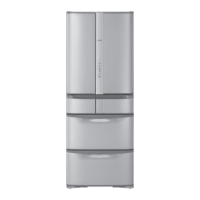
Hitachi R-SF62EMJ - User Manual

Hitachi R-SF62EMJ
68 pages
Print Icon
To Next Page IconTo Next Page
Loading...
型號
R-SF62EMJ
R-SF52EMJ
Model
只限在台灣使用
For use in Taiwan only.
HOW TO USE
REFRIGERATOR-FREEZER
使用說明書
日立多門電冰箱
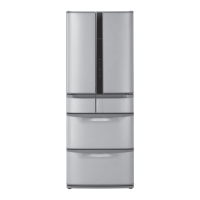
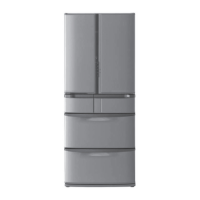
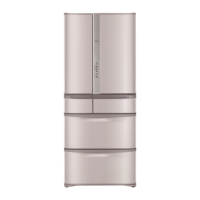
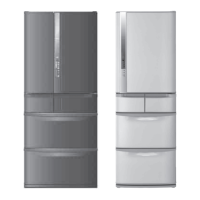
6 doors
Made in Japan
It takes time to cool for the first time.
Pg.42, 43
It may take more than 4 24 hours to fully cool.
Make sure that no food protrudes beyond the storage height limit of
each compartment, and allow clearance between each food in each
compartment.
Pg.48, 52
Otherwise, food and/or package may not be stored in each compartment properly, and as
a result, the door may not be closed completely. It may cause the refrigerator not to cool
sufciently and/or not to make ice.
購買後初次使用時。
10, 11
初次使用時,庫內冷卻可能需要約
4
小時至
24
小時以上。
請遵守可容納食物的高度及食品之間空開間隙儲放。
16, 20
過分塞堵食物,會造成食品及袋子被門夾住關不緊,製冷效率低,不能製冰等。
Thank you very much for purchasing a Hitachi
Refrigerator.
This refrigerator is designed for home use only.
Do not use this refrigerator for the business use
and/or any purpose other than storing food.
Please read this operation manual carefully
and ensure you use the appliance correctly. In
particular, be sure to read the “Safety Suggestions”
section of this operation manual before use.
Please keep this operation manual along with your
guarantee card.
Hand over this operation manual together with the
refrigerator when the refrigerator is passed to a
third party and used in a different location, or when
it is sent to a recycling plant.
非常感謝您購買日立電冰箱。
此電冰箱僅供家庭使用,請勿使用於商業用途和儲
存食品以外的目的上。
請詳閱本使用說明書,以確保正確使用。
使用前請務必詳閱「安全上之注意事項」
請妥善保管本使用說明書與保証書,當將電冰箱交給
他人在別的場所使用時,以及交給回收工場時,請
將本使用說明書隨電冰箱一同轉交。
家庭用
For household use
六門
日本製
R-SF58EMJ
R-SF48EMJ

Table of Contents

Question and Answer IconNeed help?

Do you have a question about the Hitachi R-SF62EMJ and is the answer not in the manual?

Summary

HOW TO USE

REFRIGERATOR-FREEZER

Identifies the product as a refrigerator-freezer.

Model

Lists the available model numbers for the refrigerator.

FEATURES

Sleep vegetables

Describes the "Sleep Preservation" function for vegetables.

Vacuum Compartment

Explains the vacuum compartment and its features.

Energy saving & large capacity

Details energy-saving technologies and large capacity design.

Triple Power Deodorizing Effect

Explains the triple deodorizing system for odor removal.

SAFETY SUGGESTIONS

Installation

Instructions and precautions for installing the refrigerator.

Power and Power Cord

Guidelines for safe handling of power cord and plug.

In normal use

Warning

Critical warnings for general usage of the refrigerator.

WARNING

About the Refrigerant

Warnings and precautions related to the flammable refrigerant.

In case of the following situations

Actions to take in case of product abnormality or malfunction.

SAFETY SUGGESTIONS

Moving;Transporting

Precautions and steps for safely moving the refrigerator.

In normal use

General usage precautions to avoid injury or damage.

Confirmation Items

Names of each compartment;Food storage

Identifies refrigerator compartments and suggests food storage.

Functions of the Control Panel

Notice

Important notices regarding panel operation and indicators.

Vacuum Compartment Setting

How to set the temperature for the vacuum compartment.

Ice Making Setting

How to set the ice making mode.

Temperature Setting

How to adjust the temperature for different compartments.

Energy Saving Setting

How to set the energy saving mode.

Preparation

Preparation before use

Steps to prepare the refrigerator before its first use.

Fixing the refrigerator

How to adjust the leveling feet to stabilize the refrigerator.

Door balance adjustment

How to adjust the door balance for proper closure.

Preparation

Peel off the label from the Antioxidation Fresh Cassette in the Vacuum Compartment before use

Instruction to remove a label from the antioxidation fresh cassette.

Plug in the power cord.

Instructions on how to properly plug in the power cord.

Refrigerator starts cooling.

Information on the initial cooling process after plugging in.

To prevent electric shock, please implement grounding

Instructions on grounding the refrigerator for electrical safety.

Refrigerator Compartment

Names of each compartment;Food storage

Identifies refrigerator compartments and suggests food storage.

Adjusting shelf;rack height

How to adjust the height of shelves and pockets.

Adjusting Refrigerator Compartment Temperature

Cooling food Quickly (Quick Cooling)

How to use the quick cooling function for food.

Vacuum Compartment

Opening and closing the Vacuum Compartment door

Steps for opening and closing the vacuum compartment door.

Change the settings of the Vacuum Compartment

Settings and food stored

Recommends settings for different foods and containers in the vacuum compartment.

Freezer Compartment

Using the Upper Freezer

How to use the upper freezer compartment for quick freezing.

Using the Lower Freezer

How to utilize the lower freezer compartment for storage.

Caution on how to store foods

Important notes on storing food based on height to ensure proper door closure.

Adjust the temperature of the freezer compartment

Quickly freezing foods (Quick Freezing)

Instructions on how to perform quick freezing.

Ice Compartment (Automatic Ice Maker)

How to make Ice

Step-by-step guide on how to make ice using the automatic ice maker.

Quick Ice Making

Stop Ice Making

How to stop the automatic ice making process.

Water Supply indicator

Explains the water supply indicator and related functions.

When the Ice Making indicator lamp is blinks

What to do when the ice making indicator blinks.

Stored ice amount and ice-making time of the Ice Case

Information on ice storage capacity and making time.

Vegetable Compartment

Stored foods

Guidelines for storing vegetables and fruits in the compartment.

Caution on how to store foods

Important notes on storing food based on height to ensure proper door closure.

Using the space for Sleep Vegetables

To cool it more [Vegetable Compartment (MAX)]

How to set a colder temperature for the vegetable compartment.

Various Functions

Setting Energy Saving mode

How to set the refrigerator to save energy.

Fine adjustment of the temperature (Refrigerator Compartment; Freezer Compartment)

How to make fine adjustments to compartment temperatures.

Locking the Control Panel

How to lock the control panel to prevent accidental changes.

Door Alarm

Door Alarm and volume adjustment of the operation sound

How to adjust the volume of alarms and operation sounds.

Set the condensation prevention heater to MIN. (Swing partition;Partitioning iron plates)

How to adjust the heater to save energy by reducing condensation.

MAINTENANCE

Power plug

How to clean and maintain the power plug.

Surface of door

Instructions for cleaning the refrigerator door surface.

Door gaskets

How to clean the door gaskets.

The back;floor of the refrigerator

How to clean the back and floor of the refrigerator.

Each shelf;pocket;case

How to clean shelves, pockets, and cases.

Vacuum Compartment

When the Vacuum Compartment Gasket is dirt

How to clean the vacuum compartment gasket.

MAINTENANCE (CONTINUED)

Ice Maker Cleaning

Step-by-step guide to cleaning the automatic ice maker.

Water supply container

Ice tray

How to clean and maintain the ice tray.

HOW TO REMOVE;ATTACH PARTS

A Height adjustable upper and middle shelf

How to remove and attach adjustable shelves.

B Door pocket

How to remove and attach door pockets.

D Height adjustable lower shelf

How to remove and attach the lower adjustable shelf.

E Vacuum Case

How to remove and attach the vacuum case.

HOW TO REMOVE;ATTACH PARTS

F Ice Case (Ice Compartment) • Upper Freezer case (Upper Freezer)

How to remove and attach the ice case and upper freezer case.

G Slimline slide case, slide case and lower freezer case (Lower Freezer)

How to remove and attach slide cases and the lower freezer case.

H Upper Case, Glass Partition, Lower Case (Vegetable Compartment)

How to remove and attach the upper case, glass partition, and lower case.

TROUBLESHOOTING

When this happens

Lists common issues encountered with the refrigerator.

How to solve;repair

Provides solutions for common refrigerator problems.

TROUBLESHOOTING

When this happens

Lists common issues encountered with the refrigerator.

How to solve;repair

Provides solutions for common refrigerator problems.

TROUBLESHOOTING (CONTINUED)

When this happens

Lists common issues encountered with the refrigerator.

How to solve;repair

Provides solutions for common refrigerator problems.

TROUBLESHOOTING (CONTINUED)

When this happens

Lists common issues encountered with the refrigerator.

How to solve;repair

Provides solutions for common refrigerator problems.

AVAILABLE PARTS

When this happens

Lists parts that can be purchased separately.

SAFETY SUGGESTIONS

Installation

Instructions and precautions for installing the refrigerator.

Handling the power and power cable

Guidelines for safe handling of power cord and plug.

A WARNING

Handling the power and power cable

Safety precautions for handling the power cord and plug.

During use

Safety precautions during normal operation of the refrigerator.

A WARNING

Concerning the refrigerant

Precautions related to the flammable refrigerant.

In case of emergency

Actions to take in emergency situations.

When discarding the unit

Safety advice for discarding the refrigerator.

ACAUTION

When moving the refrigerator

Safety precautions when moving the refrigerator.

During use

Safety precautions during normal operation.

LEARN NAME & FUNCTION OF EACH PART

Name of each compartment;Food stored

Identifies refrigerator compartments and suggests food storage.

Accessories

Lists included accessories with the refrigerator.

Functions of the Control Panel

Providing information

Information about indicator lamps and modes.

Setting the Vacuum Compartment

How to set the vacuum compartment mode.

Setting a cooling mode

How to select a cooling mode for compartments.

Setting an ice-making

How to set the ice making mode.

Adjusting temperature settings

How to adjust the temperature for each compartment.

Setting Energy Saving mode

How to set the energy saving mode.

BEFORE USE

Preparation before use

Steps to prepare the refrigerator before its first use.

Fix the refrigerator

How to adjust the leveling feet to stabilize the refrigerator.

Adjusting the refrigerator adjustable mount to keep it level

How to adjust the door balance for proper closure.

BEFORE USE

Peel off the seal from the Antioxidation Fresh Cassette in the Vacuum Compartment.

Instruction to remove a label from the antioxidation fresh cassette.

Plug the power cord.

Instructions on how to properly plug in the power cord.

Cooling inside the refrigerator starts.

Information on the initial cooling process after plugging in.

Transporting your refrigerator (transport for moving)

Precautions and steps for safely moving the refrigerator.

REFRIGERATOR COMPARTMENT

Adjust the height of a pocket;shelf

How to adjust the height of shelves and pockets.

Adjusting temperature in a refrigerator compartment

Cooling food Quickly (Quick Cooling)

How to use the quick cooling function for food.

VACUUM COMPARTMENT

When opening;closing the door of the Vacuum Case

Steps for opening and closing the vacuum compartment door.

Change the settings of the Vacuum Compartment

Settings and food stored

Recommends settings for different foods and containers in the vacuum compartment.

FREEZER COMPARTMENT

Using the Upper Freezer

How to use the upper freezer compartment for quick freezing.

Using the Lower Freezer

How to utilize the lower freezer compartment for storage.

Caution on how to store foods

Important notes on storing food based on height to ensure proper door closure.

Adjust the temperature of the freezer compartment

Quickly freezing foods (Quick Freezing)

Instructions on how to perform quick freezing.

ICE COMPARTMENT (AUTOMATIC ICE MAKER)

How to make Ice

Step-by-step guide on how to make ice using the automatic ice maker.

Quick Ice Making

Stop Ice Making

How to stop the automatic ice making process.

Water Supply indicator

Explains the water supply indicator and related functions.

When the Ice Making indicator lamp is blinks

What to do when the ice making indicator blinks.

Stored ice amount and ice-making time of the Ice Case

Information on ice storage capacity and making time.

VEGETABLE COMPARTMENT

Stored foods

Guidelines for storing vegetables and fruits in the compartment.

Caution on how to store foods

Important notes on storing food based on height to ensure proper door closure.

Using the space for Sleep Vegetables

To cool it more [Vegetable Compartment (MAX)]

How to set a colder temperature for the vegetable compartment.

VARIOUS FUNCTIONS

Setting Energy Saving mode

How to set the refrigerator to save energy.

Fine adjustment of the temperature (Refrigerator Compartment; Freezer Compartment)

How to make fine adjustments to compartment temperatures.

Locking the Control Panel

How to lock the control panel to prevent accidental changes.

Door Alarm

Door Alarm and volume adjustment of the operation sound

How to adjust the volume of alarms and operation sounds.

Set the condensation prevention heater to MIN. (Swing partition;Partitioning iron plates)

How to adjust the heater to save energy by reducing condensation.

MAINTENANCE

Power plug

How to clean and maintain the power plug.

Surface of door

Instructions for cleaning the refrigerator door surface.

Door gaskets

How to clean the door gaskets.

The back;floor of the refrigerator

How to clean the back and floor of the refrigerator.

Each shelf;pocket;case

How to clean shelves, pockets, and cases.

Vacuum Compartment

When the Vacuum Compartment Gasket is dirt

How to clean the vacuum compartment gasket.

MAINTENANCE (CONTINUED)

Ice Maker Cleaning

Step-by-step guide to cleaning the automatic ice maker.

Water supply container

Ice tray

How to clean and maintain the ice tray.

HOW TO REMOVE;ATTACH PARTS

A Height adjustable upper and middle shelf

How to remove and attach adjustable shelves.

B Door pocket

How to remove and attach door pockets.

D Height adjustable lower shelf

How to remove and attach the lower adjustable shelf.

E Vacuum Case

How to remove and attach the vacuum case.

HOW TO REMOVE;ATTACH PARTS

F Ice Case (Ice Compartment) • Upper Freezer case (Upper Freezer)

How to remove and attach the ice case and upper freezer case.

G Slimline slide case, slide case and lower freezer case (Lower Freezer)

How to remove and attach slide cases and the lower freezer case.

H Upper Case, Glass Partition, Lower Case (Vegetable Compartment)

How to remove and attach the upper case, glass partition, and lower case.

TROUBLESHOOTING

When this happens

Lists common issues encountered with the refrigerator.

Check Item

Specific checks for troubleshooting refrigerator problems.

How to solve;repair

Provides solutions for common refrigerator problems.

Troubleshooting

When this happens

Lists common issues encountered with the refrigerator.

How to solve;repair

Provides solutions for common refrigerator problems.

TROUBLESHOOTING (CONTINUED)

When this happens

Lists common issues encountered with the refrigerator.

Check Item

Specific checks for troubleshooting refrigerator problems.

How to solve;repair

Provides solutions for common refrigerator problems.

Troubleshooting (Continued)

When this happens

Lists common issues encountered with the refrigerator.

How to solve;repair

Provides solutions for common refrigerator problems.

AVAILABLE PARTS

Subject

Categorizes available parts by issue type.

Product Name

Lists the names of parts available for purchase.

ABOUT NON-CFC REFRIGERATORS;SPECIFICATION;STORABLE WEIGHT

SPECIFICATION

Provides detailed technical specifications of the refrigerator models.

Storable weight

Details the weight capacity for shelves and compartments.

Severe warning signs for Disposal

About non-CFC refrigerators

Information about the environmental aspects of the refrigerator's materials.

Summary

HOW TO USE

REFRIGERATOR-FREEZER

Identifies the product as a refrigerator-freezer.

Model

Lists the available model numbers for the refrigerator.

FEATURES

Sleep vegetables

Describes the "Sleep Preservation" function for vegetables.

Vacuum Compartment

Explains the vacuum compartment and its features.

Energy saving & large capacity

Details energy-saving technologies and large capacity design.

Triple Power Deodorizing Effect

Explains the triple deodorizing system for odor removal.

SAFETY SUGGESTIONS

Installation

Instructions and precautions for installing the refrigerator.

Power and Power Cord

Guidelines for safe handling of power cord and plug.

In normal use

Warning

Critical warnings for general usage of the refrigerator.

WARNING

About the Refrigerant

Warnings and precautions related to the flammable refrigerant.

In case of the following situations

Actions to take in case of product abnormality or malfunction.

SAFETY SUGGESTIONS

Moving;Transporting

Precautions and steps for safely moving the refrigerator.

In normal use

General usage precautions to avoid injury or damage.

Confirmation Items

Names of each compartment;Food storage

Identifies refrigerator compartments and suggests food storage.

Functions of the Control Panel

Notice

Important notices regarding panel operation and indicators.

Vacuum Compartment Setting

How to set the temperature for the vacuum compartment.

Ice Making Setting

How to set the ice making mode.

Temperature Setting

How to adjust the temperature for different compartments.

Energy Saving Setting

How to set the energy saving mode.

Preparation

Preparation before use

Steps to prepare the refrigerator before its first use.

Fixing the refrigerator

How to adjust the leveling feet to stabilize the refrigerator.

Door balance adjustment

How to adjust the door balance for proper closure.

Preparation

Peel off the label from the Antioxidation Fresh Cassette in the Vacuum Compartment before use

Instruction to remove a label from the antioxidation fresh cassette.

Plug in the power cord.

Instructions on how to properly plug in the power cord.

Refrigerator starts cooling.

Information on the initial cooling process after plugging in.

To prevent electric shock, please implement grounding

Instructions on grounding the refrigerator for electrical safety.

Refrigerator Compartment

Names of each compartment;Food storage

Identifies refrigerator compartments and suggests food storage.

Adjusting shelf;rack height

How to adjust the height of shelves and pockets.

Adjusting Refrigerator Compartment Temperature

Cooling food Quickly (Quick Cooling)

How to use the quick cooling function for food.

Vacuum Compartment

Opening and closing the Vacuum Compartment door

Steps for opening and closing the vacuum compartment door.

Change the settings of the Vacuum Compartment

Settings and food stored

Recommends settings for different foods and containers in the vacuum compartment.

Freezer Compartment

Using the Upper Freezer

How to use the upper freezer compartment for quick freezing.

Using the Lower Freezer

How to utilize the lower freezer compartment for storage.

Caution on how to store foods

Important notes on storing food based on height to ensure proper door closure.

Adjust the temperature of the freezer compartment

Quickly freezing foods (Quick Freezing)

Instructions on how to perform quick freezing.

Ice Compartment (Automatic Ice Maker)

How to make Ice

Step-by-step guide on how to make ice using the automatic ice maker.

Quick Ice Making

Stop Ice Making

How to stop the automatic ice making process.

Water Supply indicator

Explains the water supply indicator and related functions.

When the Ice Making indicator lamp is blinks

What to do when the ice making indicator blinks.

Stored ice amount and ice-making time of the Ice Case

Information on ice storage capacity and making time.

Vegetable Compartment

Stored foods

Guidelines for storing vegetables and fruits in the compartment.

Caution on how to store foods

Important notes on storing food based on height to ensure proper door closure.

Using the space for Sleep Vegetables

To cool it more [Vegetable Compartment (MAX)]

How to set a colder temperature for the vegetable compartment.

Various Functions

Setting Energy Saving mode

How to set the refrigerator to save energy.

Fine adjustment of the temperature (Refrigerator Compartment; Freezer Compartment)

How to make fine adjustments to compartment temperatures.

Locking the Control Panel

How to lock the control panel to prevent accidental changes.

Door Alarm

Door Alarm and volume adjustment of the operation sound

How to adjust the volume of alarms and operation sounds.

Set the condensation prevention heater to MIN. (Swing partition;Partitioning iron plates)

How to adjust the heater to save energy by reducing condensation.

MAINTENANCE

Power plug

How to clean and maintain the power plug.

Surface of door

Instructions for cleaning the refrigerator door surface.

Door gaskets

How to clean the door gaskets.

The back;floor of the refrigerator

How to clean the back and floor of the refrigerator.

Each shelf;pocket;case

How to clean shelves, pockets, and cases.

Vacuum Compartment

When the Vacuum Compartment Gasket is dirt

How to clean the vacuum compartment gasket.

MAINTENANCE (CONTINUED)

Ice Maker Cleaning

Step-by-step guide to cleaning the automatic ice maker.

Water supply container

Ice tray

How to clean and maintain the ice tray.

HOW TO REMOVE;ATTACH PARTS

A Height adjustable upper and middle shelf

How to remove and attach adjustable shelves.

B Door pocket

How to remove and attach door pockets.

D Height adjustable lower shelf

How to remove and attach the lower adjustable shelf.

E Vacuum Case

How to remove and attach the vacuum case.

HOW TO REMOVE;ATTACH PARTS

F Ice Case (Ice Compartment) • Upper Freezer case (Upper Freezer)

How to remove and attach the ice case and upper freezer case.

G Slimline slide case, slide case and lower freezer case (Lower Freezer)

How to remove and attach slide cases and the lower freezer case.

H Upper Case, Glass Partition, Lower Case (Vegetable Compartment)

How to remove and attach the upper case, glass partition, and lower case.

TROUBLESHOOTING

When this happens

Lists common issues encountered with the refrigerator.

How to solve;repair

Provides solutions for common refrigerator problems.

TROUBLESHOOTING

When this happens

Lists common issues encountered with the refrigerator.

How to solve;repair

Provides solutions for common refrigerator problems.

TROUBLESHOOTING (CONTINUED)

When this happens

Lists common issues encountered with the refrigerator.

How to solve;repair

Provides solutions for common refrigerator problems.

TROUBLESHOOTING (CONTINUED)

When this happens

Lists common issues encountered with the refrigerator.

How to solve;repair

Provides solutions for common refrigerator problems.

AVAILABLE PARTS

When this happens

Lists parts that can be purchased separately.

SAFETY SUGGESTIONS

Installation

Instructions and precautions for installing the refrigerator.

Handling the power and power cable

Guidelines for safe handling of power cord and plug.

A WARNING

Handling the power and power cable

Safety precautions for handling the power cord and plug.

During use

Safety precautions during normal operation of the refrigerator.

A WARNING

Concerning the refrigerant

Precautions related to the flammable refrigerant.

In case of emergency

Actions to take in emergency situations.

When discarding the unit

Safety advice for discarding the refrigerator.

ACAUTION

When moving the refrigerator

Safety precautions when moving the refrigerator.

During use

Safety precautions during normal operation.

LEARN NAME & FUNCTION OF EACH PART

Name of each compartment;Food stored

Identifies refrigerator compartments and suggests food storage.

Accessories

Lists included accessories with the refrigerator.

Functions of the Control Panel

Providing information

Information about indicator lamps and modes.

Setting the Vacuum Compartment

How to set the vacuum compartment mode.

Setting a cooling mode

How to select a cooling mode for compartments.

Setting an ice-making

How to set the ice making mode.

Adjusting temperature settings

How to adjust the temperature for each compartment.

Setting Energy Saving mode

How to set the energy saving mode.

BEFORE USE

Preparation before use

Steps to prepare the refrigerator before its first use.

Fix the refrigerator

How to adjust the leveling feet to stabilize the refrigerator.

Adjusting the refrigerator adjustable mount to keep it level

How to adjust the door balance for proper closure.

BEFORE USE

Peel off the seal from the Antioxidation Fresh Cassette in the Vacuum Compartment.

Instruction to remove a label from the antioxidation fresh cassette.

Plug the power cord.

Instructions on how to properly plug in the power cord.

Cooling inside the refrigerator starts.

Information on the initial cooling process after plugging in.

Transporting your refrigerator (transport for moving)

Precautions and steps for safely moving the refrigerator.

REFRIGERATOR COMPARTMENT

Adjust the height of a pocket;shelf

How to adjust the height of shelves and pockets.

Adjusting temperature in a refrigerator compartment

Cooling food Quickly (Quick Cooling)

How to use the quick cooling function for food.

VACUUM COMPARTMENT

When opening;closing the door of the Vacuum Case

Steps for opening and closing the vacuum compartment door.

Change the settings of the Vacuum Compartment

Settings and food stored

Recommends settings for different foods and containers in the vacuum compartment.

FREEZER COMPARTMENT

Using the Upper Freezer

How to use the upper freezer compartment for quick freezing.

Using the Lower Freezer

How to utilize the lower freezer compartment for storage.

Caution on how to store foods

Important notes on storing food based on height to ensure proper door closure.

Adjust the temperature of the freezer compartment

Quickly freezing foods (Quick Freezing)

Instructions on how to perform quick freezing.

ICE COMPARTMENT (AUTOMATIC ICE MAKER)

How to make Ice

Step-by-step guide on how to make ice using the automatic ice maker.

Quick Ice Making

Stop Ice Making

How to stop the automatic ice making process.

Water Supply indicator

Explains the water supply indicator and related functions.

When the Ice Making indicator lamp is blinks

What to do when the ice making indicator blinks.

Stored ice amount and ice-making time of the Ice Case

Information on ice storage capacity and making time.

VEGETABLE COMPARTMENT

Stored foods

Guidelines for storing vegetables and fruits in the compartment.

Caution on how to store foods

Important notes on storing food based on height to ensure proper door closure.

Using the space for Sleep Vegetables

To cool it more [Vegetable Compartment (MAX)]

How to set a colder temperature for the vegetable compartment.

VARIOUS FUNCTIONS

Setting Energy Saving mode

How to set the refrigerator to save energy.

Fine adjustment of the temperature (Refrigerator Compartment; Freezer Compartment)

How to make fine adjustments to compartment temperatures.

Locking the Control Panel

How to lock the control panel to prevent accidental changes.

Door Alarm

Door Alarm and volume adjustment of the operation sound

How to adjust the volume of alarms and operation sounds.

Set the condensation prevention heater to MIN. (Swing partition;Partitioning iron plates)

How to adjust the heater to save energy by reducing condensation.

MAINTENANCE

Power plug

How to clean and maintain the power plug.

Surface of door

Instructions for cleaning the refrigerator door surface.

Door gaskets

How to clean the door gaskets.

The back;floor of the refrigerator

How to clean the back and floor of the refrigerator.

Each shelf;pocket;case

How to clean shelves, pockets, and cases.

Vacuum Compartment

When the Vacuum Compartment Gasket is dirt

How to clean the vacuum compartment gasket.

MAINTENANCE (CONTINUED)

Ice Maker Cleaning

Step-by-step guide to cleaning the automatic ice maker.

Water supply container

Ice tray

How to clean and maintain the ice tray.

HOW TO REMOVE;ATTACH PARTS

A Height adjustable upper and middle shelf

How to remove and attach adjustable shelves.

B Door pocket

How to remove and attach door pockets.

D Height adjustable lower shelf

How to remove and attach the lower adjustable shelf.

E Vacuum Case

How to remove and attach the vacuum case.

HOW TO REMOVE;ATTACH PARTS

F Ice Case (Ice Compartment) • Upper Freezer case (Upper Freezer)

How to remove and attach the ice case and upper freezer case.

G Slimline slide case, slide case and lower freezer case (Lower Freezer)

How to remove and attach slide cases and the lower freezer case.

H Upper Case, Glass Partition, Lower Case (Vegetable Compartment)

How to remove and attach the upper case, glass partition, and lower case.

TROUBLESHOOTING

When this happens

Lists common issues encountered with the refrigerator.

Check Item

Specific checks for troubleshooting refrigerator problems.

How to solve;repair

Provides solutions for common refrigerator problems.

Troubleshooting

When this happens

Lists common issues encountered with the refrigerator.

How to solve;repair

Provides solutions for common refrigerator problems.

TROUBLESHOOTING (CONTINUED)

When this happens

Lists common issues encountered with the refrigerator.

Check Item

Specific checks for troubleshooting refrigerator problems.

How to solve;repair

Provides solutions for common refrigerator problems.

Troubleshooting (Continued)

When this happens

Lists common issues encountered with the refrigerator.

How to solve;repair

Provides solutions for common refrigerator problems.

AVAILABLE PARTS

Subject

Categorizes available parts by issue type.

Product Name

Lists the names of parts available for purchase.

ABOUT NON-CFC REFRIGERATORS;SPECIFICATION;STORABLE WEIGHT

SPECIFICATION

Provides detailed technical specifications of the refrigerator models.

Storable weight

Details the weight capacity for shelves and compartments.

Severe warning signs for Disposal

About non-CFC refrigerators

Information about the environmental aspects of the refrigerator's materials.

Hitachi R-SF62EMJ Specifications

General IconGeneral
CategoryRefrigerator
ColorGlass Black
Noise Level39 dB
Defrost SystemAutomatic
Total Capacity615 Liters

Related product manuals