EasyManua.ls Logo

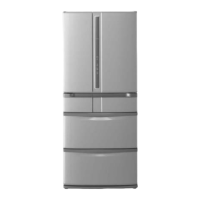
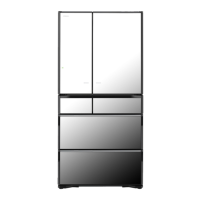
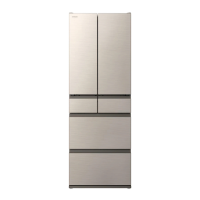
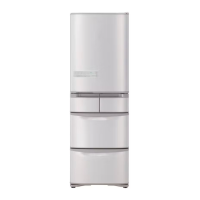
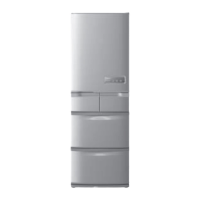
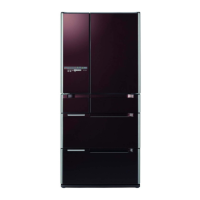
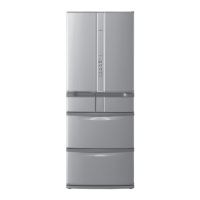
Hitachi R-X670GS - User Manual

Hitachi R-X670GS
80 pages
Print Icon
To Next Page IconTo Next Page
Loading...
型號
R-X730GS
R-X730GH
R-X730GM
R-X730GA
Model
HOW TO USE
REFRIGERATOR-FREEZER
使用說明書
日立多門電冰箱
6 doors
Made in Japan
It takes time to cool for the first time.
Pg.48, 49
It may take more than 4 24 hours to fully cool.
Make sure that no food protrudes beyond the storage height limit of
each compartment, and allow clearance between each food in each
compartment.
Pg.58, 60
Otherwise, food and/or package may not be stored in each compartment properly, and as
a result, the door may not be closed completely. It may cause the refrigerator not to cool
sufficiently and/or not to make ice.
購買後初次使用時。
10, 11
初次使用時,庫內冷卻可能需要約
4
小時至
24
小時以上。
請遵守可容納食物的高度及食品之間空開間隙儲放。
20, 22
過分塞堵食物,會造成食品及袋子被門夾住關不緊,製冷效率低,不能製冰等。
Thank you very much for purchasing a Hitachi
Refrigerator.
This refrigerator is designed for home use only.
Do not use this refrigerator for the business use
and/or any purpose other than storing food.
Please read this operation manual carefully
and ensure you use the appliance correctly. In
particular, be sure to read the “Safety Suggestions”
section of this operation manual before use.
Please keep this operation manual along with your
guarantee card.
Hand over this operation manual together with the
refrigerator when the refrigerator is passed to a
third party and used in a different location, or when
it is sent to a recycling plant.
非常感謝您購買日立電冰箱。
此電冰箱僅供家庭使用,請勿使用於商業用途和儲
存食品以外的目的上。
請詳閱本使用說明書,以確保正確使用。
使用前請務必詳閱「安全上之注意事項」
請妥善保管本使用說明書與保証書,當將電冰箱交給
他人在別的場所使用時,以及交給回收工廠時,請
將本使用說明書隨電冰箱一同轉交。
家庭用
For household use
六門日本製
R-X670GS
R-X670GH
R-X670GN
R-X670GM
R-G670GS
R-G670GH
R-G670GND
R-G670GN
R-G670GM
R-G670GA
R-G620GS
R-G620GH
R-G620GM
R-G620GA


Table of Contents

Questions and Answers

Summary

Frequently Asked Questions

Troubleshooting No Ice

Troubleshoot issues related to the refrigerator not making ice.

Troubleshooting Insufficient Cooling

Address problems with insufficient cooling inside the refrigerator.

Safety Suggestions

Installation Safety

Precautions for safe installation of the refrigerator.

Power Cord and Plug Safety

Safety guidelines for power cord and plug usage.

Safety Suggestions (Continued)

Electrical Safety During Use

Safety precautions for electrical safety during normal operation.

Refrigerant Safety

Safety precautions regarding flammable refrigerant (R600a).

Moving and Transporting

Precautions to take when moving or transporting the refrigerator.

Power Cord and Plug Safety During Use

Safety guidelines for power cord and plug usage during operation.

Flammable Refrigerant Safety

Safety precautions regarding flammable refrigerant (R600a).

Safety During Use

Safety precautions during normal operation.

Emergency Procedures

Actions to take in emergency situations involving refrigerant.

Specific Usage Safety Warnings

Specific safety warnings for handling food and doors during operation.

Safety During Operation

Safety precautions during normal operation.

Functions of the Control Panel

Control Panel Overview

Explanation of the control panel's display and operation sections.

Preparation Before Use

Choosing the Installation Location

Guidelines for choosing a suitable installation location.

Adjusting Door Balance

How to adjust the refrigerator doors for proper balance.

Preparation Before Use (Continued)

Automatic Door Functions

Using Automatic Doors

Using the Auto Refrigerator Door

Instructions on opening the automatic refrigerator door.

Using the Auto Drawer

Instructions on how to use the auto drawer.

Refrigerator Compartment

Adjusting Refrigerator Temperature

How to adjust the refrigerator compartment temperature.

Adjusting Shelf and Rack Height

Adjustable Shelves

How to adjust the position of adjustable shelves.

Shelf Handling Cautions

Safety warnings when handling shelves and doors.

Adjusting Lower Shelf

How to adjust the lower adjustable shelf.

Vacuum Compartment

Vacuum Pump and Release

Explanation of the vacuum pump and how to release the vacuum.

Vacuum Case Details

Details about the vacuum case.

Opening and Closing the Vacuum Case

How to open and close the vacuum case door.

Changing Vacuum Compartment Settings

Step 1: Activate Control Panel

First step to change vacuum compartment settings.

Step 2: Adjust Vacuum Settings

How to adjust vacuum compartment temperature settings.

Recommended Settings and Foods

Recommended settings and foods for the vacuum compartment.

Ice Compartment (Automatic Ice Maker)

How to Make Ice

Step-by-step instructions for making ice.

Quick Ice Making

Step 2: Activate Quick Ice Mode

How to activate the quick ice making mode.

Stop Ice Making

Step 2: Deactivate Ice Making

How to turn off the ice making function.

Freezer Compartment

Using the Upper Freezer

How to use the upper freezer compartment.

Using the Lower Freezer

How to use the lower freezer compartment.

Food Storage Guidelines

Guidance on storing food in the freezer.

Freezer Temperature Adjustment

How to adjust freezer compartment temperature settings.

Adjusting Freezer Temperature

How to adjust freezer compartment temperature settings.

Using Delicious Freezing

Setting Delicious Freezing

How to enable or disable the delicious freezing function.

Quick Freezing Function

How to use the quick freezing function.

Quick Freezing Function Usage

How to use the quick freezing function.

Vegetable Compartment

Storing Vegetables and Fruits

How to store vegetables and fruits in different sections.

Vegetable Storage Cautions

Important precautions for storing food in the vegetable compartment.

Enhanced Cooling for Vegetables (MAX)

Step 1: Activate Control Panel

First step to activate MAX cooling for vegetables.

Step 2: Activate MAX Cooling Mode

How to activate the MAX cooling mode for vegetables.

Cancelling MAX Cooling Mode

How to cancel the MAX cooling mode.

Various Functions

Setting Energy Saving Mode

How to set the refrigerator to energy-saving mode.

Fine Temperature Adjustment

Step 1: Open Lower Freezer Door

Step 1 for fine-tuning temperature.

Step 2: Activate Control Panel

Step 2 for fine-tuning temperature.

Step 3: Adjust Temperature

Step 3 for fine-tuning temperature.

Step 4: Close Lower Freezer Door

Step 4 for fine-tuning temperature.

Step 5: Select Temperature

How to adjust temperature finely.

Cancelling Temperature Adjustment

How to cancel the fine temperature adjustment.

Maintenance

Important Maintenance Warning

Important warning before performing maintenance.

Cleaning When Dirty

Immediate cleaning recommendations.

Vacuum Compartment Cleaning

Cleaning instructions for the vacuum compartment.

Vacuum Gasket Cleaning

How to clean the vacuum compartment gasket.

Maintenance (Continued)

Auto Drawer Cleaning

Cleaning instructions for the auto drawer unit.

Ice Maker Cleaning Warning

Warning about touching ice maker parts.

Ice Maker Cleaning Procedure

How to clean the automatic ice maker.

Ice Maker Cleaning Preparation

Preparatory steps before cleaning the ice maker.

Step 1: Close All Doors

Step 1 for cleaning the ice maker.

Step 2: Activate Control Panel

Step 2 for cleaning the ice maker.

Step 3: Initiate Cleaning Cycle

Step 3 for cleaning the ice maker.

Step 4: Prepare Ice Case

Step 4 for cleaning the ice maker.

Step 5: Clean and Reinstall Ice Case

Step 5 for cleaning the ice maker.

Ice Tray Maintenance

Step 1: Activate Control Panel

First step to clean the ice tray.

How to Remove and Attach Parts

How to Remove and Attach Parts (Continued)

Troubleshooting

Initial Stage Issues

Troubleshooting for initial setup issues.

Control Panel Issues

Troubleshooting issues related to the control panel.

Automatic Ice Making Issues

Troubleshooting for automatic ice making problems.

Troubleshooting: Not Cooled

Addresses the issue of the refrigerator not cooling.

Troubleshooting: No Ice Made

Troubleshoots failure in ice production.

Troubleshooting: Complete Ice Failure

Troubleshoots complete failure of ice making.

Troubleshooting: Insufficient Cooling

Addresses insufficient cooling.

Troubleshooting (Continued)

Troubleshooting: Low Temperature

Troubleshoots insufficient cooling.

Vegetable Compartment Dew

Addresses dew condensation in the vegetable compartment.

Troubleshooting: Refrigerator Not Cooling

Troubleshoots refrigerator not cooling.

Vegetable Compartment Dew Condensation

Addresses dew condensation in the vegetable compartment.

Troubleshooting: Soft Ice Cream

Addresses soft ice cream.

Troubleshooting: Frost and Dew

Addresses frost and dew formation.

Frost;Dew Inside Compartments

Troubleshoots frost/dew/ice buildup inside compartments.

Troubleshooting: Overcooling

Troubleshoots over-cooling.

Exterior Dew Formation

Troubleshoots dew on the exterior.

Refrigerator Compartment Dew

Addresses dew condensation in the refrigerator compartment.

Troubleshooting: Overcooling;Freezing

Troubleshoots over-cooling and food freezing.

Control Panel Functions

Before Use

Preparation Before Use

Steps for preparing the refrigerator before use.

Refrigerator Placement Guidelines

Guidelines for proper refrigerator placement.

Fixing the Refrigerator

Instructions for leveling and fixing the refrigerator.

Before Use (Continued)

Plugging in the Power Cord

Steps for correctly plugging in the refrigerator's power cord.

Transporting Your Refrigerator

Step 1: Remove Foods and Ice

Step 1 for transporting the refrigerator.

Step 2: Empty Water Supply

Step 2 for transporting the refrigerator.

Step 3: Pull Off Power Plug

Step 3 for transporting the refrigerator.

Step 4: Remove Leg Covers

Step 4 for transporting the refrigerator.

Step 5: Secure Door and Cord

Step 5 for transporting the refrigerator.

Step 6: Place Protective Sheet

Step 6 for transporting the refrigerator.

Step 7: Tilt and Drain

Step 7 for transporting the refrigerator.

Step 8: Carry with 2 Persons

Step 8 for transporting the refrigerator.

Step 9: Install in New Location

Step 9 for installing the refrigerator in a new location.

Auto Door Functions

Auto Refrigerator Door Operation

Explanation of the automatic refrigerator door function.

Auto Drawer Operation

Explanation of the automatic drawer function.

Automatic Door Safety Cautions

Safety warnings related to auto door and drawer functions.

Setting the Auto Door Function

How to enable or disable the auto door function.

Summary

Frequently Asked Questions

Troubleshooting No Ice

Troubleshoot issues related to the refrigerator not making ice.

Troubleshooting Insufficient Cooling

Address problems with insufficient cooling inside the refrigerator.

Safety Suggestions

Installation Safety

Precautions for safe installation of the refrigerator.

Power Cord and Plug Safety

Safety guidelines for power cord and plug usage.

Safety Suggestions (Continued)

Electrical Safety During Use

Safety precautions for electrical safety during normal operation.

Refrigerant Safety

Safety precautions regarding flammable refrigerant (R600a).

Moving and Transporting

Precautions to take when moving or transporting the refrigerator.

Power Cord and Plug Safety During Use

Safety guidelines for power cord and plug usage during operation.

Flammable Refrigerant Safety

Safety precautions regarding flammable refrigerant (R600a).

Safety During Use

Safety precautions during normal operation.

Emergency Procedures

Actions to take in emergency situations involving refrigerant.

Specific Usage Safety Warnings

Specific safety warnings for handling food and doors during operation.

Safety During Operation

Safety precautions during normal operation.

Functions of the Control Panel

Control Panel Overview

Explanation of the control panel's display and operation sections.

Preparation Before Use

Choosing the Installation Location

Guidelines for choosing a suitable installation location.

Adjusting Door Balance

How to adjust the refrigerator doors for proper balance.

Preparation Before Use (Continued)

Automatic Door Functions

Using Automatic Doors

Using the Auto Refrigerator Door

Instructions on opening the automatic refrigerator door.

Using the Auto Drawer

Instructions on how to use the auto drawer.

Refrigerator Compartment

Adjusting Refrigerator Temperature

How to adjust the refrigerator compartment temperature.

Adjusting Shelf and Rack Height

Adjustable Shelves

How to adjust the position of adjustable shelves.

Shelf Handling Cautions

Safety warnings when handling shelves and doors.

Adjusting Lower Shelf

How to adjust the lower adjustable shelf.

Vacuum Compartment

Vacuum Pump and Release

Explanation of the vacuum pump and how to release the vacuum.

Vacuum Case Details

Details about the vacuum case.

Opening and Closing the Vacuum Case

How to open and close the vacuum case door.

Changing Vacuum Compartment Settings

Step 1: Activate Control Panel

First step to change vacuum compartment settings.

Step 2: Adjust Vacuum Settings

How to adjust vacuum compartment temperature settings.

Recommended Settings and Foods

Recommended settings and foods for the vacuum compartment.

Ice Compartment (Automatic Ice Maker)

How to Make Ice

Step-by-step instructions for making ice.

Quick Ice Making

Step 2: Activate Quick Ice Mode

How to activate the quick ice making mode.

Stop Ice Making

Step 2: Deactivate Ice Making

How to turn off the ice making function.

Freezer Compartment

Using the Upper Freezer

How to use the upper freezer compartment.

Using the Lower Freezer

How to use the lower freezer compartment.

Food Storage Guidelines

Guidance on storing food in the freezer.

Freezer Temperature Adjustment

How to adjust freezer compartment temperature settings.

Adjusting Freezer Temperature

How to adjust freezer compartment temperature settings.

Using Delicious Freezing

Setting Delicious Freezing

How to enable or disable the delicious freezing function.

Quick Freezing Function

How to use the quick freezing function.

Quick Freezing Function Usage

How to use the quick freezing function.

Vegetable Compartment

Storing Vegetables and Fruits

How to store vegetables and fruits in different sections.

Vegetable Storage Cautions

Important precautions for storing food in the vegetable compartment.

Enhanced Cooling for Vegetables (MAX)

Step 1: Activate Control Panel

First step to activate MAX cooling for vegetables.

Step 2: Activate MAX Cooling Mode

How to activate the MAX cooling mode for vegetables.

Cancelling MAX Cooling Mode

How to cancel the MAX cooling mode.

Various Functions

Setting Energy Saving Mode

How to set the refrigerator to energy-saving mode.

Fine Temperature Adjustment

Step 1: Open Lower Freezer Door

Step 1 for fine-tuning temperature.

Step 2: Activate Control Panel

Step 2 for fine-tuning temperature.

Step 3: Adjust Temperature

Step 3 for fine-tuning temperature.

Step 4: Close Lower Freezer Door

Step 4 for fine-tuning temperature.

Step 5: Select Temperature

How to adjust temperature finely.

Cancelling Temperature Adjustment

How to cancel the fine temperature adjustment.

Maintenance

Important Maintenance Warning

Important warning before performing maintenance.

Cleaning When Dirty

Immediate cleaning recommendations.

Vacuum Compartment Cleaning

Cleaning instructions for the vacuum compartment.

Vacuum Gasket Cleaning

How to clean the vacuum compartment gasket.

Maintenance (Continued)

Auto Drawer Cleaning

Cleaning instructions for the auto drawer unit.

Ice Maker Cleaning Warning

Warning about touching ice maker parts.

Ice Maker Cleaning Procedure

How to clean the automatic ice maker.

Ice Maker Cleaning Preparation

Preparatory steps before cleaning the ice maker.

Step 1: Close All Doors

Step 1 for cleaning the ice maker.

Step 2: Activate Control Panel

Step 2 for cleaning the ice maker.

Step 3: Initiate Cleaning Cycle

Step 3 for cleaning the ice maker.

Step 4: Prepare Ice Case

Step 4 for cleaning the ice maker.

Step 5: Clean and Reinstall Ice Case

Step 5 for cleaning the ice maker.

Ice Tray Maintenance

Step 1: Activate Control Panel

First step to clean the ice tray.

How to Remove and Attach Parts

How to Remove and Attach Parts (Continued)

Troubleshooting

Initial Stage Issues

Troubleshooting for initial setup issues.

Control Panel Issues

Troubleshooting issues related to the control panel.

Automatic Ice Making Issues

Troubleshooting for automatic ice making problems.

Troubleshooting: Not Cooled

Addresses the issue of the refrigerator not cooling.

Troubleshooting: No Ice Made

Troubleshoots failure in ice production.

Troubleshooting: Complete Ice Failure

Troubleshoots complete failure of ice making.

Troubleshooting: Insufficient Cooling

Addresses insufficient cooling.

Troubleshooting (Continued)

Troubleshooting: Low Temperature

Troubleshoots insufficient cooling.

Vegetable Compartment Dew

Addresses dew condensation in the vegetable compartment.

Troubleshooting: Refrigerator Not Cooling

Troubleshoots refrigerator not cooling.

Vegetable Compartment Dew Condensation

Addresses dew condensation in the vegetable compartment.

Troubleshooting: Soft Ice Cream

Addresses soft ice cream.

Troubleshooting: Frost and Dew

Addresses frost and dew formation.

Frost;Dew Inside Compartments

Troubleshoots frost/dew/ice buildup inside compartments.

Troubleshooting: Overcooling

Troubleshoots over-cooling.

Exterior Dew Formation

Troubleshoots dew on the exterior.

Refrigerator Compartment Dew

Addresses dew condensation in the refrigerator compartment.

Troubleshooting: Overcooling;Freezing

Troubleshoots over-cooling and food freezing.

Control Panel Functions

Before Use

Preparation Before Use

Steps for preparing the refrigerator before use.

Refrigerator Placement Guidelines

Guidelines for proper refrigerator placement.

Fixing the Refrigerator

Instructions for leveling and fixing the refrigerator.

Before Use (Continued)

Plugging in the Power Cord

Steps for correctly plugging in the refrigerator's power cord.

Transporting Your Refrigerator

Step 1: Remove Foods and Ice

Step 1 for transporting the refrigerator.

Step 2: Empty Water Supply

Step 2 for transporting the refrigerator.

Step 3: Pull Off Power Plug

Step 3 for transporting the refrigerator.

Step 4: Remove Leg Covers

Step 4 for transporting the refrigerator.

Step 5: Secure Door and Cord

Step 5 for transporting the refrigerator.

Step 6: Place Protective Sheet

Step 6 for transporting the refrigerator.

Step 7: Tilt and Drain

Step 7 for transporting the refrigerator.

Step 8: Carry with 2 Persons

Step 8 for transporting the refrigerator.

Step 9: Install in New Location

Step 9 for installing the refrigerator in a new location.

Auto Door Functions

Auto Refrigerator Door Operation

Explanation of the automatic refrigerator door function.

Auto Drawer Operation

Explanation of the automatic drawer function.

Automatic Door Safety Cautions

Safety warnings related to auto door and drawer functions.

Setting the Auto Door Function

How to enable or disable the auto door function.

Hitachi R-X670GS Specifications

General IconGeneral
BrandHitachi
ModelR-X670GS
CategoryRefrigerator
LanguageEnglish

Related product manuals