
 Need help?
Do you have a question about the Hitachi RAS-X18CBK and is the answer not in the manual?
Lists the specific indoor and outdoor unit model numbers for the split type air conditioner.
Essential safety guidelines for installing the air conditioner unit correctly.
Safety measures for moving or servicing the air conditioner.
Critical safety instructions for operating the air conditioner to prevent injury.
Advanced control system that optimizes temperature and energy consumption.
Enhanced system for quieter and smoother airflow for a comfortable environment.
Automatically adjusts temperature and fan speed for comfortable sleep.
Automatically controls dehumidification based on room temperature.
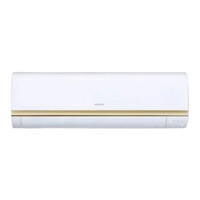
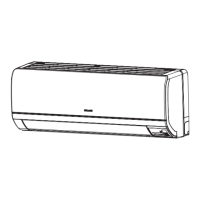
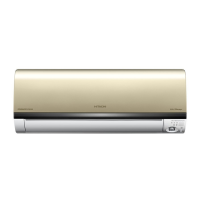
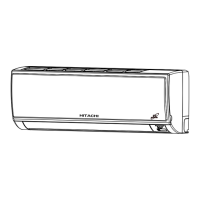
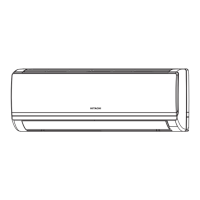
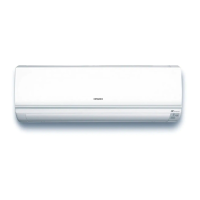
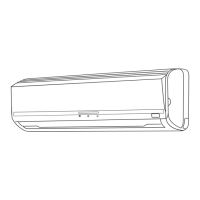
Highlights the compact and modern design of the indoor unit.
Identifies and explains the function of key parts of the indoor unit.
Identifies and explains the function of key parts of the outdoor unit.
Lists model numbers and their physical dimensions.
Step-by-step guide for opening and closing the front panel of the indoor unit.
Details the meaning of the indicator lamps on the unit.
Instructions for operating the unit using the temporary switch when the remote is unavailable.
Explains how the unit restarts automatically after a power failure.
Explains the function and range of the remote controller.
Describes the purpose and operation of each button on the remote control.
Important guidelines for using and handling the remote controller safely.
Step-by-step guide on how to set and start the cooling operation.
Step-by-step guide on how to set and start the dehumidifying operation.
Step-by-step guide on how to set and start the air circulation operation.
Instructions for setting the sleep timer to automatically turn off the unit.
Details how the sleep timer automatically controls fan speed and temperature.
Guide on setting the timer to automatically stop the unit.
Guide on setting the timer to automatically start the unit.
How to manually adjust the vertical louvers for left/right airflow direction.
How to adjust the horizontal louvers for upward/downward airflow.
Step-by-step instructions for replacing batteries in the remote controller.
Important cautions to observe when replacing remote control batteries.
Advice on setting the optimal room temperature for health and energy saving.
Tips on using window coverings to reduce heat entry.
Recommendations for proper ventilation to ensure fresh air circulation.
Guidance on utilizing timer functions for comfortable room temperature.
Emphasizes the importance of regular air filter cleaning for efficiency.
Advice on adjusting temperature and airflow for babies, children, and the elderly.
Explains how room heat sources can affect cooling performance.
Instructions for storing the unit when not in use for extended periods.
Safety measures to protect the unit during thunderstorms.
Guidance on placement to avoid interference from other electronic devices.
Detailed instructions on removing, cleaning, and reinstalling the dust filter screen.
Instructions for cleaning the front panel of the indoor unit.
Basic checks to perform before contacting service for operational problems.
Points to check for common issues before requesting professional service.
Explains normal operational sounds and potential odors.
Recommended indoor and outdoor operating temperatures for cooling.
 General
| Brand | Hitachi |
|---|---|
| Model | RAS-X18CBK |
| Category | Air Conditioner |
| Language | English |


 To Next Page
