5
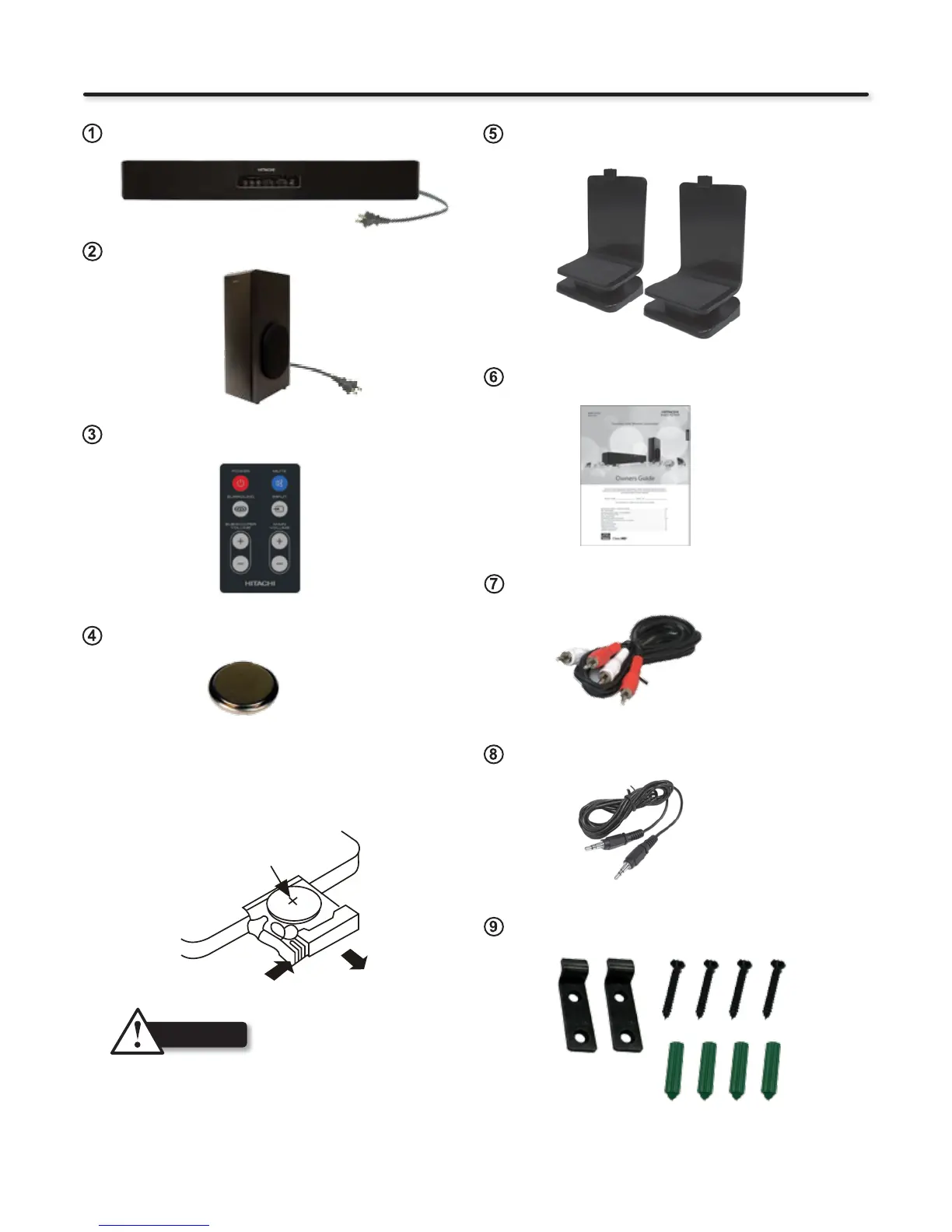
Supplied Parts and Accessories
SBW100 Soundbar
SBW100 Wireless Subwoofer
Owners Guide
Remote Control
Table Stands
Wall Mount Kit
Hookup Cable - RCA 3 Feet
Hookup Cable - Stereo Mini Cable
CR2025 Lithium Battery for Remote Control
HOW TO REPLACE THE BATTERY
STEP 1: Press the button toward right.
STEP 2: Pull the battery loader out.
STEP 3: Replace CR2025 battery.
Make sure that the bottom (Plus Mark) side of the battery
is facing toward you.
CR2025
Rear View of Remote Control
CAUTION
- Do not insert battery with ‘+’ and ‘-’ polarities reversed as this
may cause the battery to swell or rupture resulting in leakage.
- Remove the battery if the remote control is not going to be
used for an extended period of time.
- Do not put the battery in the general household trash. Dispose
of the battery according to applicable laws.
STEP 2
STEP 1


 To Next Page