EasyManua.ls Logo

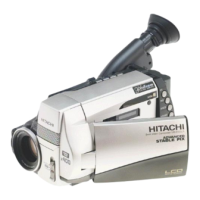
Hitachi VM-H835LA - User Manual

Hitachi VM-H835LA
71 pages
Print Icon
To Next Page IconTo Next Page
Loading...
Important Safety Information
1
HITACHI
Instruction Manual
8mm Video Camcorder
VM-H835LA
HITACHI HOME ELECTRONICS HITACHI (HSC) CANADA INC.
(AMERICA), INC. 6740 Campobello Road
3890 Steve Reynolds Blvd., Norcross, GA 30093 Mississauga, Ontario L5N 2L8
Tel. 770-279-5600 CANADA
Tel. 905-821-4545
HITACHI SALES CORPORATION OF
HAWAII, INC
3219 Koapaka Street, Honolulu, Hawaii 96819
Tel. 808-836-3621
Thank you for buying a Hitachi product. Please take time to become familiar with the manual
and how it is set up. Keep it handy for future reference.
QR17262 © Hitachi, Ltd. 1997 Printed in Japan KN-S(N)

Table of Contents

Questions and Answers

  • K
    Kathy CummingsSep 3, 2025
    What does "TAPE" appearing in the viewfinder of Hitachi VM-H835LA mean?
    • J
      Jason HuangSep 4, 2025
      If "TAPE" is displayed, it could be due to a sudden temperature change. Remove the cassette, set the CAM/OFF/VIDEO switch to OFF, and wait about an hour. You can also try reinserting the cassette multiple times. If the issue persists, clean the heads with a cleaning tape and replace the cassette.
  • T
    Terry SuttonSep 18, 2025
    How to insert cassette into cassette compartment of Hitachi VM-H835LA Camcorder?
    • V
      Victoria Chambers MDSep 18, 2025
      When loading a cassette, make sure to insert it in the direction indicated by the arrow on the cassette, with the cassette window facing outward.
  • M
    Mrs. Donna BennettSep 16, 2025
    Why the battery level indicator appears differently on the LCD monitor and in the viewfinder of Hitachi Camcorder?
    • N
      nunezseanSep 16, 2025
      The different battery level display on the LCD monitor and viewfinder is normal because they consume different amounts of power.
  • R
    Roger MillerSep 14, 2025
    Why picture bends at the top of the TV screen when using Hitachi VM-H835LA Camcorder?
    • T
      Tyler JohnsonSep 14, 2025
      If the picture bends at the top of the TV screen, it could be because your TV receiver is an older model and needs modification to work correctly with the camcorder. Alternatively, the tape might be damaged, so try using another cassette.
  • R
    Ricardo RobinsonSep 12, 2025
    Why the camcorder cannot be set to the recording mode on Hitachi VM-H835LA?
    • J
      John SchmittSep 12, 2025
      To enable recording mode, check the record-protect tab on the cassette. Set the CAM/OFF/VIDEO switch to CAM. Connect the camcorder and TV or VCR.
  • J
    Joel ReynoldsSep 12, 2025
    What to do if created title does not appear on Hitachi Camcorder?
    • G
      grahamjeffreySep 12, 2025
      If your created title isn't showing up, insert the clock battery and then create the title. Also, make sure you don't remove the clock battery after creating a title.
  • L
    Lisa ValdezSep 9, 2025
    How to eject cassette on Hitachi VM-H835LA?
    • M
      Melissa PerkinsSep 9, 2025
      To eject the cassette, open the LCD monitor first, and then slide the EJECT switch.
  • K
    Kathy WilliamsSep 7, 2025
    Why no picture appears on television screen when The PLAY is pressed on Hitachi Camcorder?
    • M
      Matthew LowerySep 7, 2025
      If no picture appears on the TV screen when you press PLAY, set the TV to the correct camcorder channel (3 or 4), depending on the RF channel selected in the RF output adapter.
  • J
    Jeffery SmithSep 5, 2025
    What to do if power is on, but no button operations are accepted on Hitachi VM-H835LA?
    • G
      garciamonicaSep 5, 2025
      If the camcorder isn't responding to button presses, remove the power source and the date/title battery. Wait about a minute for the display to reset, then set the information again.
  • G
    Gregory ScottAug 20, 2025
    What to do if picture does not appear in the viewfinder or LCD monitor of Hitachi VM-H835LA Camcorder?
    • M
      mpierceAug 21, 2025
      If you don't see a picture, make sure the lens door is open, the CAM/OFF/VIDEO switch is set to CAM, and that the AV input cable is disconnected from the camcorder.

Summary

Identifying Camcorder Controls

Front and Left Side Controls

Identifies and explains front and left side camcorder controls.

Rear Controls

Identifies and explains rear camcorder controls.

Right Side and Underside Controls

Identifies and explains right side and underside camcorder controls.

Battery Management

Charging the Battery

Step-by-step guide for charging the camcorder battery.

Powering the Camcorder

Using the AC Adapter;Charger

Instructions for connecting and using the AC adapter/charger.

Using a Car Battery

How to power the camcorder using a car battery.

Handling Cassettes

Inserting a Cassette

Detailed steps for inserting a cassette into the camcorder.

Using the LCD Monitor

Adjusting the Electronic Viewfinder

Using Camcorder Features

Setting the Date and Time

Procedure to set the camcorder's date and time.

Basic Recording and Playback

Making a Basic Recording

Step-by-step guide to making a basic recording.

Focus and Zoom Operations

Manual Focus Operation

Step-by-step guide for manually focusing the camcorder.

Playback Operations

Connecting to a Television

Date and Title Recording

Date Recording Features

How to set up and use the automatic date recording feature.

Titles and Accessories

Creating and Recording Titles

How to create and record custom titles on tape.

Dubbing and Transferring

Dubbing to a VCR

How to copy recordings from camcorder to VCR.

Programmable Editing

Simple Programmable Edit

How to use programmable edit with an optional remote.

Remote Control TV Functions

Audio;Video Dubbing

Using Audio;Video Dubbing

How to dub audio and video onto a tape.

Recording TV Programs

Recording Television Programs

How to record TV programs using the camcorder.

General Maintenance

Cleaning Camcorder Heads

How to clean the camcorder's video heads.

Troubleshooting Guide

Cassette Insertion;Removal Issues

Troubleshooting for cassette insertion/removal problems.

Camera Recording Problems

Troubleshooting for camera recording issues.

TV Program Recording Issues

Troubleshooting for recording TV programs.

Playback Problems

Troubleshooting for playback issues.

Battery Condition Issues

Troubleshooting battery condition indicators.

Unresponsive Camcorder

Troubleshooting when the camcorder is unresponsive.

Tape Display Errors

Troubleshooting for "TAPE" display errors.

Hitachi VM-H835LA Specifications

General IconGeneral
BrandHitachi
ModelVM-H835LA
CategoryCamcorder
LanguageEnglish

Related product manuals