About PWS1711/1760
G.7 Self Test
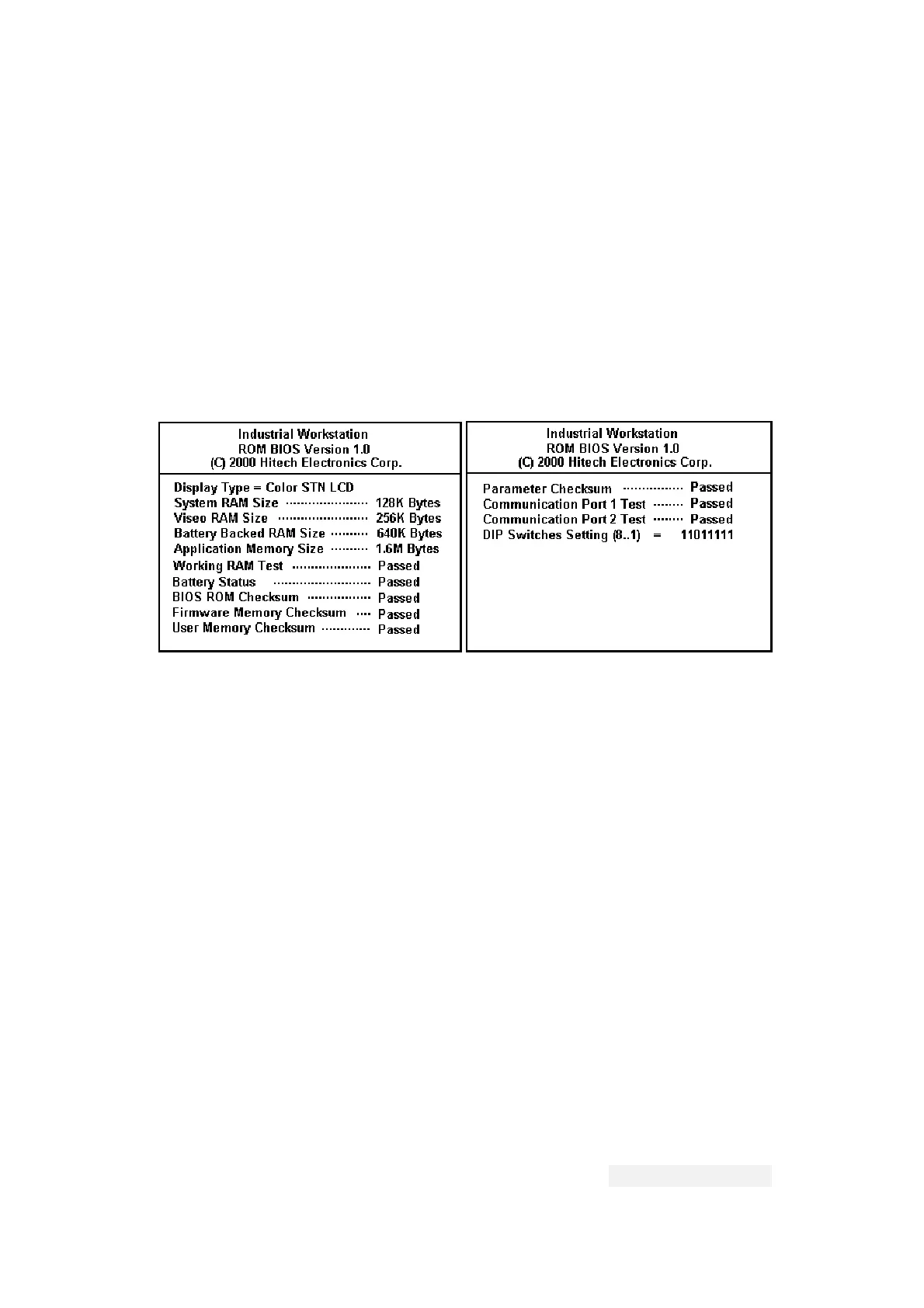
After power is applied, the Workstation runs a self-test
that checks its hardware. After each test, the Workstation
displays the result as shown in the following example. The
version number of ROM BIOS refers to the EPROM chips, which
will likely never change. If your Workstation doesnot have
battery or doesnot process data that should be keeped by
battery such as recipes and nonvoltile logged data, you can
choose not to test the battery by disable "Battery check” in
the Configuration Table.
If you have never configured your Workstation, the self-test
may report a failure of the real time clock. If this happens,
configure as described in section G.10. If you have never
downloaded an application to the Workstation, the self-test
may report a problem in the flash chips. You can ignore
these errors. If you have interrupted a download to the
Workstation by switching off the power, disconnect the
communication cable, or click cancel button in the ADP3
while a download is in progress, the self-test may report a
problem in the Firmware Checksum or Application Checksum.
You can ignore these errors and try to download again.
If there are any items of the self-test the Workstation
doesn't pass, the message "System error is detected! Press
screen to continue.” appears. The Workstations continues its
operation after you press screen.
We will not describe the operations of PWS1711 specifically,
because of the similarity between the PWS1760 and PWS1711.
Hitech Electronics Corp.
G-13


 To Next Page
 Loading...