Supplement G
PLC Workstation
G.8 System Menu
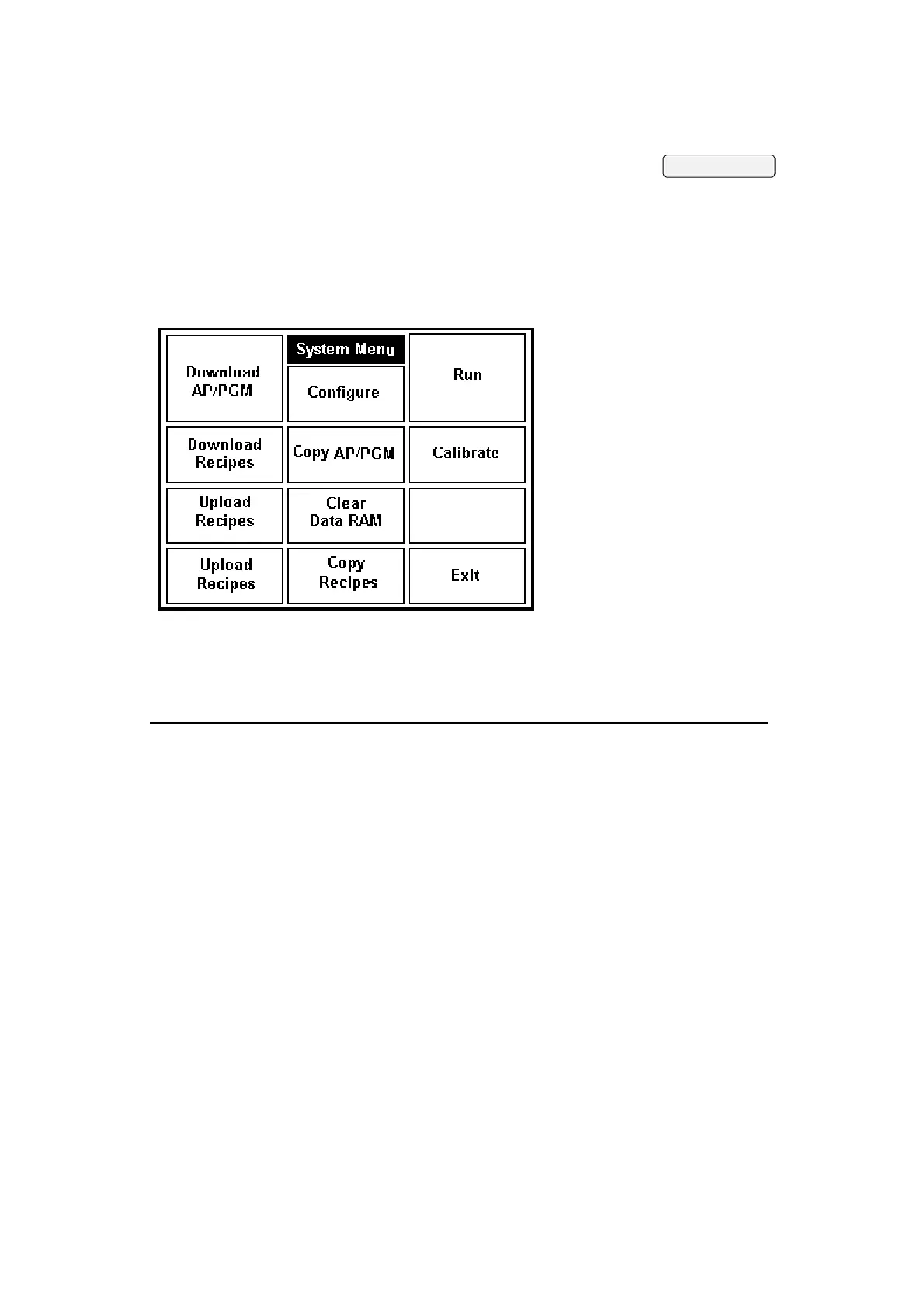
After the user level is determined by a password or by the
default, the Workstation displays System Menu if the DIP
switch No.7 is on; If DIP switch 7 is off, the Workstation
starts running your application immediately.
The buttons on the System Menu are summarized in the
following:
G-14
Button Function User
Level
Run Starts running your application. 1-3
Configure Allows you to set the Workstation's
operating parameters.
1
Calibrate Allows you to calibrate the touch
panel and set the contrast or
brightness of the display.
1
Download
Application
Allows you to download an application
to the Workstation from a PC or
another Workstation.
1
Upload
Application
Allows you to upload the application
in the Workstation to a PC.
1
Copy Application Allows you to copy the application in
the Workstation to another
Workstation.
1
Download Recipes Allows you to download recipes to the
Workstation from a PC or another
Workstation.
1
Upload Recipes Allows you to upload the recipes saved
in the Workstation to a PC.
1


 To Next Page
 Loading...