Supplement G
PLC Workstation
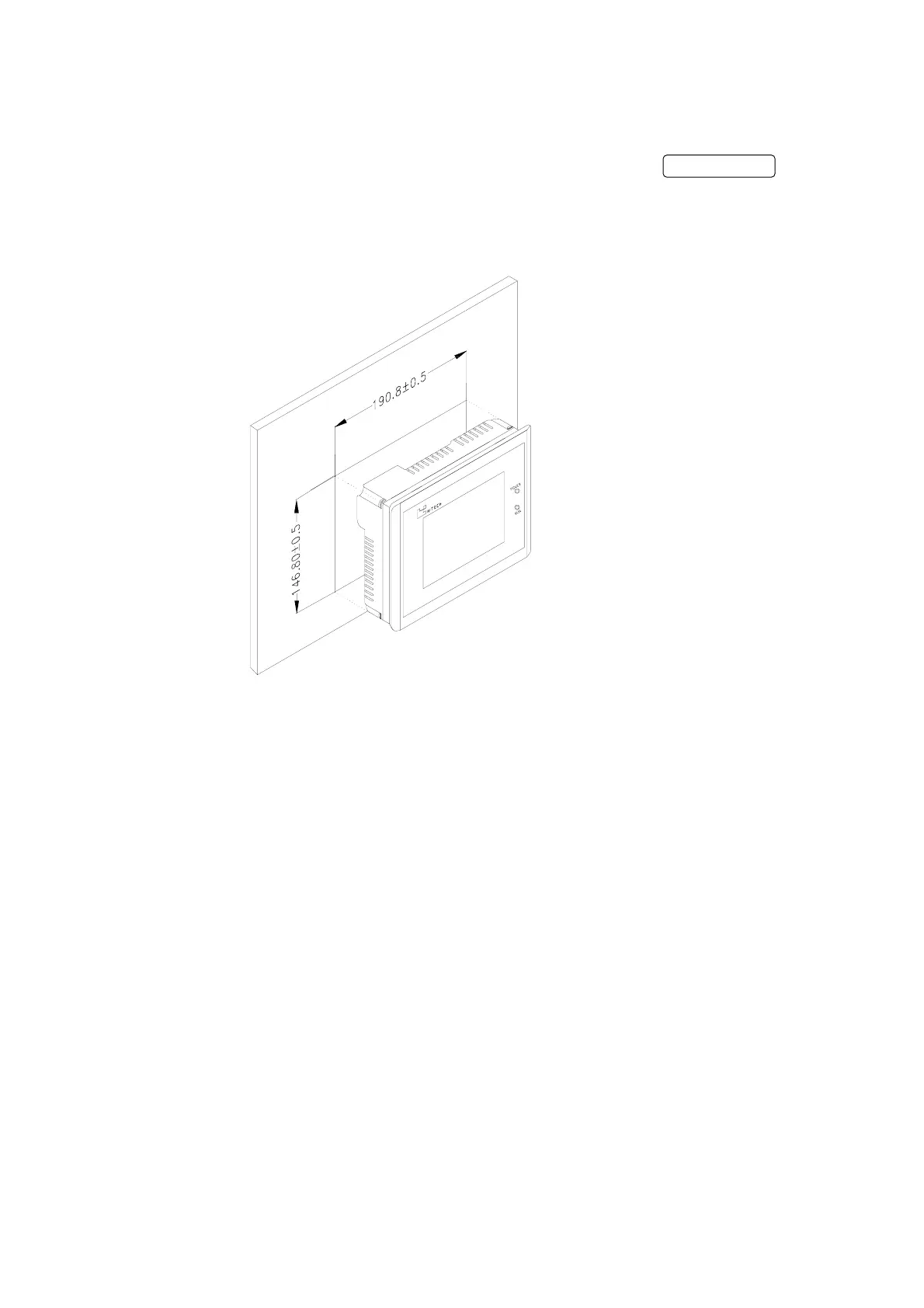
Cut out the mounting hole to match the dimensions
shown below. Method of installation: Mount the PWS to
the preserved hole from the front side. Attach the
mounting brackets from behind, and fasten the screw
of the brackets with a screwdriver..
Insert the fixtures into mounting holes on the unit.
Don't tighten the screws with too much force or it may cause
a damage of the panel.
G-6


 To Next Page