Supplement B
PLC Workstation
B.12 Password and User Level
The 700T stores passwords in its Flash EPROM. A password has
eight numeric characters. When you register a password, you
must specify the user level associative with that password.
The user level of a password determines the privilege of the
user who enters that password to start the operation of the
700T. When a user wants to use the function of the System
Menu, change to another screen, or make change to a PLC
location, the 700T checks the user's user level. There are
three user levels: level 1, level 2, and level 3. Level 1
users have the highest privilege and Level 3 users have the
lowest privilege.
B.12.1 Registering Passwords
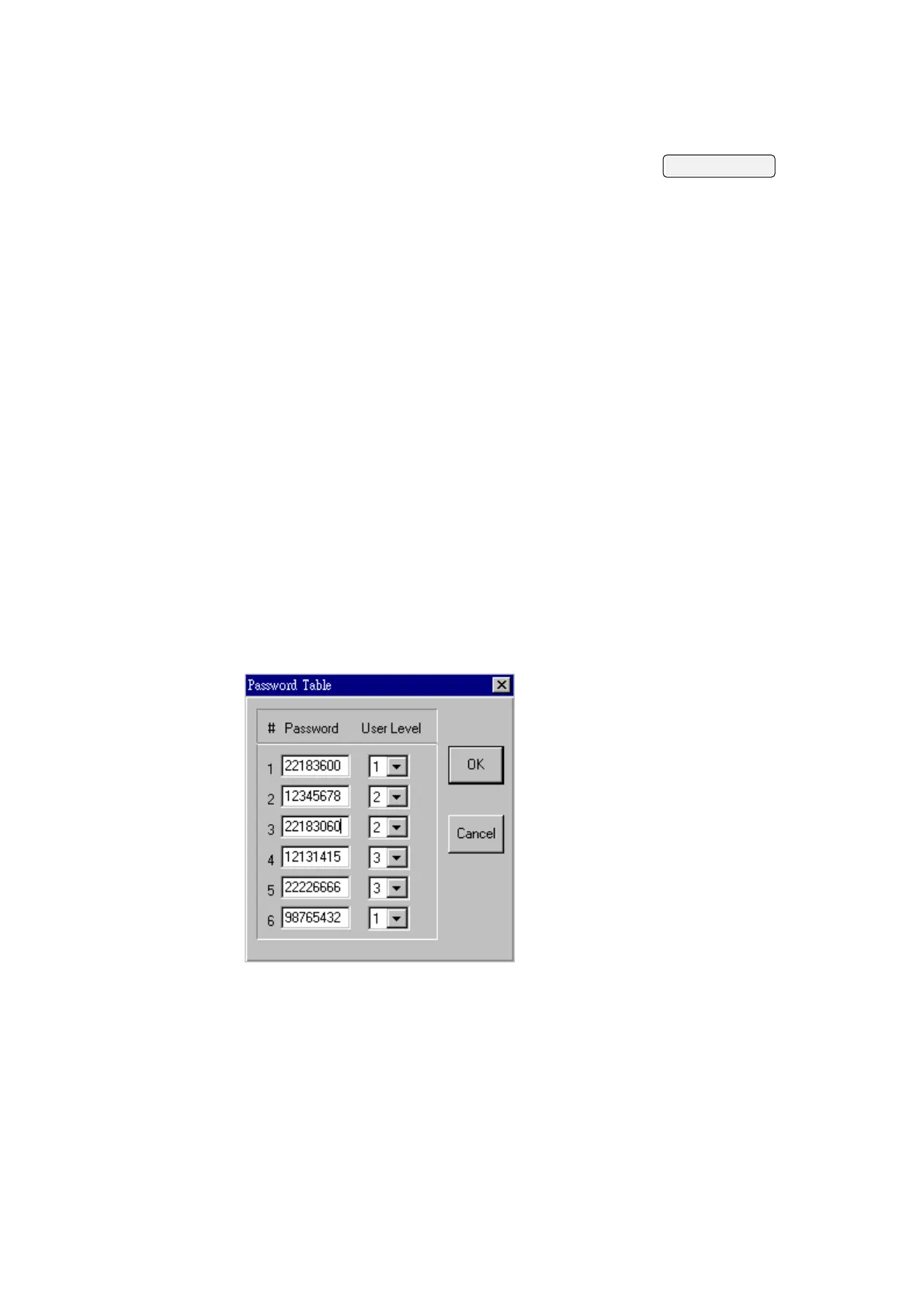
You can register up to six passwords for your application in
ADP3. To register passwords and their associated user level,
click Password button on the Workstation Setup dialog box.
The ADP3 displays the Password Table as shown in the
following figure. You can enter passwords as well as select
the user level for them. The password data are part of the
application data.
Therefore, remember to compile your application and download
it to the 700T when you make any changes to the password
table. The default passwords are 00000000, 00000000,
00000000, 00000000, 00000000, and 00000000. The default user
level is level 1.
B.12.2 Displaying Passwords
B-16
To display the passwords of your application on the 700T,


 To Next Page
 Loading...