About PWS700T
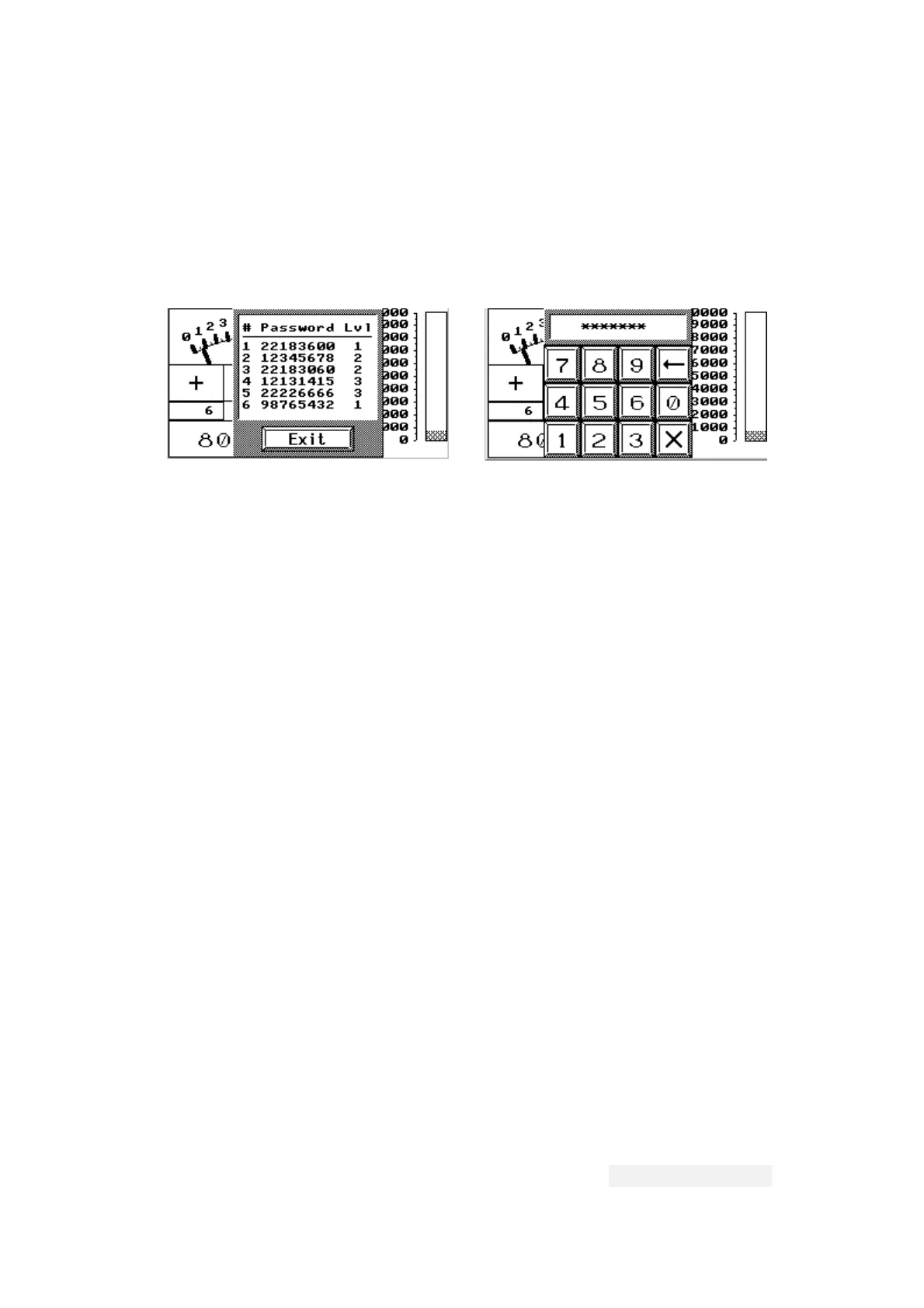
you have to create an Action button on a screen and assign
the function "Display Password Table" to that button. The
700T displays the password table as the example shown below,
when a level 1 user presses and releases an Action button
that is assigned the function of "Display Password Table."
B.12.3 Reentering a Password
When the 700T is running the user application, you can enter
a password to change the current user level by pressing an
Action button that is assigned the function of “Reenter
Password.” To cancel the input of a new password, press [X].
Note that the default user level is 1 after the power-on
self-test if the DIP switch SW8 is set to on; the default
user level is 3 if the SW8 is set to off.
When a screen object requiring a certain user level is
activated and the current user level is higher than the
specified user level with that screen object, the 700T
automatically displays a box to let you enter a new password.
This is a chance to change the current user level. The
screen object proceeds to performs its function if a valid
password with qualified user level is entered; otherwise,
the 700T keeps on asking for a password or cancel the
operation if [X] is pressed.
B.12.4 Setting the Lowest User Level
You are able to set the current user level of the 700T to
level 3 by pressing an Action button that is assigned the
function of “Set Lowest User Level.”
B.13 Adjusting Display Contrast
You can adjust the contrast of the display at any time when
the 700T is running your application. To increase the
contrast, press an Action button that is assigned the
function of “Contrast Up.” To decrease the contrast, press
an Action button that is assigned the function of “Contrast
Down.” To save the setting of the contrast, press an Action
button which is assigned the function of “Save Contrast”.
The user can calibrate the LCD contrast by pressing the
"Calibrate" button on System Menu as well. The Workstation
Hitech Electronics Corp.
B-17


 To Next Page
 Loading...