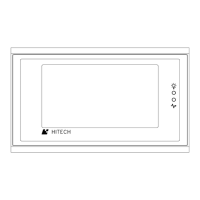
About PWS700T
B.6 Setting of DIP Switches
There are ten DIP switches that you can access through the
back cover. The purposes of these switches are stated in the
following:
SW1 SW2 SW7
Menu/Run/Download
On On On The 700T displays the System Menu
after self-test
On On Off The 700T starts running the user
application immediately after self-
test.
SW3 SW4 Operation Mode
x On User application mode
On Off Burn-in test mode
Off Off Bench test mode
SW5
PLC Communication
On If you want the Workstation to work without a
PLC connected, set this switch to on; this
allows you to view downloaded screens without
a PLC.
Off The Workstation uses the downloaded parameters for
PLC communications.
SW6 Reserved switch
Off Should be off
SW8
Default User Level
On
The default user level is 1 if the Workstation
requires no password to start its operation.
Off
The default user level is 3 if the Workstation
requires no password to start its operation.
SW9 Reserved switch
On Should be on
SW10
COM2 Port
On
This setting is for most PLC drivers.
Off
This setting is only for the driver of Mitsubishi A
Series CPU port.
Hitech Electronics Corp.
B-7


 To Next Page
 Loading...