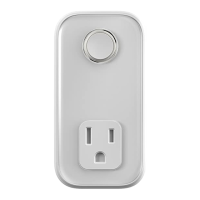
Getting started:
1
Add your Hive Plug
You can do this using your Hive app
or the online dashboard.
Using the Hive app:
• Open the Hive app on your smartphone
or tablet. You may be asked to log-in.
• Tap the Menu button and then
Install devices, then follow the
on-screen instructions.
Using the online dashboard:
• Log in to your Hive account at
hivehome.com
• Under Settings select Install devices,
then follow the on-screen instructions.
Your Hive Plug will allow you to turn
appliances on or off remotely and set
schedules for when they come on.
3324_Hive_Plug_UG_65x130_12pp_FR_AW.indd 10 23/04/2018 13:42


 To Next Page