WARNING DISPLAY:
1、If the display shows “HHH” after the program has been started, the temperature inside is still too
high(accompanied by 5 beep sounds). Then the program has to be stopped. Open the lid and let
the machine cool down for 10 to 20 minutes.
2、If the display shows“LLL”after pressing the START/STOP button ( except the programs BAKE),
it means the temperature inside is too low(accompanied by 5 beep sounds), stop sound by
pressing the START/STOP button, open the lid and let the machine rest for 10 to 20 minutes to
return to room temperature.
3. If the display shows “EE0” after you have pressed START/STOP, the temperature sensor is
disconnected please check the sensor carefully by Authorized expert.
For the first use
1、Please check if all parts and accessories are complete and free of damage.
2、Clean all the parts according to the latter section“Cleaning and Maintenance”
3、set the bread maker in baking mode and bake empty for about 10 minutes. After cooling it down
clean once more.
4、Dry all parts thoroughly and assembly them, so the appliance is ready for using.
How to make bread
1. Place the pan in position and turn it clockwise until it clicks in correct position. Insert the kneading
blade onto the drive shaft. It is recommended to fill holes with heat-resisting margarine prior to
placing the kneaders, this avoids the dough to stick below the kneaders and the kneaders could be
removed from bread easily.
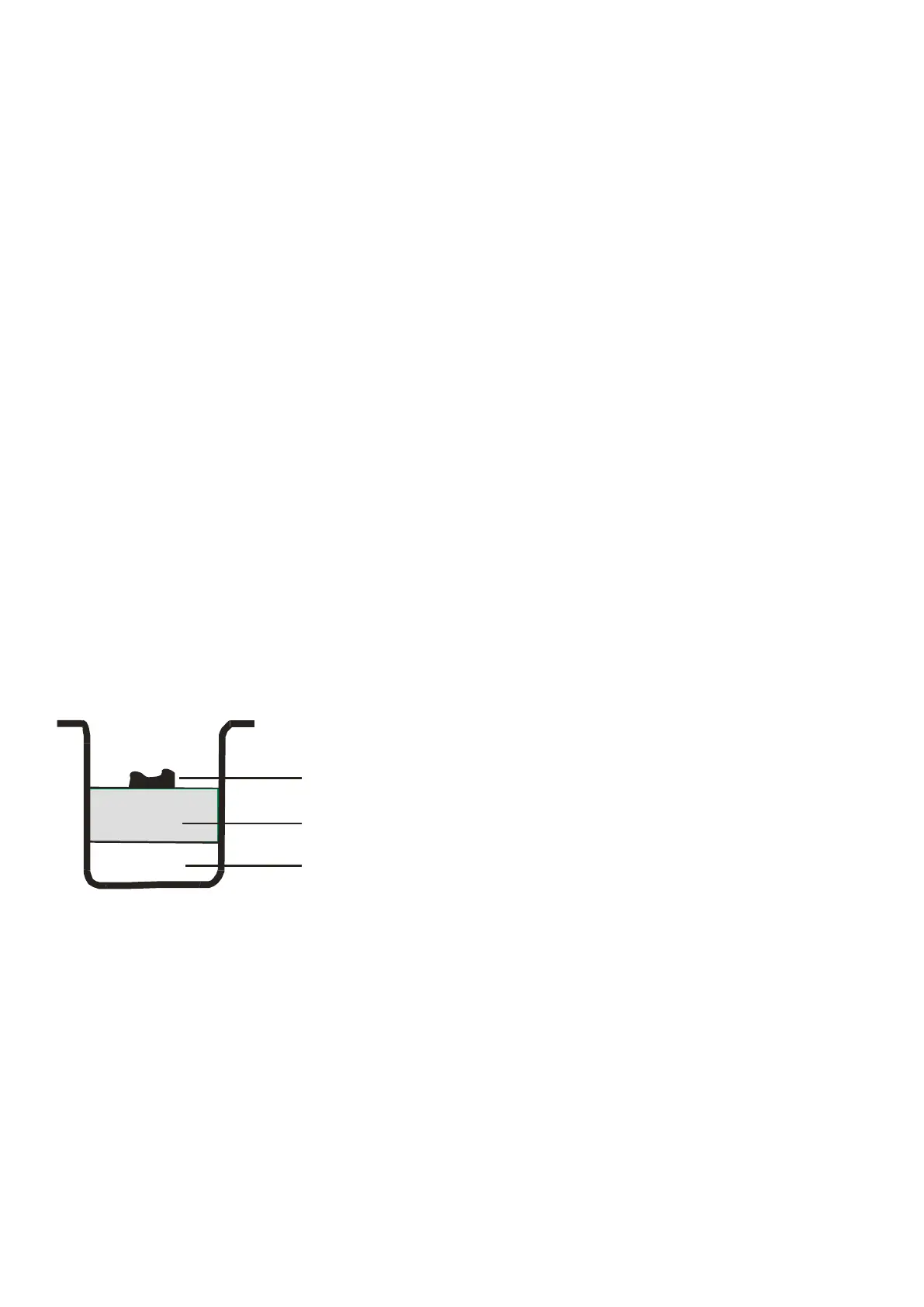
2. Place ingredients into the bread pan. Please keep to the order mentioned in the recipe.
Usually the water or liquid substance should be put firstly, then add sugar, salt and flour, always add
yeast or baking powder as the last ingredient.
Note: the maximum quantities of the flour and yeast which may be used refer to the recipe.
NOTE: The maximum quantity of flour and yeast separately is 590g and 6g.
3. With finger make a small indentation on one side of the flour. Add yeast to indentation,
Make sure it does not come into contact with the liquid ingredients or salt.
4. Close the lid gently and plug the power cord into a wall outlet.
5. Press the Menu button until your desired program is selected.
6. Press the COLOR button to select the desired crust color.
7. Press the LOAF button to select the desired size (650g or 800g ).
8. Set the delay time by pressing + or - button. This step may be skipped if you want the bread maker
to start working immediately.
9. Press the START/STOP button to start working.
10.For the program of Basic, French, Whole wheat, Quick, Sweet, Ultra fast, Cake and Sandwich,
10 beep sound will be heard during operation. This is to prompt you to add ingredients. Open the lid
and put in some ingredients. It is possible that steam will escape through the vent slits in the lid
during baking. This is normal.
水或 液体
干的配料
酵母或苏打
Ye a st o r s o d a
Dry ing red ie nts
Wa t e r o r liq u id


 To Next Page