————————————————————————————————————————————————
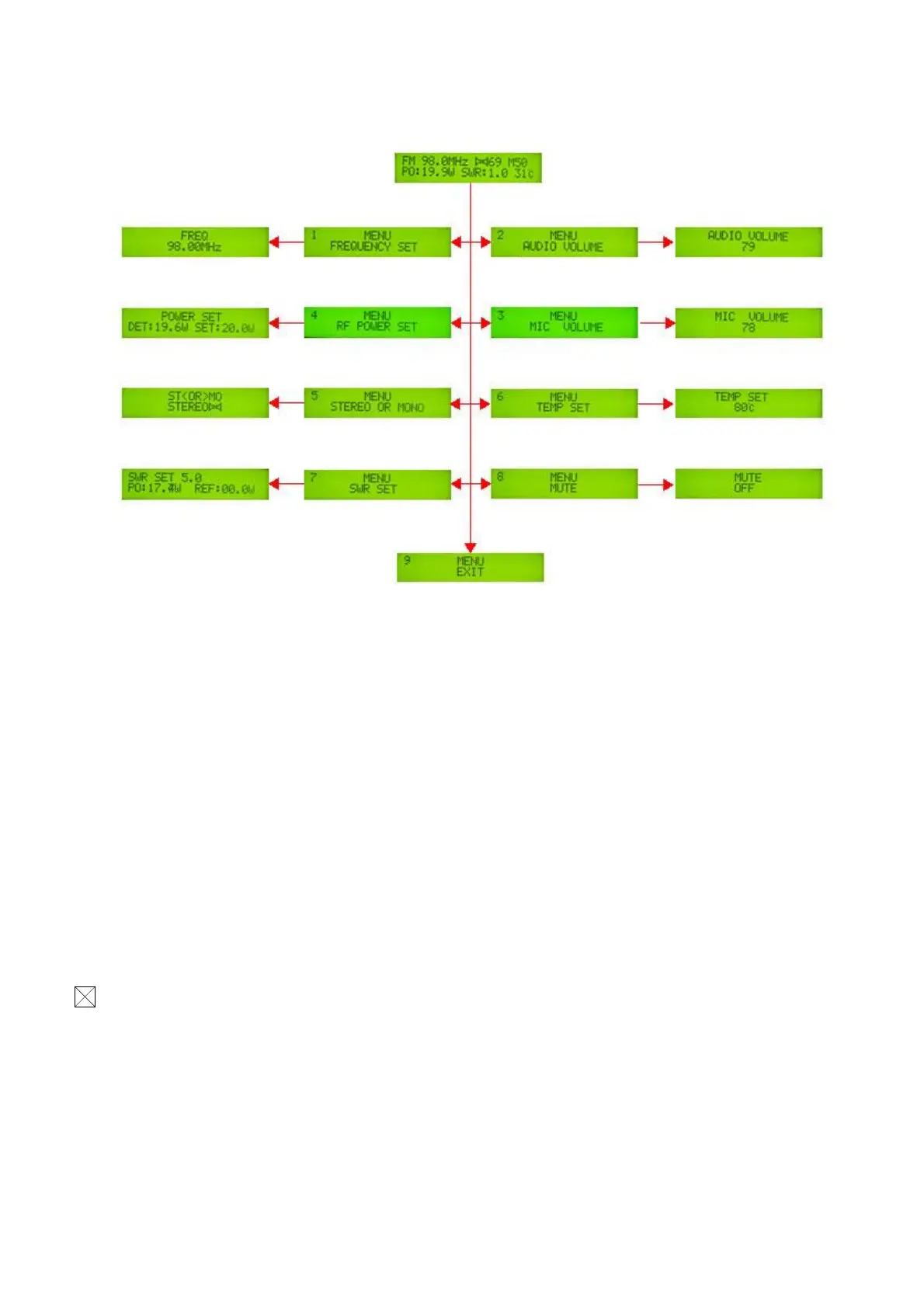
List of operating functions
1)Operation Manual(Push the code switch knob, the transmitter will enter the Function selecting menu, select
the function by Rotating the Knob, after select the function, push the knob you will enter the setting menu, left
rotate to min , right rotate to max Push knob to confirm and return to MENU . The back light will turn off
when no operation in 10 seconds)
1. Frequency setting: From 87.0 to 108Mhz, 0.1Mhz step
2. Audio Volume setting: Range is 0 to 79.
3. MIC Volume : Range is 0 to 79.
4. Output power setting: To set the maximum Power,The Range is 0 to 30Watt. it will automatically lock to the
maximum output power in Effective Power range. The output power will be adjusted from 0 to an effective output
power automatically when power on each time.
5. STEREO or MONO setting.
6. Temperature protection Setting: Set temperature protection launched,The range is from 30 to 80 Degrees Celsius。
When the temperature exceeds a set value of the machine, LCD screen will display alarm,Output Power will be
adjust to 2Watt automatically, When the temperature of the machine back to normal, the output power will
automatically return to normal output.
7. SWR setting: Setting SWR Protection launched,when SWR is over range set, LCD will display “check the
antenna” Alarm, Output Power will be adjust to 2Watt automatically, When SWR back to normal, the output
power will automatically return to normal output.
8. Mute Setting: Default off



 To Next Page