PH-200 1/06
CONTENTS
Overview……………………………………………………………. 1
Contact Information………………………………………………... 1
Specifications………………………………………………………. 1
Housing and Screen Description………………………………… 2
Taking Measurements…………………………………………….. 3
Calibration………………………………………………………….. 4
Care, Maintenance & Techniques………………………...…….. 5
Warranty……………………………………………………………. 7
OVERVIEW
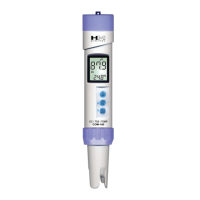
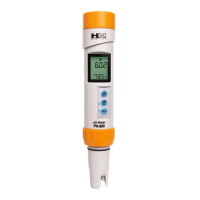
Thank you for purchasing HM Digital’s PH-200 Meter. The PH-200 is an advanced handheld,
watertight pH meter with superior accuracy. It can be used for testing the acidity or alkaline
levels of almost any liquid, in a wide variety of applications, provided the liquid contains less than
50% alcohol. It also measure temperature in both Celsius and Fahrenheit. The meter
incorporates automatic temperature compensation (ATC) to accommodate for discrepancies in
temperature that would naturally occur. Though the meter is factory calibrated, it also features
digital calibration for easy and precise calibration that will yield better results.
pH Range: 0.00 – 14.0 pH
Temperature Range: 0-80 °C; 32-176 °F
Resolution:
pH: 0.01 pH
Temperature: .1 °C/F
Accuracy: +/- 0.02 pH
Temperature Compensation: Automatic (ATC) to 25 °C
Calibration: Auto-ranging to 4, 7 or 10 pH with fine tune digital calibration by push button.
Auto Shut-Off: After 5 minutes
Probe: Glass sensor and glass reference tube (single junction)
Safe Operating Temperature: 0-80 °C; 32-176 °F (measuring in extreme temperatures is not
recommended)
Display: LCD panel
Housing: Waterproof (submersible); floats
Power source: 3 x 1.5V button cell batteries (included), model 357A
Battery Life: Approximately 100 hours of usage
Dimensions: 18.5 x 3.4 x 3.4 cm (7.3 x 1.3 x 1.3 inches)
Weight: 95 grams (3.35 ounces)
Changing the batteries:
When the meter displays a flashing battery symbol, your batteries
are getting weak and should be replaced soon. To change the
batteries:
1. Twist open the battery compartment on the top of the meter.
2. Remove the three batteries.
3. Insert new batteries in the direction as depicted inside the
compartment. The meter uses 357A batteries.
4. Close the battery compartment. Make sure it is tightly closed to
retain waterproofness.
NOTE: Do not reverse the polarity of the batteries. This will short circuit the meter.
Cleaning and sensor care:
1. Never touch the sensor!
2. To clean the unit, use a soft rag or towel. Wipe with water and a mild soap or rubbing alcohol.
3. To clean the sensor, rinse in distilled water or a pH 7 buffer solution. If cleaning with a pH 7
buffer solution, lightly dab (touch) the sensor on a soft tissue. Never rub the sensor with a tissue
or anything else, as this may scratch the glass.
4. If it is found that the glass sensor is scratched, it needs to be replaced.
5. If the sensor is dried up (or the gel within it), you can attempt to re-moisten the sensor by
keeping it in distilled water or a pH 7 solution for at least two hours. If the meter still does not
function properly or accuracy is not at optimum performance, the sensor may be irreparably
damaged and must be replaced.
6. For best results, clean the sensor after each use, especially with very low or very high pH
liquids or liquids other than water.
Sensor Replacement:
If your sensor has been damaged, you can purchase a new one without having to purchase a
new meter. To replace the sensor:
1. Remove the sensor gasket ring by twisting it counter-clockwise.
2. Gently pull the sensor off the unit.
3. Gently insert the new sensor into the unit. Be sure to align the grooves properly. Never force
the sensor into the unit!
4. Make sure the rubber ring is properly positioned on the sensor.
5. Screw the gasket ring back onto the unit by twisting it clockwise. Tighten.
Sponge Care:
1. Never add distilled or tap water to the sponge, as mildew or mold may form.
2. Rewet with a 4 pH KCl solution
1
6


 To Next Page
 Loading...