INTRODUCTION
Follow this guide to remove or replace the SIM card tray—which includes the microSD card
expansion— in your HMD Skyline smartphone.
TOOLS:
SIM Card Eject Tool
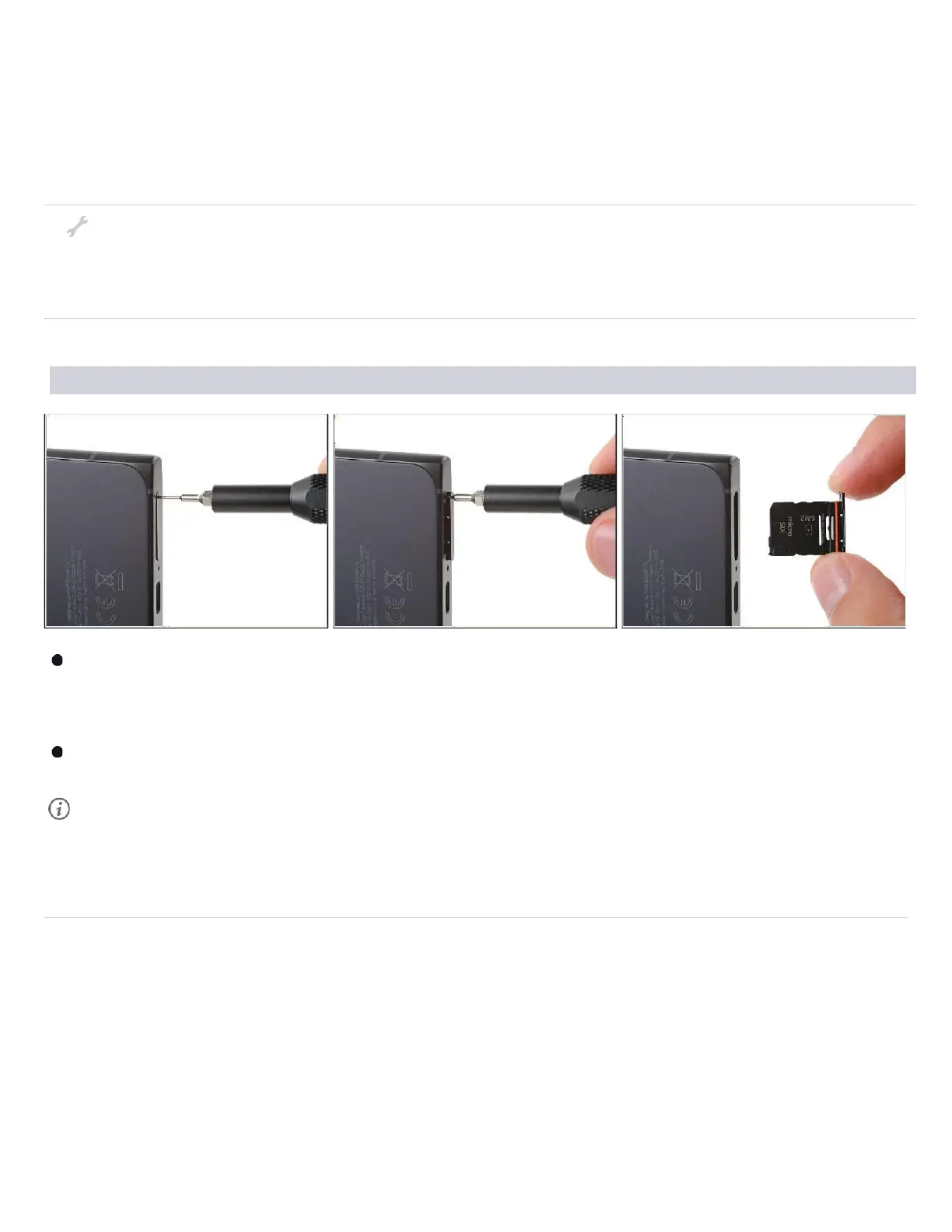
Step 1 — Remove the SIM card tray
Firmly press a SIM eject tool, bit, or straightened paper clip into the SIM tray
hole on the bottom edge of your phone until the tray ejects.
Remove the SIM card tray.
A thin rubber gasket around the SIM tray provides water and dust protection. If
this gasket is
damaged or missing, replace the gasket or the entire SIM tray to
protect your phone's internal components.



 To Next Page