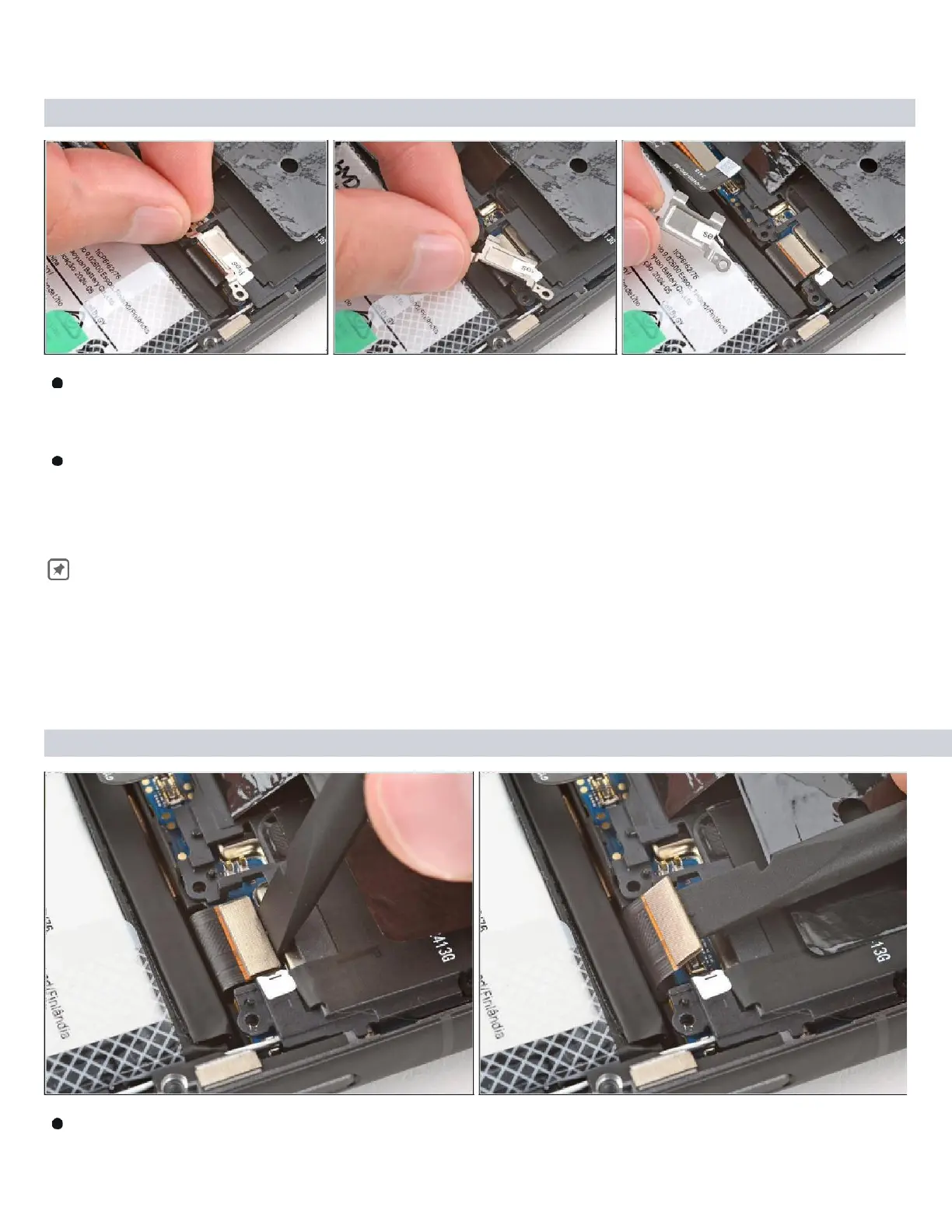
Step 10 — Disconnect the screen
Use your fingers to grip the bottom corner of the metal screen-connector cover.
Lift the bottom edge of the cover and pull it towards the bottom of your phone to
tear the "seal" sticker and remove the cover.
During reassembly, slide the tabs on the top edge of the cover under the
motherboard cover and use the cutouts near the screw holes to align the
cover. ( Refer Snap - 5 )
in next Page.
Step
11
Insert the flat end of a spudger under the top edge of the screen cable press



 To Next Page