Step 9
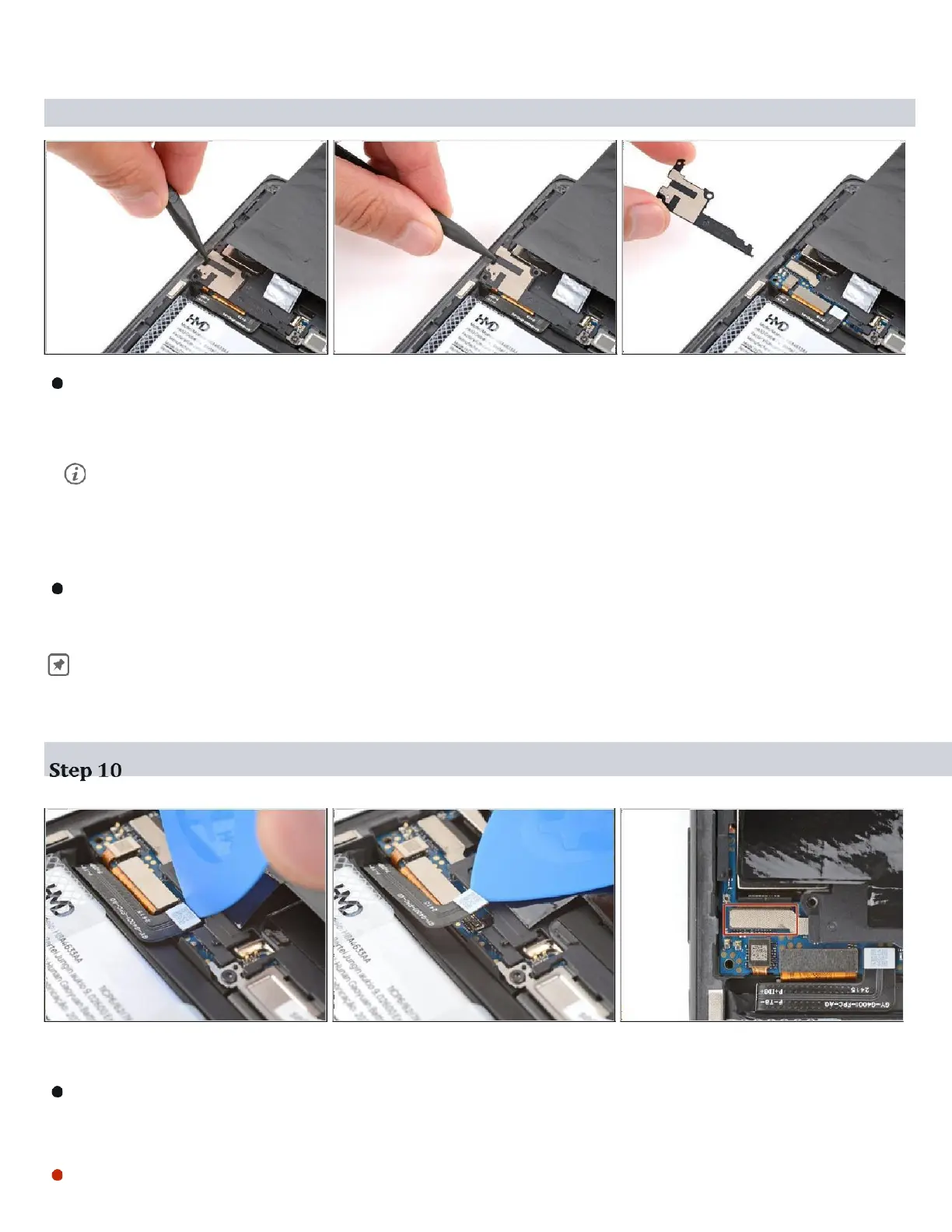
Insert the point of a spudger in the notch on the left edge of the battery
connector cover and pry up to release its clips.
Only insert your tool enough to pry up the cover. Otherwise, you may
accidentally disconnect the rear camera press connector ( Refer Snap -3
in next Page )
Remove the cover.
During reassembly, firmly press the cover into place to engage the clips.
Insert the tip of an opening pick under the top edge of the battery
press connector and try up to disconnect it. (Refer Snap -4 in next Page)
Check if the rear camera press connector got disconnected during the previous


 To Next Page