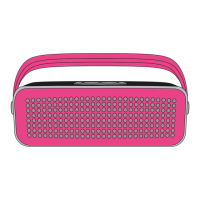
HEY THERE!
JUST CHARGE IT
WE’RE HERE TO HELP. CONTACT US!
HX-P340
Charging the speaker is so easy you’ve probably figured it out by now,
but just in case, you’ve got two options: you can charge it using your
computer or a wall outlet. The Dynamite needs about 3 hours for up to
5 hours of party time.
1. The cord that came with the speaker — the one with the USB on one
end and the micro USB on the other — will work with your computer.
2. If you want to use the wall outlet, you’ll need to pick up a power cord
with a micro USB the next time you’re at the store, or use any USB AC
adapter, including the one for your cell phone.
CONTROL YOUR DESTINY ... OR AT LEAST YOUR SPEAKER
BLUETOOTH
®
CONNECTION – IT’S A SETUP
Like any amazing couple, this one starts with a connection — one between your
device and the speaker’s Bluetooth. Here’s how it works:
1. Make sure the smartphone, tablet, or computer you’re using with the speaker
has Bluetooth.
2. Turn on the speaker and look for the little blinking light.
3. Do whatever your device needs you to do on its end.
4. Look for HMDX Dynamite in your device’s Bluetooth list or click YES.
5. Now hit PLAY on your speaker and crank it up — or down if you’re lame.
The device and Bluetooth will find each other every time as long as the speaker is
set to Bluetooth and your device’s Bluetooth is, you know, on.
USA
cservice@hmdxaudio.com
1.800.753.3000
8:30am–7:00pm EST M–F
cservice@homedicsgroup.ca
1.888.225.7378
8:30am–5:00pm EST M–F
CANADA
Bluetooth
®
Devices
HMDX Dynamite
on
>
3s
Thank you for purchasing the HMDX Dynamite. Check out the sections
below for all the important information about your new speaker.
USER GUIDE
AND WARRANTY INFORMATION
DYNAMITE
You’ve got questions? We’ve got answers.
Contact a Consumer Relations representative by phone or email to help answer any questions.
Please be sure to have the model number of your product available. (Hint: It’s HX-P340)
Register your speaker! Information about where you bought it and how you’re using it is like
gold for the people who make these speakers.
USA: www.hmdxaudio.com/customer-support/product-registration
CAN: www.hmdxaudio.ca/product-registration
AC adaptor not included.
Continued on page 2.
SHED SOME LIGHT
Pairing Mode
Bluetooth Light Battery Light
Connected
Charging
Ready to Party
or
3h
1. The power button is on the bottom of
the speaker.
2. Turn the music up or jam on to the
next song.
3. Push it to play, push it again to pause.
4. Turn the music down or skip back a track.
5. Shows you when Bluetooth is connected.
6. The power cord goes here.
7. Check how much juice is in the battery.
6
7
3
5
2
1
4

 Need help?
 General

 To Next Page