10-9
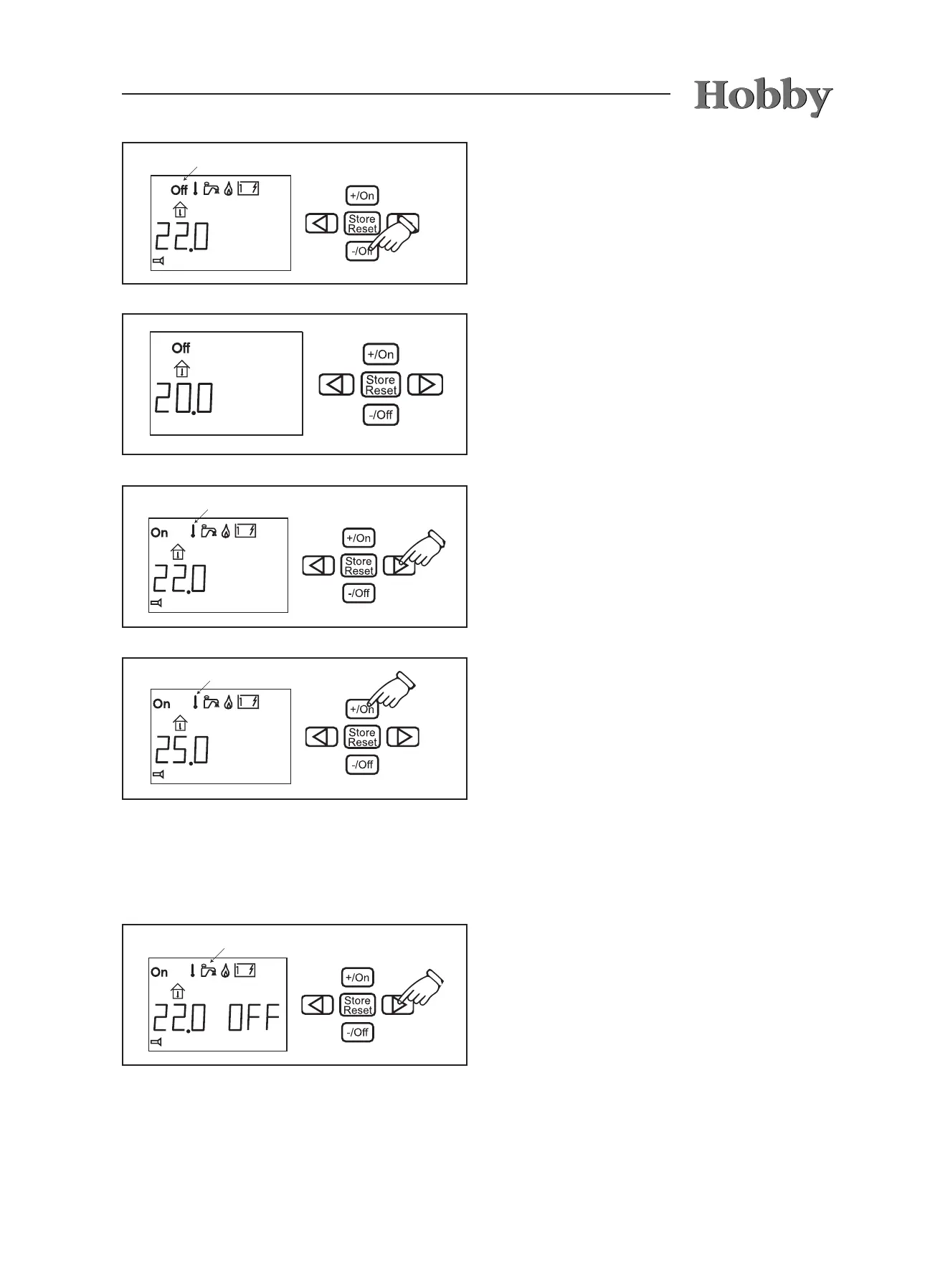
Press the -/Off button. The „Off“ sign (main
switch) will blink on the display.
The settings are now complete. The „Off“ sign
(main switch) is shown on the display when the
control unit is in an idle state.
Setting the desired temperature
Press the button with the arrow until the symbol
for temperature selection blinks. The tempera-
ture shown is the temperature presently set (in
this case: 22.0° C).
Raise the temperature by pressing on the +/On
button. Lower the temperature by pressing on
the -/Off button. In the illustration, the tempera-
ture has been set to 25.0° C.
The settings are complete and the heating will
run until the set temperature has been reached.
Hot water
Press the button with the arrow until the symbol
for hot water blinks. „OFF“ appears on the dis-
play next to the temperature.



 To Next Page