HOBOMX100TempLoggerManual
1‐800‐LOGGERS 2 www.onsetcomp.com
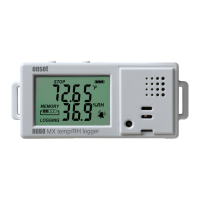
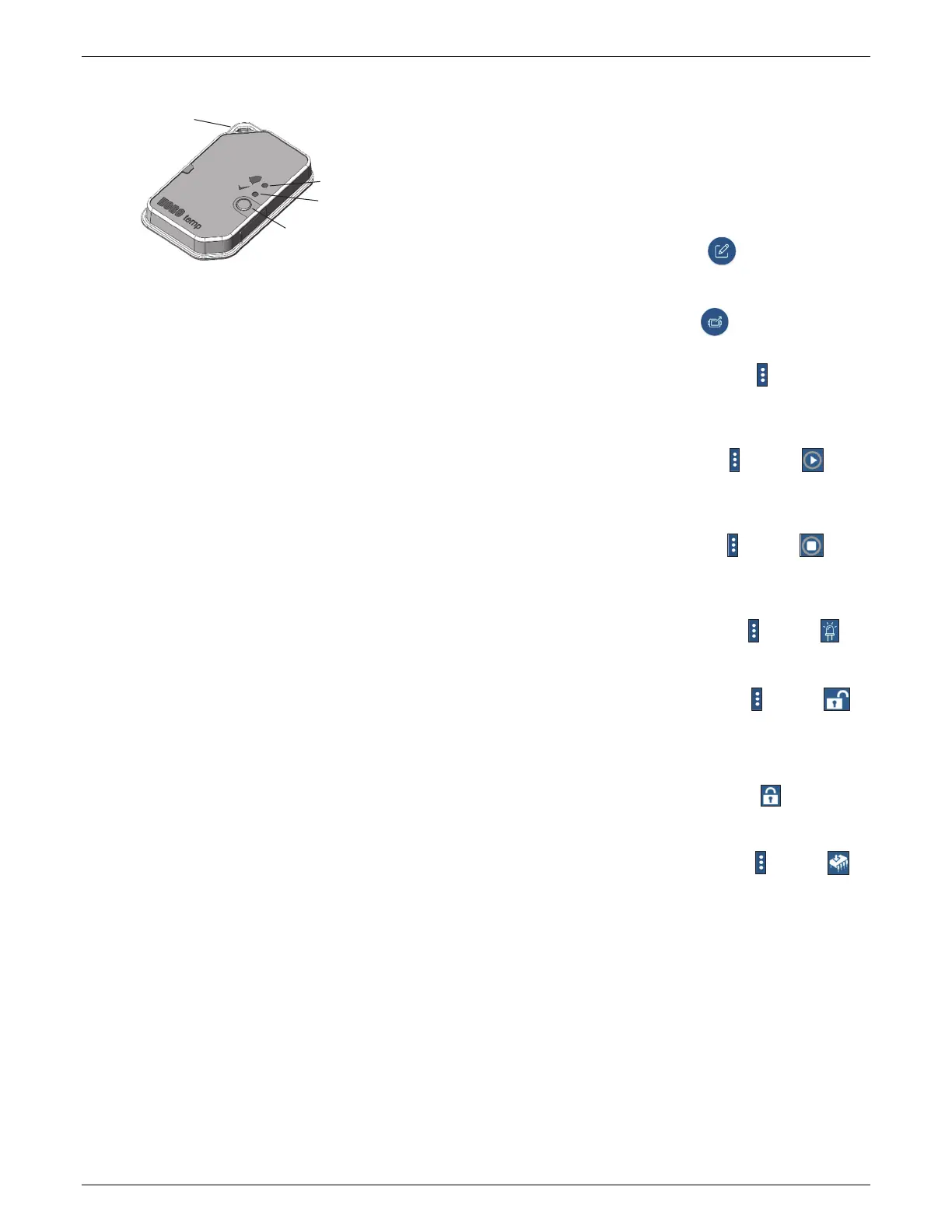
LoggerComponentsandOperation
MountingLoop:Usethiswhendeployingtheloggerbytyingit
toanobject.
AlarmLED:ThisLEDblinksredevery4secondswhenanalarm
istripped(unlessShowLEDisdisabledasdescribedin
ConfiguringtheLogger).BoththisLEDandthestatusLEDwill
blinkoncewhen
youpressthestartbuttontowakeupthe
loggerbeforeconfiguringit.IfyoublinktheloggerLEDwiththe
app,bothLEDswillbeilluminatedfor4seconds.
StatusLED:ThisLEDblinksgreenevery4secondswhenthe
loggerislogging(unlessShowLEDisdisabledasdescribedin
ConfiguringtheLogger).Iftheloggeriswaitingtostartlogging
becauseitwasconfiguredtostart“OnButtonPush”orwitha
delayedstart,itwillblinkgreenevery8seconds.
StartButton:Pressthisbuttonfor1secondtowakeupthe
logger;boththealarmand
statusLEDswillblink.Oncethe
loggerisawake,pressthisbuttonfor1secondtomoveittothe
topoftheloggerslistintheapp.Pressthisbuttonfor4seconds
tostartorstoptheloggerwhenitisconfiguredtostartorstop
“OnButtonPush”(seeConfiguringtheLogger).BothLEDswill
blinkfourtimeswhenyoupressthebuttontostartorstop
logging.Pressthisbuttonfor10secondstoresetapassword.
DownloadingtheAppand
ConnectingtoaLogger
Installtheapptoconnecttoandworkwiththelogger.
1. IfyouareusinganiPhone®oriPad®:Download
HOBOmobilefromtheAppStore®.
IfyouareusinganAndroidphoneortablet:Download
HOBOconnectfromGooglePlay™.
2. OpentheappandenableBluetoothinthedevicesettings
if
prompted.
3. Pressthebuttonontheloggertowakeitup.
4. TaptheDevicesiconintheapp.(InHOBOmobile,tap
Loggersatthetopofthescreen.)Taptheloggerintheapp
toconnecttoit.Iftheloggerdoesnotappear
Ifthelogger
doesnotappearorifitishavingtrouble
connecting,followthesetips.
Makesuretheloggeris“awake”bypressingthestart
button.ThealarmandstatusLEDswillblinkoncewhen
theloggerwakesup.Youcanalsopressthebuttona
secondtimetobringitto
thetopofthelistintheappif
youareworkingwithmultipleloggers.
Makesuretheloggeriswithinrangeofyourmobile
device.Therangeforsuccessfulwirelesscommunication
isapproximately30.5m(100ft)withfullline‐of‐sight.
Ifyourdevicecanconnecttotheloggerintermittentlyor
losesitsconnection,moveclosertothelogger,within
sightifpossible.
Iftheloggerappearsintheapp,butyoucannotconnect
toit,closetheappandpowercyclethemobiledevice.
ThisforcesthepreviousBluetoothconnectiontoclose.
Oncethelogger
isconnected,youcanselectoneofthe
followingactions:
ConfigureinHOBOmobileorinHOBOconnect.
Selectloggersettingsandloadthemontotheloggerto
startlogging.SeeConfiguringtheLogger.
ReadoutinHOBOmobileorinHOBOconnect.
Downloadloggerdata.SeeReadingOuttheLogger.
FullStatusDetailsinHOBOmobileorin
HOBOconnect.Checkinformationaboutthelogger.In
HOBOconnect,accesssomeoftheactionsdescribedin
thissection.
StartLogginginHOBOmobileorandthenin
HOBOconnect.Selectthisoptiontobeginlogging(ifthe
loggerisconfiguredtostart“OnButtonPush”as
describedinConfiguringtheLogger).
StopLogginginHOBOmobileorandthenin
HOBOconnect.Stoptheloggerfromrecordingdata.This
overridesanyotherStopLoggingsettingsthatmaybe
configured.
PageLoggerLEDinHOBOmobileorandthenin
HOBOconnect.Pressandholdthisoptiontoilluminate
thealarmandstatusLEDsfor4seconds.
LoggerPasswordinHOBOmobileorandthenin
HOBOconnect.Selectthistocreateapasswordforthe
loggerthatwillberequiredifanothermobiledevice
attemptstoconnecttoit.Toresetapassword,connect
tothelogger,tapSetLoggerPasskey,andselectResetto
FactoryDefaultinHOBOmobileortapandtapReset
inHOBOconnect.Youcanalsopressthebuttononthe
loggerfor10secondstoresetthepassword.
UpdateFirmwarein HOBOmobileorandthenin
HOBOconnect.Whennewloggerfirmwareisavailable,
thisaction
appearsinthelist.Selectitandfollowthe
instructionsonthescreen.Aloggerreadoutwillbe
completedautomaticallyatthebeginningofthe
firmwareupdateprocess.Iftheconnectionislost
betweentheloggerandthemobiledeviceduringthe
firmwareupdate,aFirmwareUpdatePendingStatus
displays
fortheloggerintheDeviceslist.Connecttothe
loggerandupdatethefirmwareagain(orselectRestore
LoggerifavailableinHOBOmobile).
AlarmLED
StatusLED
Mounting
Loop
StartButton



 To Next Page
 Loading...