EasyManua.ls Logo

Hochiki SPC-ET - User Manual

Hochiki SPC-ET
4 pages
Print Icon
To Next Page IconTo Next Page
Loading...
SPC-ET Mounting Guidelines Page 1
Hochiki Europe (UK) Ltd 2-3-0-796/ISS6/SEPT13
SPC-ET PHOTOELECTRIC BEAM DETECTOR
MOUNTING GUIDELINES
When installing the SPC-ET Beam Detectors, it is important that the following guidelines are adhered to:
Do not mount in locations that are exposed to
extremely high temperatures or water vapour.
Do not mount SPC-ET within 300mm of any
obstruction.
Do not mount where the distance between the
Emitter and Receiver is less than 5 metres or greater
than 100 metres.
Make sure the surface that the SPC-ET units are to
be mounted on is rigid (ideally part of the building
structure) to avoid any possibility of movement.
When fixing the SPC-ET allow enough space to gain
access to the sight hole for aligning purposes (this is
located on the top right hand side of the Receiver
unit, when viewed from the front).
List of Parts
The SPC-ET Beam Detector kit consists of three separate parts: -
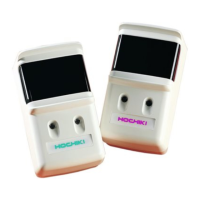
SPC-ET Receiver and Emitter.
SPC-ET Receiver and Emitter interface kit (including 2 way and 10 way ribbon cables).
Test Filters (25%, 50% and 60%) located in packaging DO NOT DISCARD.
Mounting the SPC-ET Beam Detector (c/w SPC-ET 2WI Interface Kit)
The SPC-ET Beam Detectors are designed to mount vertically onto Dual Gang back boxes (suggested type is Appleby
AL5136). These boxes should be fixed securely to the wall and directly opposite each other, they must also be mounted
the same distance from the ceiling at each end.
Wiring and Set Up
There are three main wiring methods available for the SPC-ET Beam Detector depending on the application. These are
shown below. In all methods, cables should be brought through the top of the back box, and terminated into the
appropriate connector blocks.
Method One
The Receiver is wired
directly to the zone from
the conventional panel.
The Emitter is powered
by a separate power
supply.
Method Two
The Receiver is wired
directly to the zone from
the conventional panel
and the Emitter is also
powered via the
conventional zone*
1
.
Method Three
The Receiver is wired
directly to the loop from
the analogue panel via a
CHQ-SZM Single Zone
Monitor*
2
. The Emitter
is powered by a
separate power supply,
but can also be powered
directly from the ESP
loop if required.
Fig.1
Question and Answer IconNeed help?

Do you have a question about the Hochiki SPC-ET and is the answer not in the manual?

Summary

Mounting the SPC-ET Beam Detector

Wiring and Set Up

Method One

Wiring the receiver directly to the zone, and the emitter is powered by a separate power supply.

Method Two

Wiring the receiver directly to the zone, and the emitter is also powered via the conventional zone.

Method Three

Wiring the receiver directly to the loop via a CHQ-SZM monitor, emitter powered separately.

Receiver Interface Kit PCB Jumpers

Schottky Diode Setting

Configures the receiver interface kit PCB for Schottky diode fault monitoring.

Zener Diode Setting

Configures the receiver interface kit PCB for Zener diode fault monitoring.

No Line Continuity Setting

Configures receiver interface kit PCB for open circuit fault monitoring with specific modules.

Beam Detector Alignment and Configuration

Alignment Procedure

Aligning the receiver using the sight hole and adjustment wheels until the emitter is clearly visible.

DIL Switch Settings

Setting the 4-way DIL switch for signal strength, fault/fire indication, and reset mode.

Testing and Installation Data

Filter Testing

Testing the beam detector's response using supplied filters for 25%, 50%, and 60% sensitivity.

Installation Data

Provides allowable misalignment angles for emitter and receiver, and range/sensitivity settings.

Approved Settings

Confirms EN54-12:2002 approval at 25% and 50% sensitivity settings for line type smoke detectors.

Hochiki SPC-ET Specifications

General IconGeneral
BrandHochiki
ModelSPC-ET
CategorySecurity Sensors
LanguageEnglish