
 Need help?
Do you have a question about the Hoco ES45 and is the answer not in the manual?
This document serves as an instruction manual for the hoco. premium product ES45 TWS wireless headset. It provides a comprehensive guide to the headset's features, operation, and maintenance, ensuring users can fully enjoy their wireless audio experience.
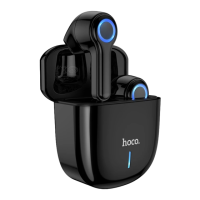
The ES45 headset is a True Wireless Stereo (TWS) device, meaning the left and right earbuds operate independently and connect wirelessly to each other and to a mobile device. The design incorporates a charging case that not only stores the earbuds but also recharges them, extending their usage time. The charging case features a power display, allowing users to easily monitor the remaining battery life of the case. Each earbud is equipped with a touch area for intuitive control, and an LED indicator provides visual feedback on the headset's status.
To begin using the ES45 headset, the process is straightforward. Upon opening the charging case, the earbuds automatically power on and initiate the pairing sequence between themselves, indicated by an audible tone. Once the earbuds are paired with each other, users need to enable the Wireless function on their mobile phone. For the initial connection, users must manually select "HOCO ES45" from the list of available devices. A successful connection is confirmed by another audible tone, after which the headset is ready for use. Subsequent connections should be automatic once the headset is powered on and within range of the previously paired device.
The ES45 headset offers a range of touch-sensitive controls for managing audio playback and calls without needing to interact directly with the connected mobile device. For basic audio control, a single click on the touch area of either the left or right headset will play or pause the current track. To navigate through music, users can triple-click the right headset's touch area to skip to the next track, or triple-click the left headset's touch area to return to the previous song.
Call management is also integrated into the touch controls. When an incoming call is received, a single click on the touch area of either headset will answer or hang up the call. If a user wishes to decline an incoming call, a long press of 2 seconds on the touch area of either the left or right headset will reject it. For users who frequently interact with voice assistants, a long press of 2 seconds on the touch area of either headset will activate "Siri" or the equivalent voice assistant on their connected device, allowing for hands-free commands.
Adjusting the audio volume is also done through the touch controls. A double-click on the right headset's touch area will increase the sound volume, while a double-click on the left headset's touch area will decrease it. This provides a convenient way to fine-tune the listening experience directly from the earbuds.
Powering off the headset can be done in a few ways. The simplest method is to place the earbuds back into the charging case and close the cover; they will automatically power off. Alternatively, if the earbuds are out of the case, a long press for 5 seconds on the touch area of either headset will manually turn them off. The headset also features an automatic shut-down function if it remains unpaired for 3 minutes, conserving battery life.
Maintenance and care are crucial for ensuring the longevity and optimal performance of the ES45 headset. Users are advised to avoid exposing the product to high temperatures, corrosive substances, or high-pressure environments, as these can damage the internal components and affect functionality. It is also strongly recommended not to attempt to disassemble the headset or replace any electronic components within it. Such actions can void warranties, cause irreparable damage, and potentially expose users to hazards. If any internal devices show signs of fluid leakage, users should immediately cease using the product to prevent further damage or potential safety issues. Adhering to these warnings will help maintain the headset's integrity and ensure a safe and enjoyable user experience.
 General
| Frequency Response | 20 Hz - 20 kHz |
|---|---|
| Impedance | 32Ω |
| Microphone | Yes |
| Bluetooth version | 5.0 |
| Color | Black |

 To Next Page